> ## Documentation Index
> Fetch the complete documentation index at: https://julius.ai/docs/llms.txt
> Use this file to discover all available pages before exploring further.

# Resetting Your Password

> Unable to login and need to reset your password? This guide will show you how to reset your password in addition to other troubleshooting for login issues!

<Steps>
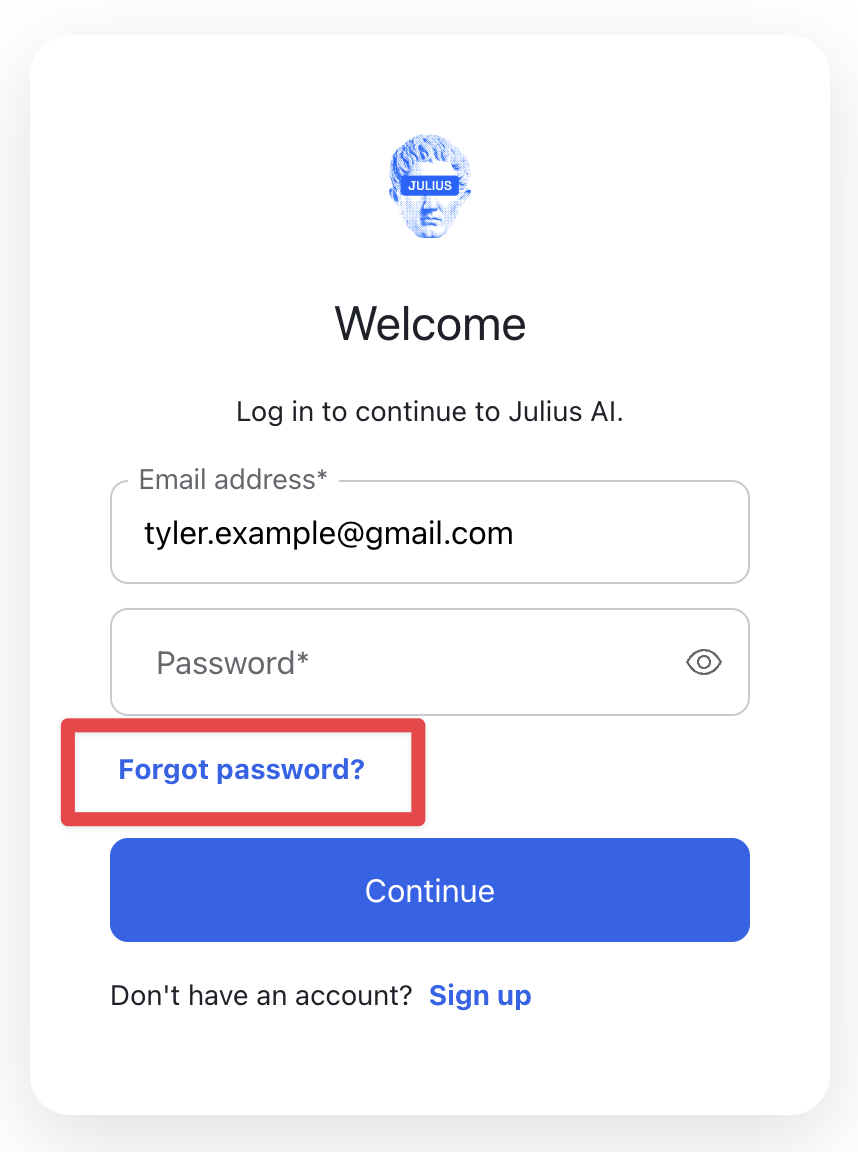
  <Step title="Step 1: Click Can't log in to your account?">
    <div align="center">
      <img src="https://mintcdn.com/julius-d061c216/1sdX0_SBCoFyQQNg/images/account/password-reset-1.png?fit=max&auto=format&n=1sdX0_SBCoFyQQNg&q=85&s=2e223e36c43f6d0611b0c520d0f7e2c2" style={{ maxWidth:"60%",height:"auto",display:"block",margin:"auto" }} width="858" height="1152" data-path="images/account/password-reset-1.png" />
    </div>
  </Step>

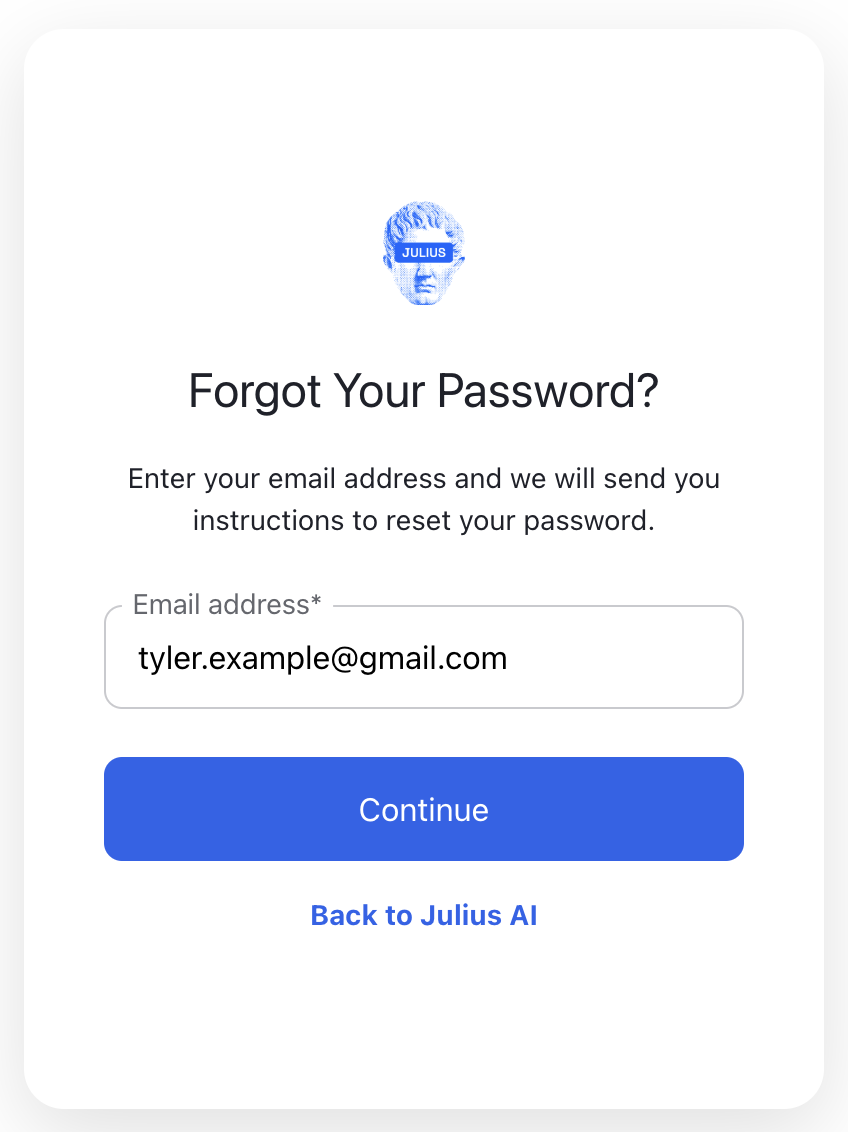
  <Step title="Step 2: Enter the email address that you used to create your account.">
    <div align="center">
      <img src="https://mintcdn.com/julius-d061c216/1sdX0_SBCoFyQQNg/images/account/password-reset-2.png?fit=max&auto=format&n=1sdX0_SBCoFyQQNg&q=85&s=f8915577b2ec6396f565bef0e98034d2" style={{ maxWidth:"60%",height:"auto",display:"block",margin:"auto" }} width="848" height="1132" data-path="images/account/password-reset-2.png" />
    </div>
  </Step>

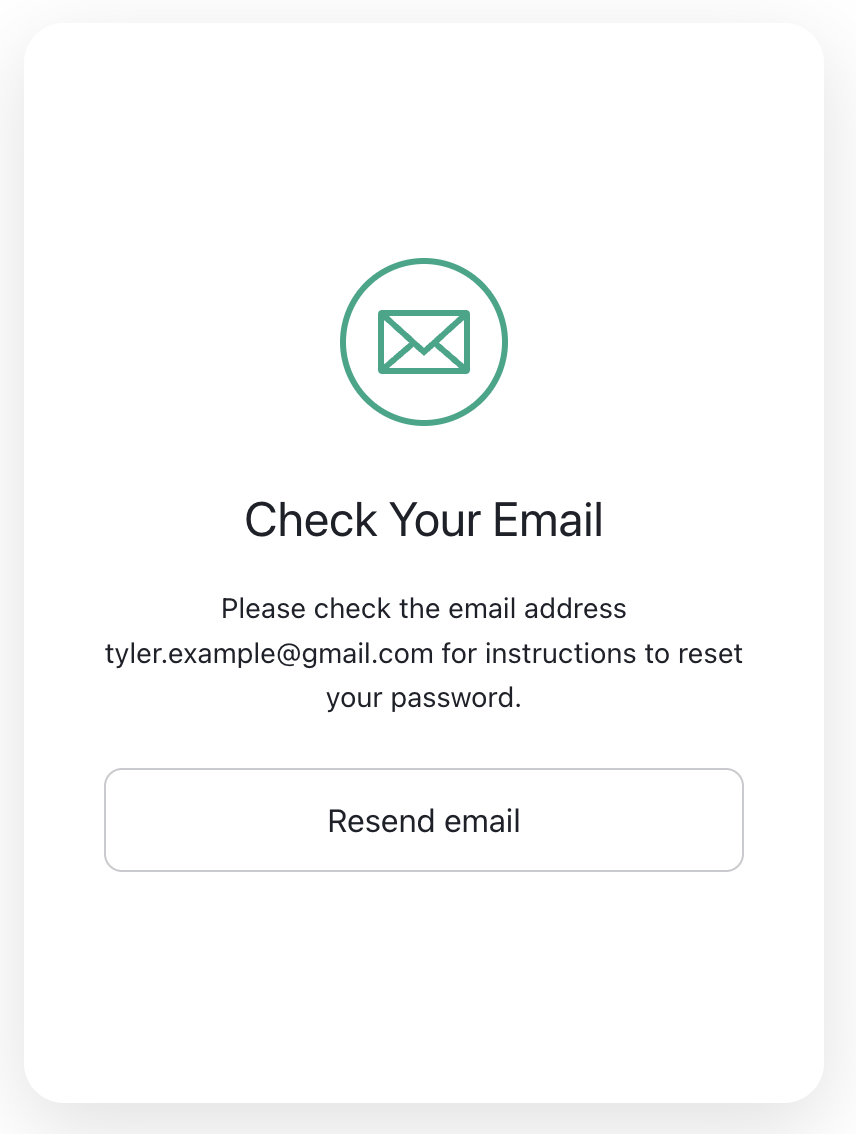
  <Step title="Step 3: Click Continue">
    <div align="center">
      <img src="https://mintcdn.com/julius-d061c216/1sdX0_SBCoFyQQNg/images/account/password-reset-3.png?fit=max&auto=format&n=1sdX0_SBCoFyQQNg&q=85&s=bb81ccdd4f0cd25ef5d50d0120bf0f84" style={{ maxWidth:"60%",height:"auto",display:"block",margin:"auto" }} width="856" height="1134" data-path="images/account/password-reset-3.png" />
    </div>
  </Step>

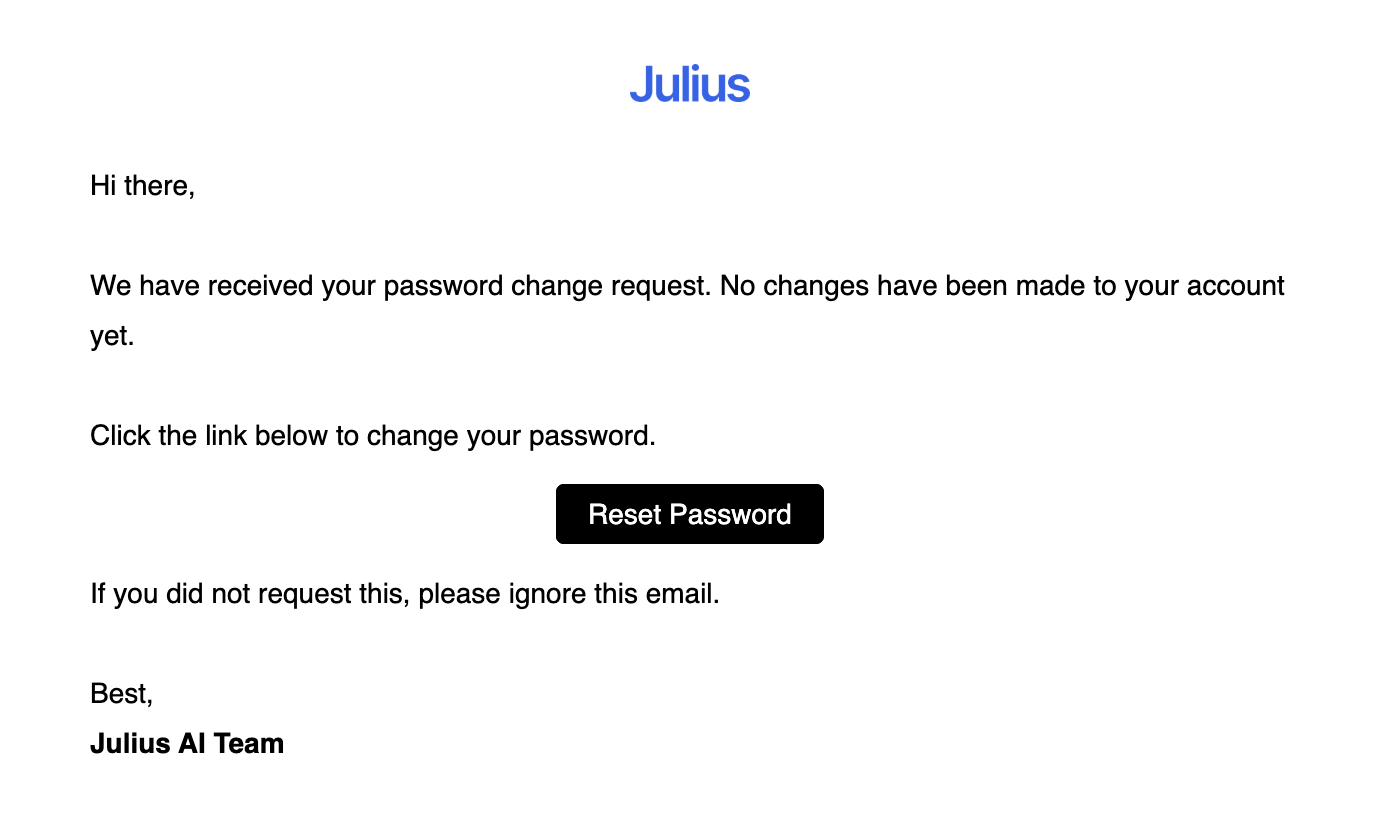
  <Step title="Step 4: Check your inbox">
    <div align="center">
      <img src="https://mintcdn.com/julius-d061c216/1sdX0_SBCoFyQQNg/images/account/password-reset-4.png?fit=max&auto=format&n=1sdX0_SBCoFyQQNg&q=85&s=c4047fe0367ed2ae51e918dab85d2243" style={{ maxWidth:"90%",height:"auto",display:"block",margin:"auto" }} width="1396" height="830" data-path="images/account/password-reset-4.png" />
    </div>
  </Step>

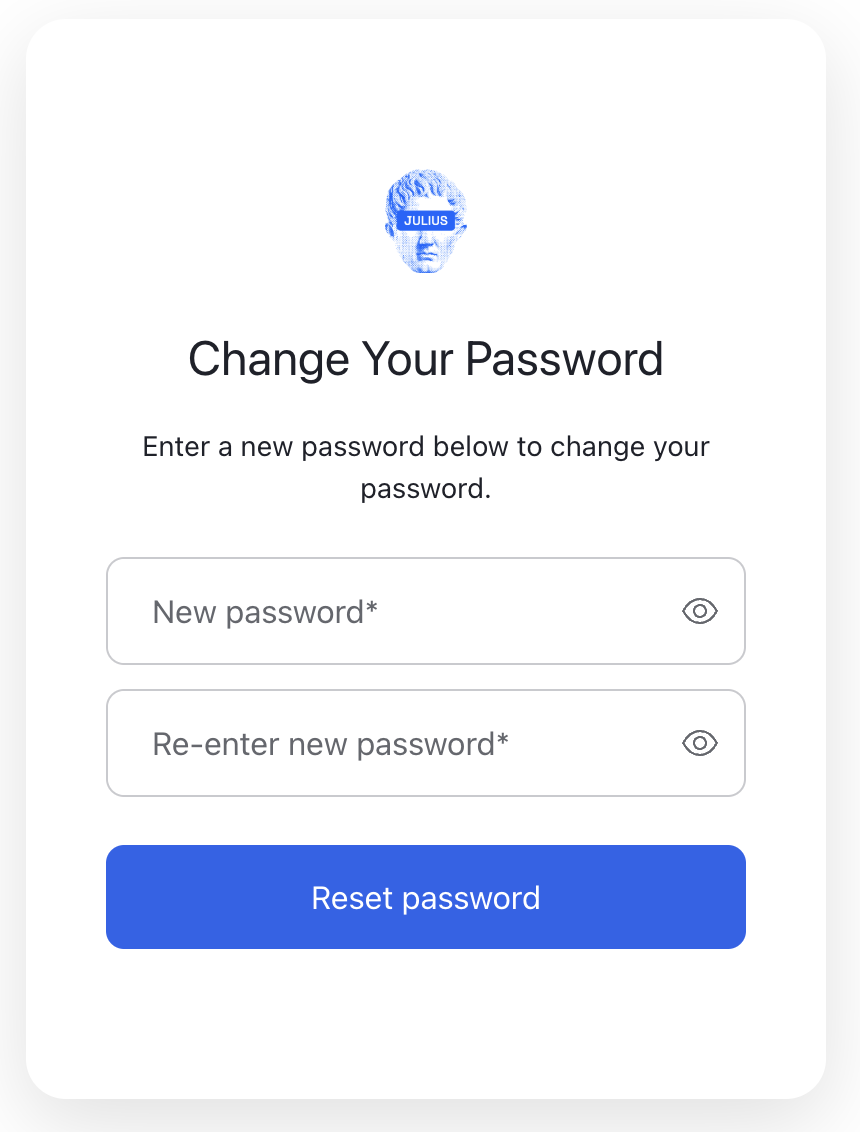
  <Step title="Step 5: Click Reset Password">
    <div align="center">
      <img src="https://mintcdn.com/julius-d061c216/1sdX0_SBCoFyQQNg/images/account/password-reset-5.png?fit=max&auto=format&n=1sdX0_SBCoFyQQNg&q=85&s=48302dc86d6d9a8a678976858da76fb9" style={{ maxWidth:"60%",height:"auto",display:"block",margin:"auto" }} width="860" height="1132" data-path="images/account/password-reset-5.png" />
    </div>
  </Step>
</Steps>

## Troubleshooting

**Didn't receive the Password Reset email?**

* Be sure to check your **spam** folder
* If the email doesn't show up after a few minutes, click **Resend email.**

<Tip>
  Try logging in using other login methods like **Google** or **Apple**. It is very common for users to forget which method they used when signing up!
</Tip>

### **Still having issues?**

<Info>
  Reach out to [**team@julius.ai**](mailto:team@julius.ai) for support or to ask questions not answered in our documentation.
</Info>