> ## Documentation Index
> Fetch the complete documentation index at: https://julius.ai/docs/llms.txt
> Use this file to discover all available pages before exploring further.

# Invoices and Receipts

> Instructions on how to generate invoices and receipts

## Generate an Invoice Prior to Purchasing a Subscription

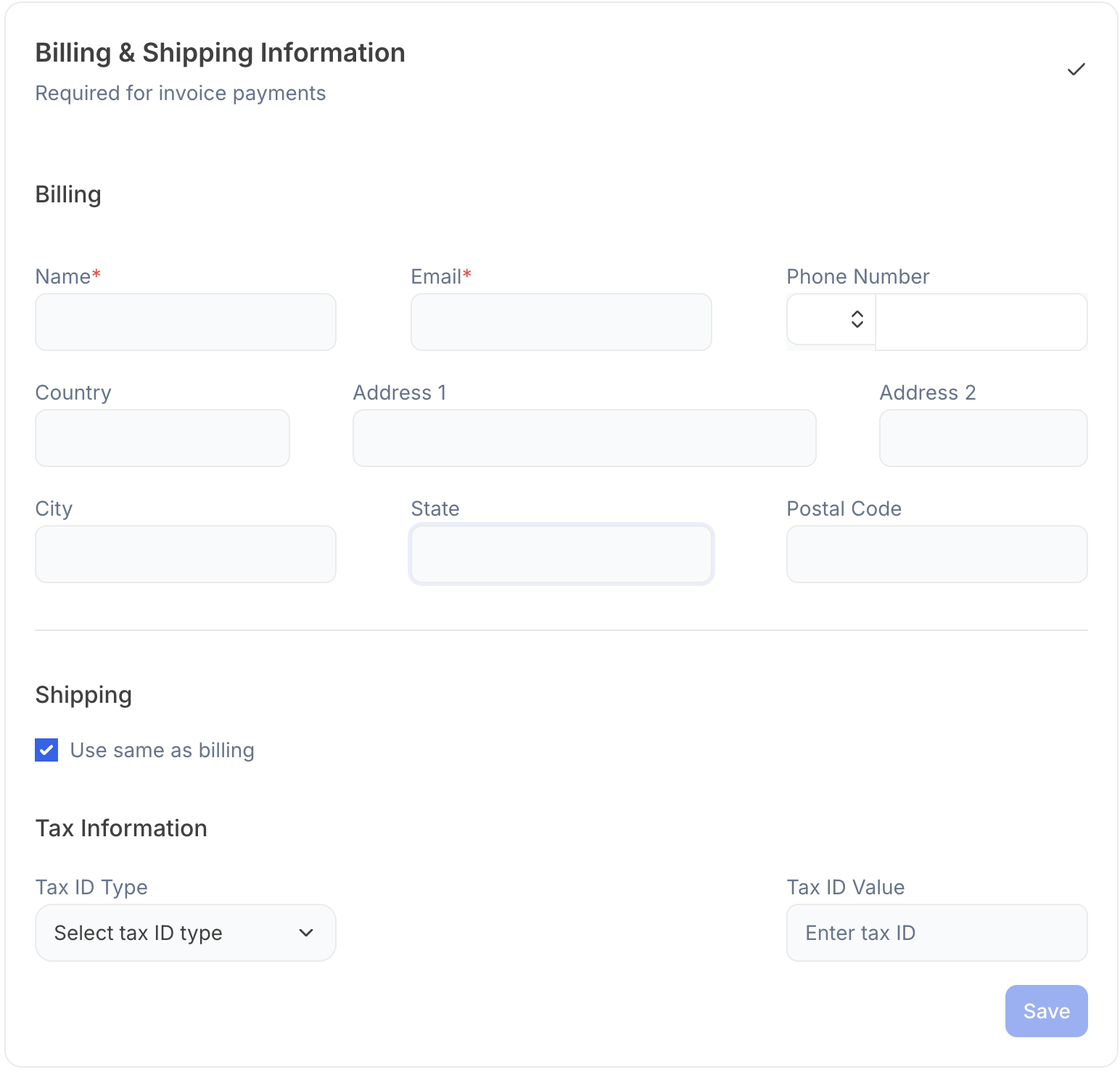
We have built an [<u>invoicing tool</u>](https://julius.ai/settings/teams?invoice=true)<u> </u>for you to create an invoice for your purchasing department.

Simply enter your billing information, number of seats you’d like to purchase, and it will create a payable invoice for you to share and sent to your email.
<Frame>
  <img src="https://mintcdn.com/julius-d061c216/tO-57s9_omnMkh_r/images/billing/invoices-and-receipts/billing-prepurchase-invoice-tool.png?fit=max&auto=format&n=tO-57s9_omnMkh_r&q=85&s=485c7df0e00c9a47538cb8fbf11e01e8" alt="Pre-purchase invoicing tool for Julius subscriptions" title="Pre-purchase invoicing tool for Julius subscriptions" className="mx-auto" style={{ width:"60%" }} width="1544" height="1478" data-path="images/billing/invoices-and-receipts/billing-prepurchase-invoice-tool.png" />
</Frame>

## Download your Invoice or Receipt After Purchasing your Subscription

<Steps>
  <Step title="Navigate to the Stripe page">
    Go to your [Subscription Page](https://julius.ai/settings/subscription) and click **Invoices & Payment Methods**:

    <Frame>
      <img src="https://mintcdn.com/julius-d061c216/tO-57s9_omnMkh_r/images/account/managing-subscriptions/billing-invoices-payment-methods-link.png?fit=max&auto=format&n=tO-57s9_omnMkh_r&q=85&s=5ff587015cb6be69ae429457b1651a11" alt="Invoices & Payment Methods link in subscription settings" width="462" height="68" data-path="images/account/managing-subscriptions/billing-invoices-payment-methods-link.png" />
    </Frame>
  </Step>

  <Step title="Go into your Invoice History">
    Navigate to your Invoice History and click into the Invoice/ Receipt you'd like to download

    <Frame>
      <img src="https://mintcdn.com/julius-d061c216/tO-57s9_omnMkh_r/images/billing/invoices-and-receipts/billing-invoice-history.png?fit=max&auto=format&n=tO-57s9_omnMkh_r&q=85&s=b2c34a569a637d62bb76d486dd366e92" alt="Invoice history list in Stripe billing portal" width="1582" height="304" data-path="images/billing/invoices-and-receipts/billing-invoice-history.png" />
    </Frame>
  </Step>

  <Step title="Download your Invoice / Receipt">
    <Frame>
      <img src="https://mintcdn.com/julius-d061c216/tO-57s9_omnMkh_r/images/billing/invoices-and-receipts/billing-invoice-download.png?fit=max&auto=format&n=tO-57s9_omnMkh_r&q=85&s=a3b00b2298c7dc18b28b57ccaa885168" alt="Download invoice or receipt in Stripe billing portal" width="812" height="142" data-path="images/billing/invoices-and-receipts/billing-invoice-download.png" />
    </Frame>
  </Step>
</Steps>

***

<Info>
  Reach out to [**team@julius.ai**](mailto:team@julius.ai) for support or to ask questions not answered in our documentation.
</Info>
