> ## Documentation Index
> Fetch the complete documentation index at: https://julius.ai/docs/llms.txt
> Use this file to discover all available pages before exploring further.
# Team Usage Dashboard
> Get insights on how your team is using Julius from the Team Usage Dashboard
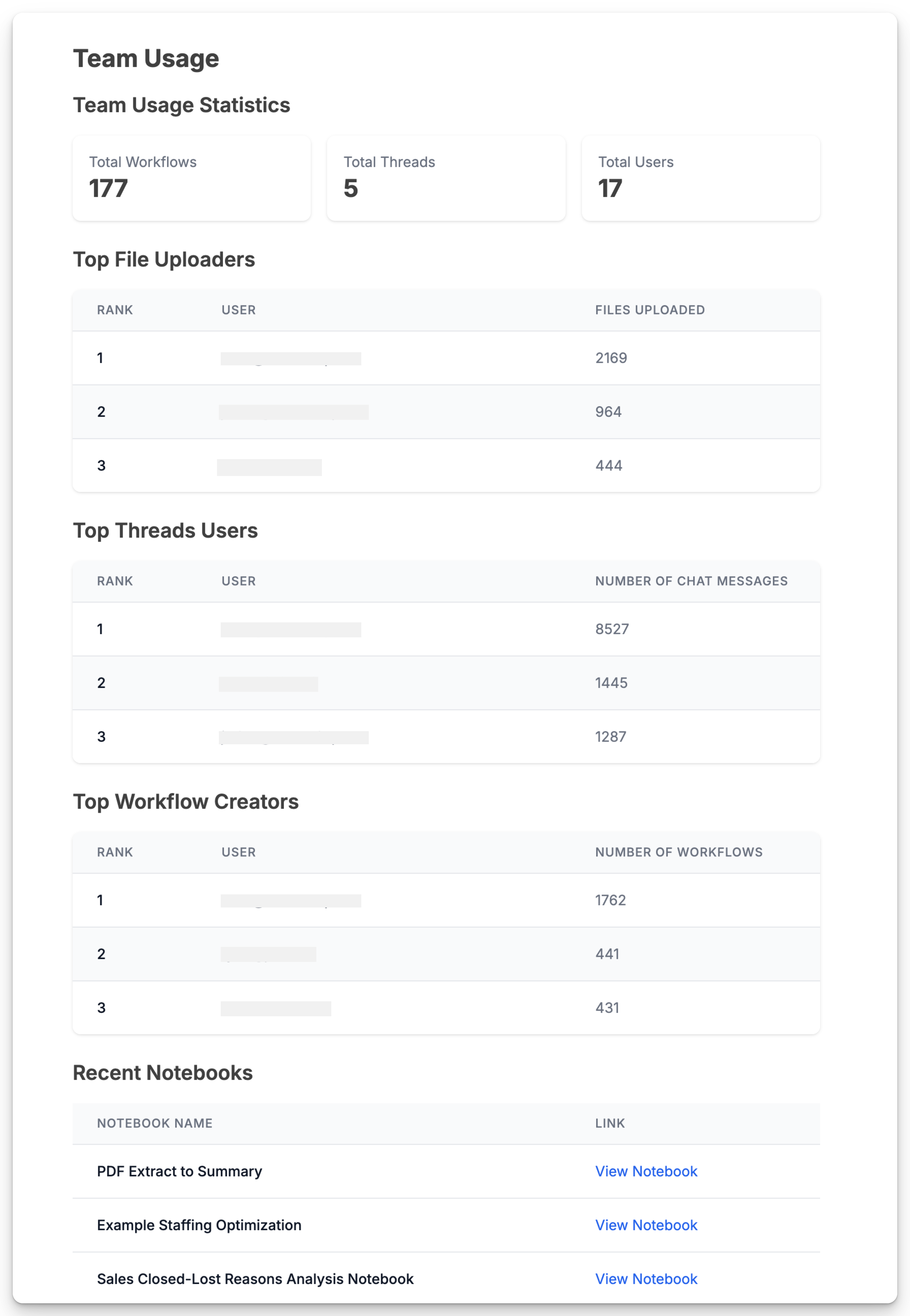
Use the **Team Usage** dashboard to see how your organization is using Julius.
* `Top File Uploaders` - Who has uploaded the most Files
* `Top Threads users` - Who has used the most credits across threads
* `Top Notebook Creators` - Who has created the most Notebooks
* `Recent Notebooks` - See the most recent notebooks that were created.
 ***
Reach out to [**team@julius.ai**](mailto:team@julius.ai) for support or to ask questions not answered in our documentation.
***
Reach out to [**team@julius.ai**](mailto:team@julius.ai) for support or to ask questions not answered in our documentation.