> ## Documentation Index
> Fetch the complete documentation index at: https://julius.ai/docs/llms.txt
> Use this file to discover all available pages before exploring further.
# Creating a Team
> Learn how to create a team and send invitations to colleagues to join your team!
Go to [https://julius.ai/settings/teams](https://julius.ai/settings/teams) to set up your team!
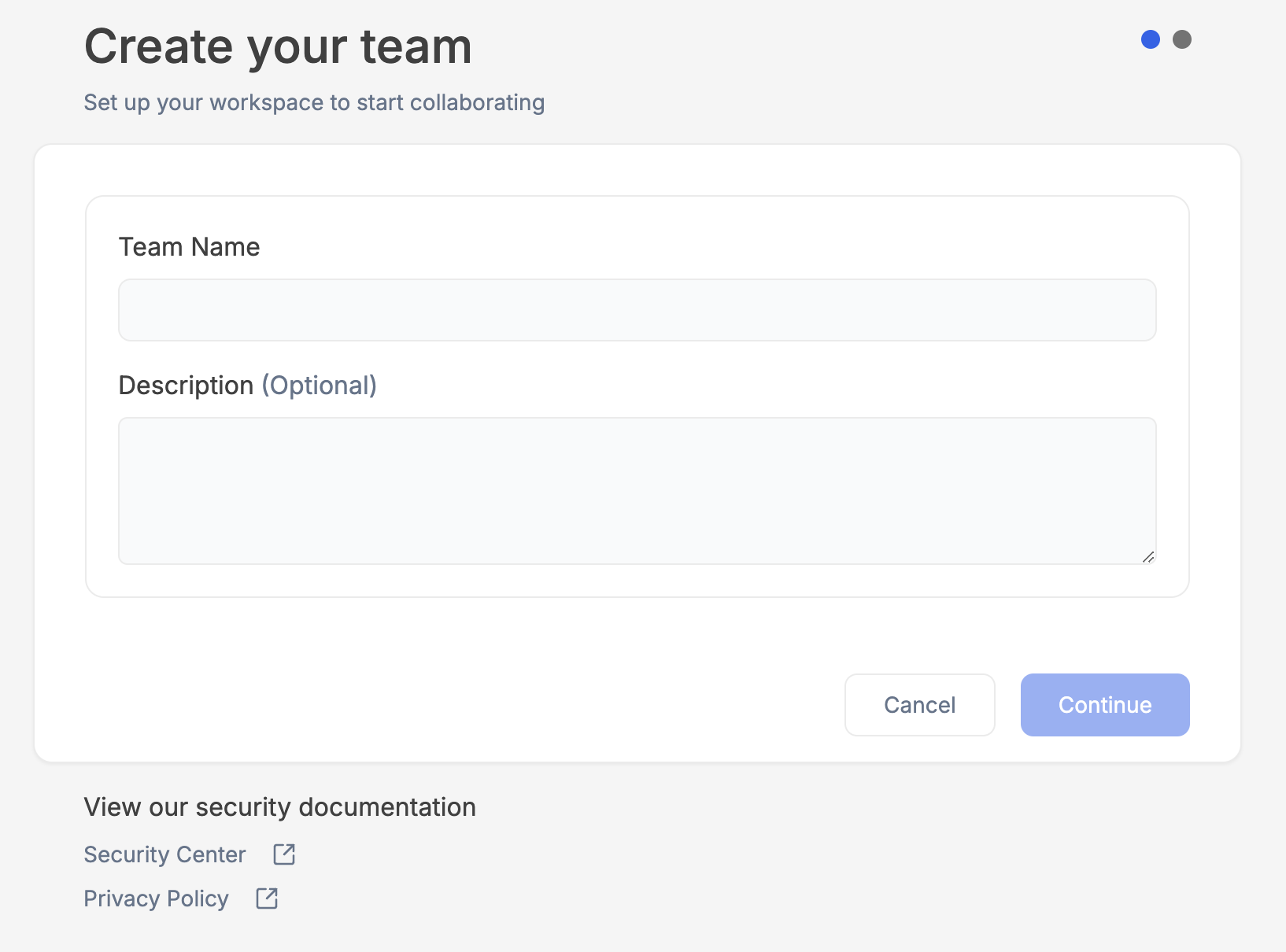 You can always make adjustments to these settings later in the [Teams settings](https://julius.ai/settings/teams/) page!
Enter in the emails of your colleagues you wish to send invitations to. Later you can create a **Magic Link** to share with colleagues to invite new members!
You can always make adjustments to these settings later in the [Teams settings](https://julius.ai/settings/teams/) page!
Enter in the emails of your colleagues you wish to send invitations to. Later you can create a **Magic Link** to share with colleagues to invite new members!
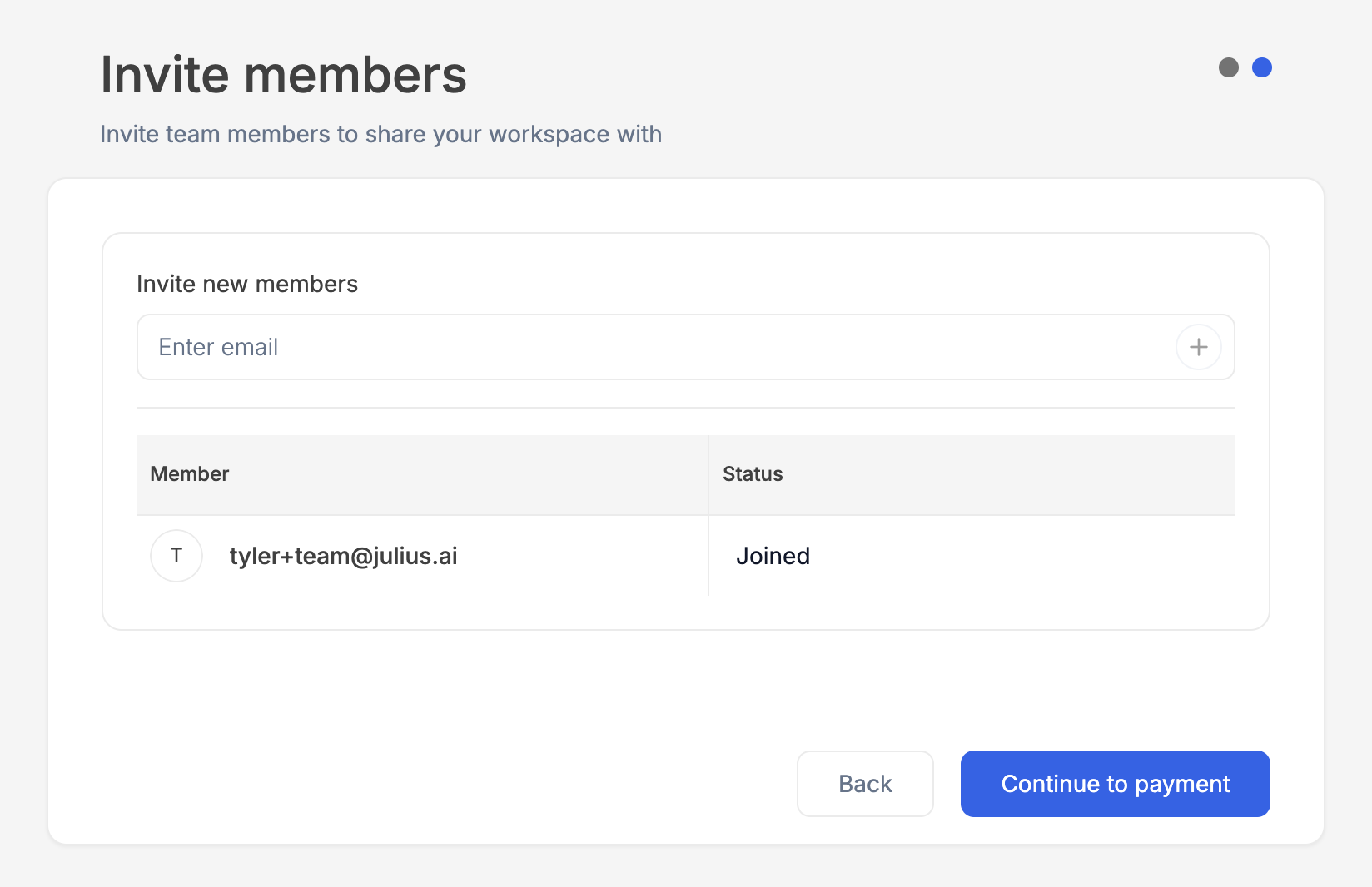 You can invite additional colleagues later in the [**Teams settings**](https://julius.ai/settings/teams/) **page!**
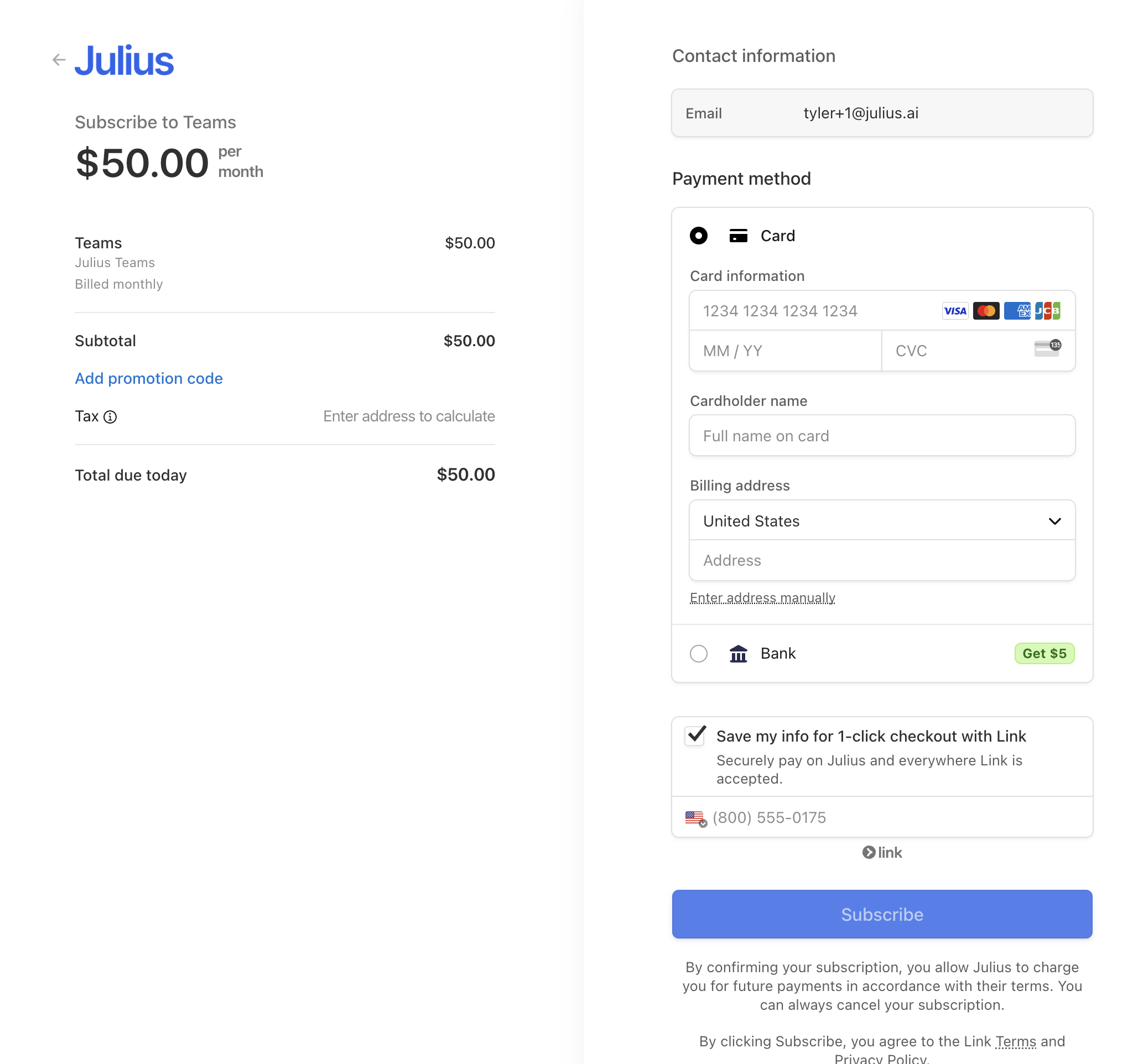 If you don't complete this step, you will later be prompted to complete the payment process to activate your team.
Invited team members will not be able to accept their invitation until the team is activated!
***
Reach out to [**team@julius.ai**](mailto:team@julius.ai) for support or to ask questions not answered in our documentation.
If you don't complete this step, you will later be prompted to complete the payment process to activate your team.
Invited team members will not be able to accept their invitation until the team is activated!
***
Reach out to [**team@julius.ai**](mailto:team@julius.ai) for support or to ask questions not answered in our documentation.