> ## Documentation Index
> Fetch the complete documentation index at: https://julius.ai/docs/llms.txt
> Use this file to discover all available pages before exploring further.
# Invite Team Members
> Learn how to invite additional members, create invitation links, check Member status, and more!
Use an Invite Link to invite new members to your team. To do this:
1. Go to your [Teams Settings](https://julius.ai/settings/teams/) page
2. Under **Members -> Invite Link** click **Enable**
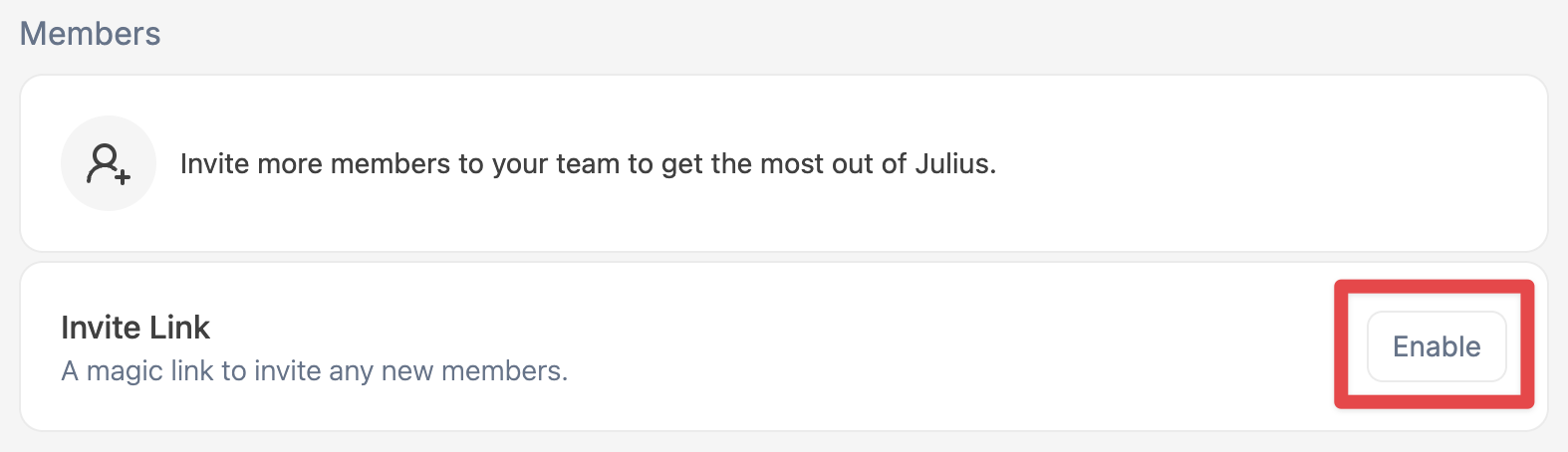 3. This will create an Invite Link that you can share with your colleagues and
coworkers!
3. This will create an Invite Link that you can share with your colleagues and
coworkers!
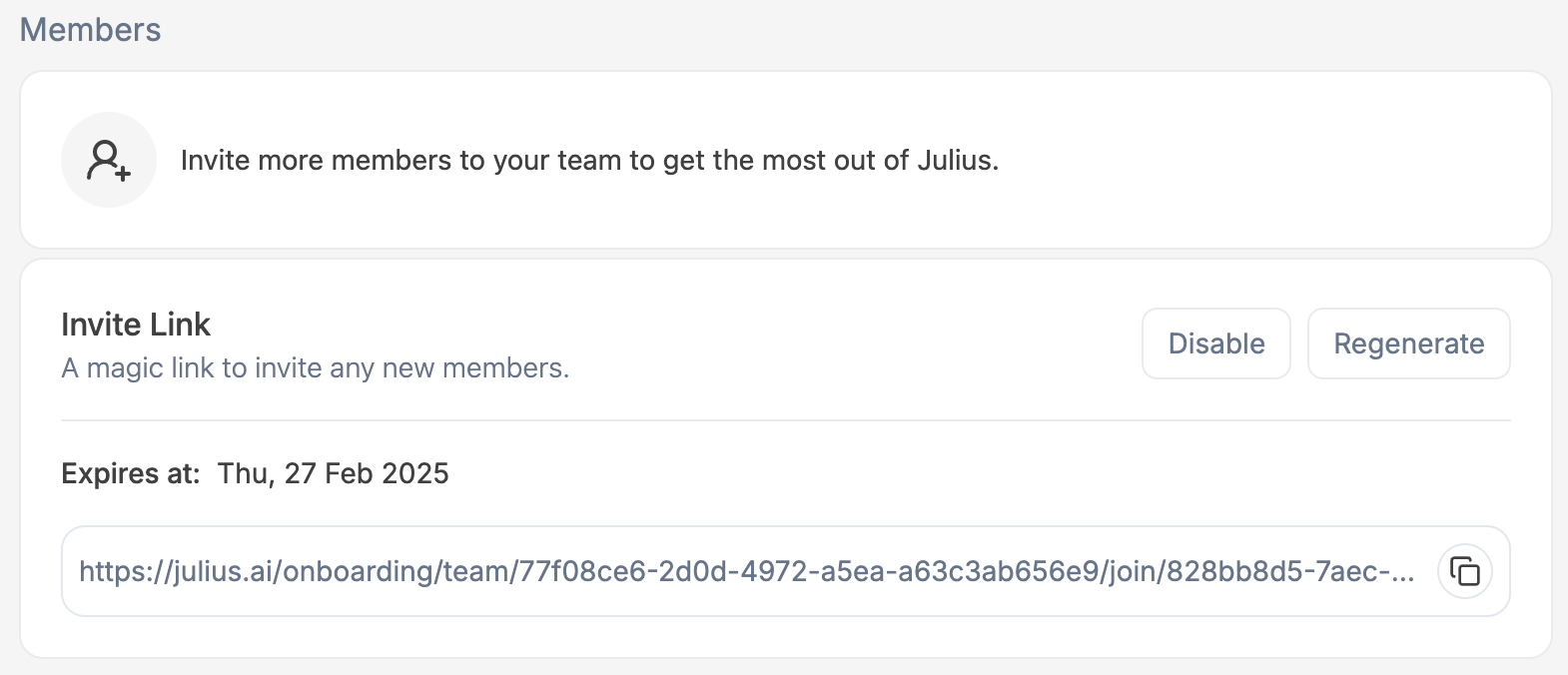 `Expires At` - The date the link will expire `Disable` - Disable the Invite Link
preventing `Regenerate` - Generate a new Invite Link
Invite additional members via email by entering their email address in the Invite New Members field, and pressing `Enter` or clicking the `+` button.
`Expires At` - The date the link will expire `Disable` - Disable the Invite Link
preventing `Regenerate` - Generate a new Invite Link
Invite additional members via email by entering their email address in the Invite New Members field, and pressing `Enter` or clicking the `+` button.
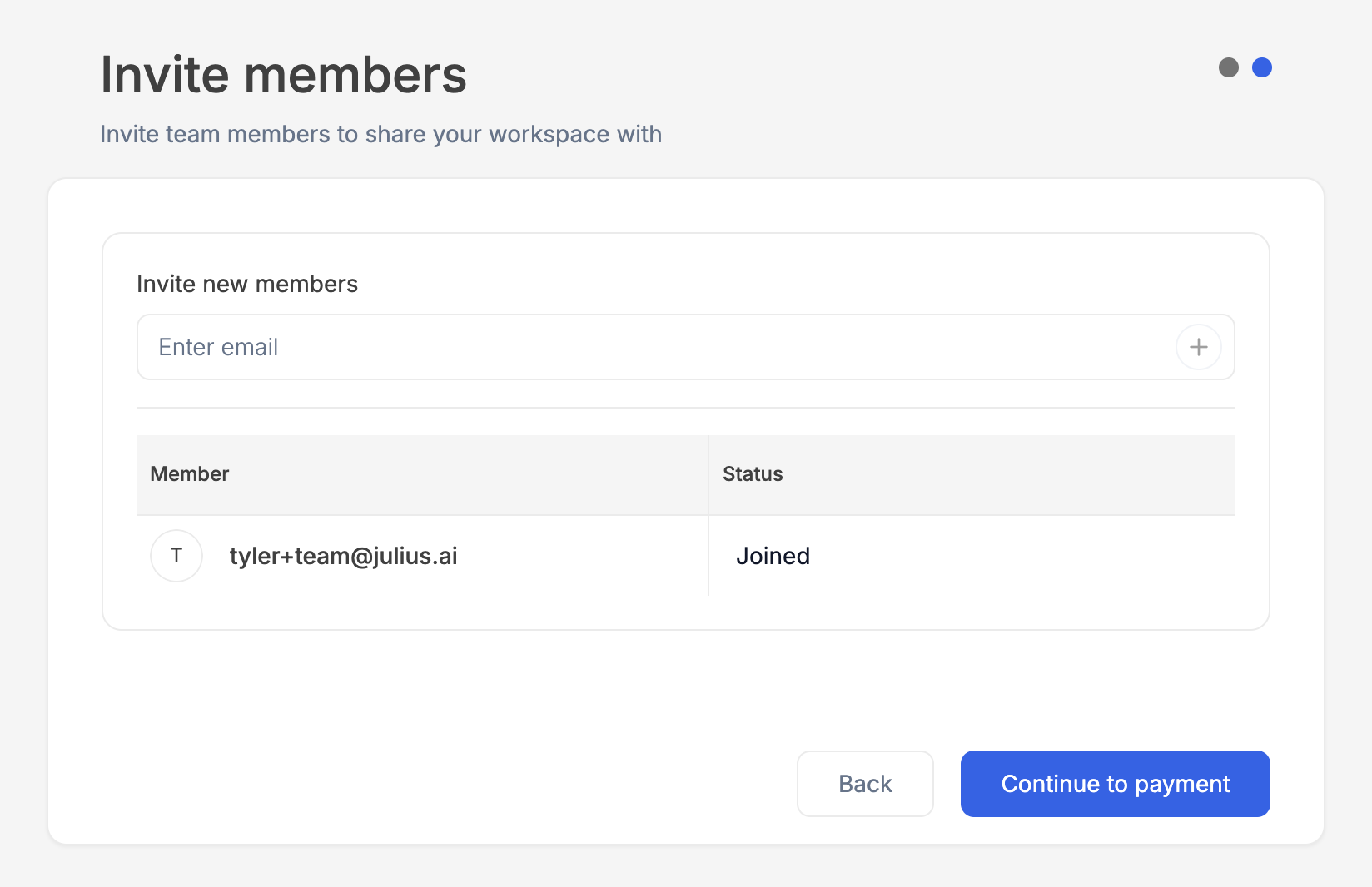 Team members will not be able to accept the invite until your team has been
activated.
You can also create an Invite Link to share a link to join your team!
***
Reach out to [**team@julius.ai**](mailto:team@julius.ai) for support or to ask questions not answered in our documentation.
Team members will not be able to accept the invite until your team has been
activated.
You can also create an Invite Link to share a link to join your team!
***
Reach out to [**team@julius.ai**](mailto:team@julius.ai) for support or to ask questions not answered in our documentation.