

I tested the best AI tools for financial analysis in 2026, from AI-powered data tools to FP&A platforms. These 14 delivered accurate forecasts, natural language queries, and strong automated reporting.
14 best AI tools for financial analysis: At a glance
AI tools for finance and financial analysis range from AI chat assistants to full financial planning and analysis (FP&A) and enterprise planning platforms. Some connect directly to databases for ad hoc analysis, while others focus on budgeting, forecasting, and financial consolidation. Teams that need numbers to update the moment they change can compare our picks for AI analytics tools for real-time data.
The table below compares the 14 best tools by use case, pricing, and strength:
| Tool | Best For | Starting price (billed annually) |
Key strength |
|---|---|---|---|
| Julius | Asking questions about connected financial data | $37/month | Learns how your database tables connect for more accurate answers over time |
| ChatGPT | Financial modeling and research support | $8/month, billed monthly | Conversational interface for quick summaries and exploratory analysis |
| Claude | Document-heavy due diligence | $17/month | Handles long financial documents with strong context retention |
| Gemini | Financial analysis inside Google Workspace | $7.99/month | Built into Google Workspace apps |
| Cube | FP&A planning and reporting | Custom pricing | Excel-native planning with structured forecasting workflows |
| Anaplan | Connected enterprise planning | Custom pricing | Scenario modeling across connected business plans |
| Vena | Excel-based budgeting | Custom pricing | Excel interface with centralized data and automation |
| Datarails | Automated data consolidation | Custom pricing | FP&A workflows that stay in Excel |
| Planful | Close and consolidation | Custom pricing | Supports financial close workflows and consolidation |
| Alteryx | Complex data preparation | Custom pricing | No-code workflows for blending multiple data sources |
| Bloomberg Terminal | Real-time market data | Custom pricing | Market data, news, and analytics in one terminal |
| Hebbia | Investment research | Custom pricing | Structured workflows for large-scale document analysis |
| Fintool | SEC filings analysis | Custom pricing | Extracts and compares financial data from public company filings |
| Workiva | Financial reporting and compliance documentation | Custom pricing | Connected reporting, audit trails, multi-user collaboration, and regulatory filing support |
1. Julius: Best for asking questions about connected financial data
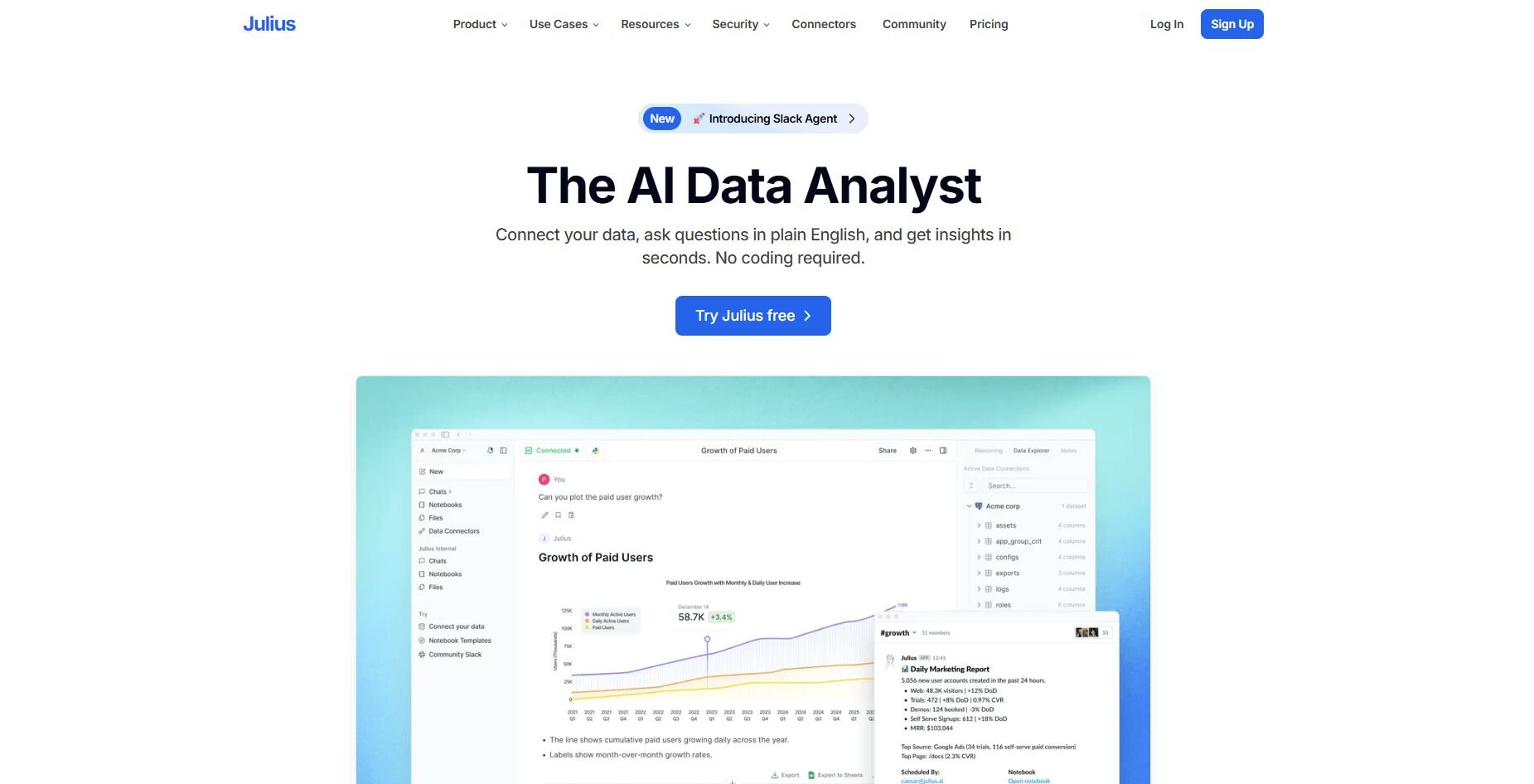
What it does: Julius is an AI data analysis tool that turns questions about your financial data into charts and tables by querying databases or spreadsheets directly. You ask about revenue trends, expense patterns, or budget variances in plain English, and it generates the analysis without requiring you to code.
Who it's for: Finance and marketing teams who need fast answers from their data without SQL skills.
We built Julius to give business teams direct access to their financial data through conversation. When you connect sources like Postgres, Snowflake, or Google Sheets, you can ask questions like "What were our top expense categories last month?" or "How does Q4 revenue compare to Q3?" and get visual answers pulled directly from your tables.
Julius also shows you which tables and columns produced each number, so you can confirm their accuracy before presenting figures to executives or including them in budget reviews.
As you ask questions, the platform maps how your tables connect. It tracks which columns hold revenue data, how customer records link to transactions, and where cost information lives. This understanding allows Julius to pull data from the correct tables so that each query makes the next one more accurate.
The Notebooks feature lets you set up recurring analyses like monthly P&L summaries or weekly cash position updates. Once you set up a notebook, Julius automatically runs it on schedule and sends you the results via email or Slack.
Key features
Conversational queries: Type questions about your data and get charts back
Multi-source connections: Connects to Postgres, BigQuery, Snowflake, and Google Sheets
Automated notebooks: Schedule recurring reports that refresh with current data
Delivery options: Results go to Slack, email, or stay in the platform
Database learning: Stores table relationships to support consistent queries
Pros
No SQL or Python needed so business users can ask questions about financial data directly
Learning system improves accuracy for executive reporting and budget forecasts
Scheduled Notebooks automate recurring reports without manual work
Cons
Requires structured, organized data to work well and some setup may be required
Focused on business metrics rather than complex statistical analysis
Pricing
Julius starts at $37 per month.
Bottom line
Julius gives you a faster way to query financial databases and build reports without SQL expertise. If your work focuses on building detailed forecasts across multiple departments rather than ad-hoc data queries, Cube offers more structured planning workflows.
2. ChatGPT: Best for financial modeling and research support
What it does: ChatGPT is an AI assistant that answers questions, summarizes documents, and helps with spreadsheet analysis through conversation. You can upload financial statements, ask it to explain formulas, or request help building models in Excel or Google Sheets.
Who it's for: Finance professionals who need quick explanations, document summaries, or help building financial models.
I tested ChatGPT by uploading quarterly reports and asking it to pull out key revenue drivers and margin trends. The summaries highlighted the most important changes without requiring me to read through pages of dense text.
ChatGPT also handled spreadsheet work when I uploaded a budget file and asked it to calculate variance percentages. It returned the results with explanations, though I noticed it sometimes misread formulas in complex files.
After getting an initial cash flow summary, I asked it to explain why operating cash flow dropped, and it highlighted the line items that appeared to contribute to the change. That follow-up capability helped me dig deeper without switching tools.
Key features
Document summarization: Upload financial reports and get key points extracted
Spreadsheet analysis: Upload Excel files and run calculations through natural language prompts
Conversational follow-ups: Ask clarifying questions to dig deeper into results
Pros
Handles a wide range of financial tasks
Good at explaining complex concepts in simpler terms
Works well for quick research and exploratory analysis
Cons
Can produce inaccurate calculations if prompts aren't specific
Limited ability to connect directly to live databases
Pricing
ChatGPT starts at $8 per month
Bottom line
ChatGPT works well for one-off financial research tasks and getting quick explanations without leaving your workflow. If you need automated reporting on connected data sources, Julius handles that more directly.
3. Claude: Best for document-heavy due diligence

What it does: Claude is an AI assistant that reads and analyzes long documents, extracts key information, and answers questions about uploaded files. You can upload contracts, financial reports, or legal documents and ask it to summarize terms, compare versions, or pull out specific clauses.
Who it's for: Finance teams handling due diligence, contract review, or analysis of lengthy reports.
I uploaded a 200-page merger agreement to Claude and asked it to identify all the financial covenants and payment terms. It pulled the relevant sections and organized them into a clear list, including clauses buried in the appendices.
I also tested it on quarterly earnings reports by asking it to compare revenue recognition policies across three filings. Claude highlighted where the language changed. However, it sometimes missed context when policies appeared on non-consecutive pages.
The context window handled multiple documents at once. I uploaded five vendor contracts and asked which ones included automatic renewal clauses, and it returned the answer with page references so I could verify each one.
Key features
Large document processing: Handles hundreds of pages in a single upload
Multi-document analysis: Compare terms across multiple files at once
Source citations: Returns page numbers and exact quotes for verification
Pros
Handles complex financial and legal documents well
Strong at finding specific clauses or terms across long files
Security-focused deployment options for sensitive documents
Cons
Cannot connect to live databases or external data sources
Requires well-formatted documents for accurate extraction
Pricing
Claude starts at $17 per month.
Bottom line
Claude handles document-heavy work like contract analysis and due diligence more thoroughly than general AI assistants. If you need to query live financial databases instead of static documents, Julius offers more direct data access.
4. Gemini: Best for financial analysis inside Google Workspac

What it does: Gemini is Google's AI assistant built into Workspace apps like Sheets, Docs, and Slides. You can ask it to analyze data in spreadsheets, generate formulas, create charts, or draft financial reports without leaving your existing Google tools.
Who it's for: Teams already using Google Workspace who want AI help without switching platforms.
I tested Gemini by asking it to create pivot tables and variance calculations in a Google Sheet with budget data. It generated the formulas and formatted the results quickly, saving me time on repetitive setup work.
Gemini also helped draft executive summaries in Google Docs. I gave it a spreadsheet of quarterly metrics and asked it to write a three-paragraph summary highlighting revenue growth and expense trends. The output needed minor editing but provided a solid starting point.
The integration across Workspace apps helped me move data from Sheets into Slides and generate charts without manually recreating them. However, it struggled when I asked it to format multiple charts consistently or handle tasks that required several steps in sequence.
Key features
Workspace integration: Available inside Sheets, Docs, and Slides
Formula generation: Creates spreadsheet formulas based on descriptions
Cross-app workflows: Pulls data between Google apps
Pros
No need to learn a new platform if you use Google Workspace
Quick formula and chart creation in Sheets
Helpful for drafting financial narratives
Cons
Limited to Google's ecosystem
Struggles with complex multi-step analysis
Pricing
Gemini starts at $7.99 per month.
Bottom line
Gemini fits teams already invested in Google Workspace who want AI capabilities without adding new tools. If you work with databases outside Google Sheets or need more advanced data analysis, Julius offers broader connectivity.
5. Cube: Best for FP&A planning and reporting
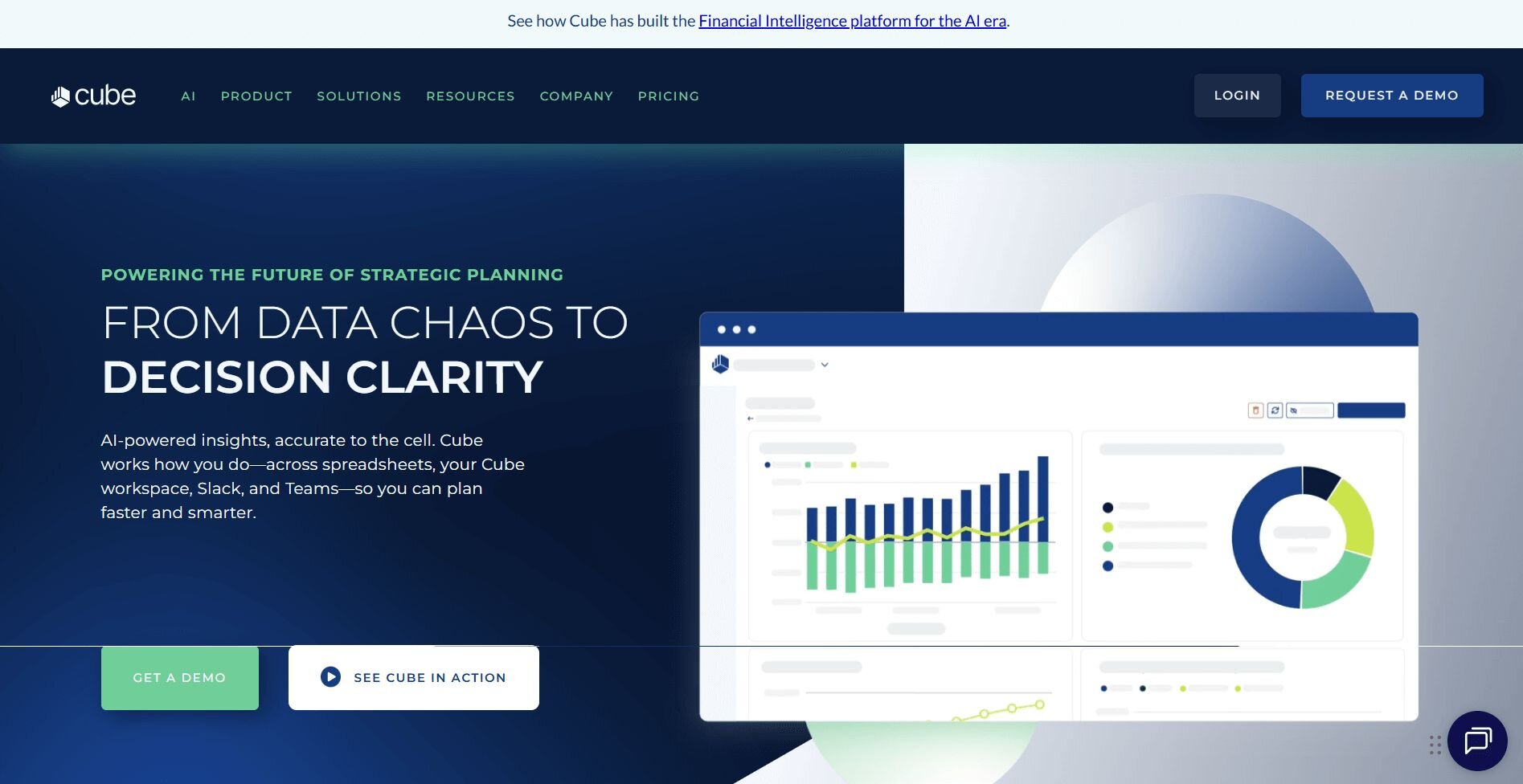
What it does: Cube is an FP&A platform that connects to your ERP, HRIS, and CRM systems and works directly inside Excel or Google Sheets. You can build budgets, run forecasts, and generate reports using your existing spreadsheet workflows with centralized data and version control.
Who it's for: Finance teams who need structured planning processes but want to keep working in Excel.
I built a quarterly forecast in Cube by connecting it to sample financial data in Excel. The platform pulled data from the connected systems and let me model scenarios directly in the sheet without switching tools. I also tested it in Google Sheets and found the experience worked similarly across both platforms.
The AI forecasting feature analyzed historical trends and suggested a baseline projection. I adjusted the assumptions, and Cube recalculated the entire model based on those changes. That saved me time compared to manually updating linked cells across multiple tabs.
Version control helped during review cycles. When I shared the budget with others, Cube tracked who made changes and when, though the learning curve for setting up initial workflows was steeper than expected for less technical users.
Key features
Excel and Sheets integration: Build models in Excel or Google Sheets while pulling from centralized data
AI forecasting: Suggests baseline projections based on historical data
Version tracking: Logs changes and maintains audit trails
Pros
Keeps familiar Excel workflows intact
Centralized data reduces manual consolidation
Strong collaboration features for budget reviews
Cons
Setup requires some technical knowledge
Custom pricing may be high for smaller teams
Pricing
Cube uses custom pricing.
Bottom line
Cube lets you keep working in spreadsheets while adding centralized data and version control. If you need quick queries on your data rather than building full planning cycles, Julius handles ad-hoc analysis more directly.
6. Anaplan: Best for connected enterprise planning
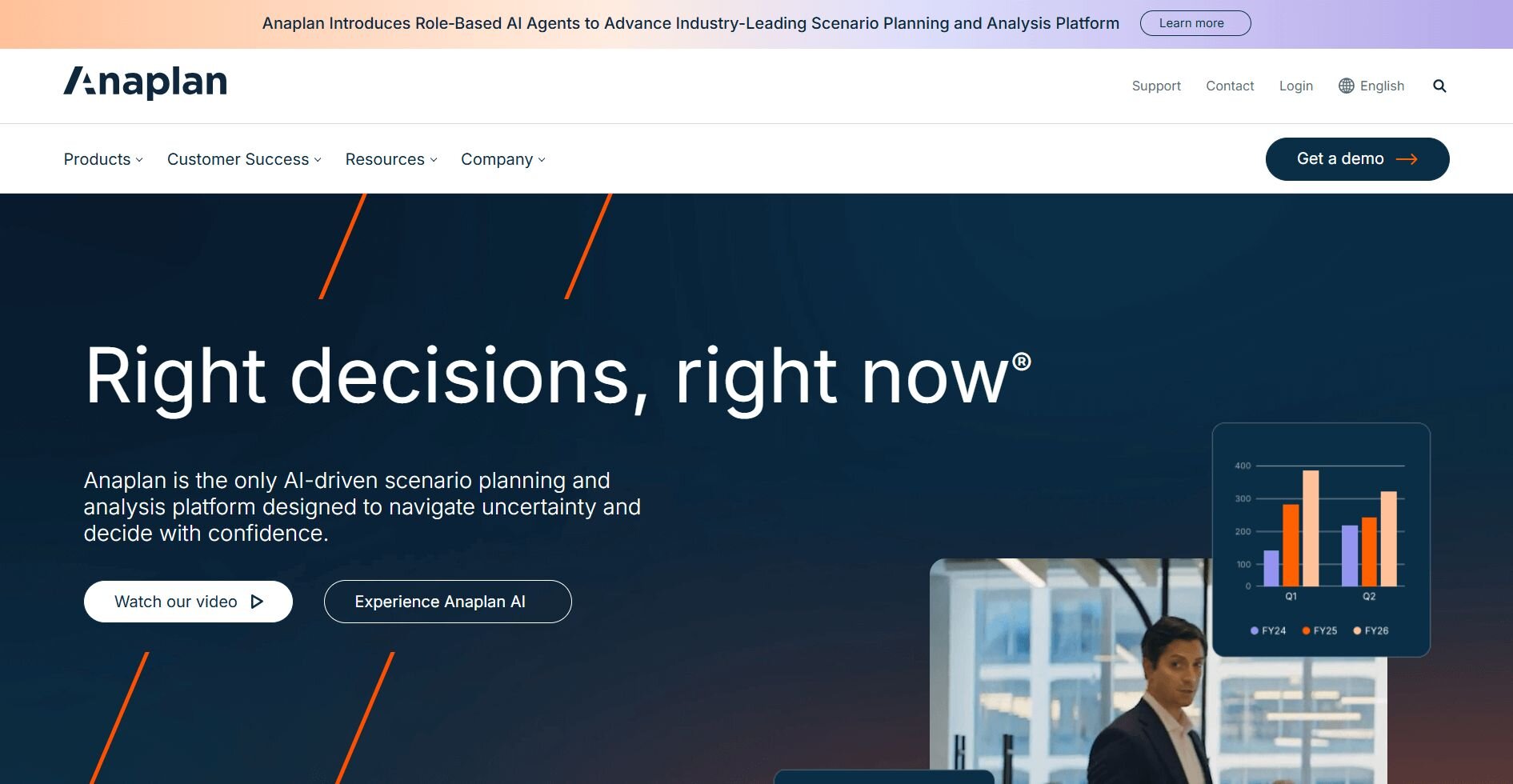
What it does: Anaplan is an enterprise planning platform that connects financial, operational, and workforce planning in a shared model. You can build models that link budgets, headcount, and revenue forecasts so changes in one area update related plans across departments based on the model structure.
Who it's for: Large finance teams managing complex planning processes across multiple business units.
I tested Anaplan by building a sample scenario model that linked sales projections to hiring plans and operating expenses. When I changed the revenue assumption, the platform recalculated headcount needs and adjusted the budget based on the connections I had set up.
The scenario planning tools let me compare multiple versions side by side. I created three forecast scenarios with different growth rates and reviewed how each one affected cash flow and staffing requirements. However, setting up these connections between models required more upfront work than using simpler tools.
Anaplan handled cross-departmental planning well. Finance, operations, and HR teams could work in the same model simultaneously, and changes from one team updated related plans across departments.
Key features
Connected planning models: Links budgets, forecasts, and operational plans
Scenario comparison: Tests multiple assumptions side by side
Cross-functional collaboration: Multiple teams work in shared models
Pros
Handles complex, multi-department planning
Strong scenario modeling capabilities
Coordinated updates across connected plans
Cons
Steep learning curve for new users
Requires significant setup and configuration
Pricing
Anaplan uses custom pricing.
Bottom line
Anaplan works well for enterprises that need tightly integrated planning across departments and scenarios. If you need quick analysis on existing data rather than building connected planning models, Julius provides faster results with less setup.
7. Datarails: Best for FP&A teams that work heavily in Excel
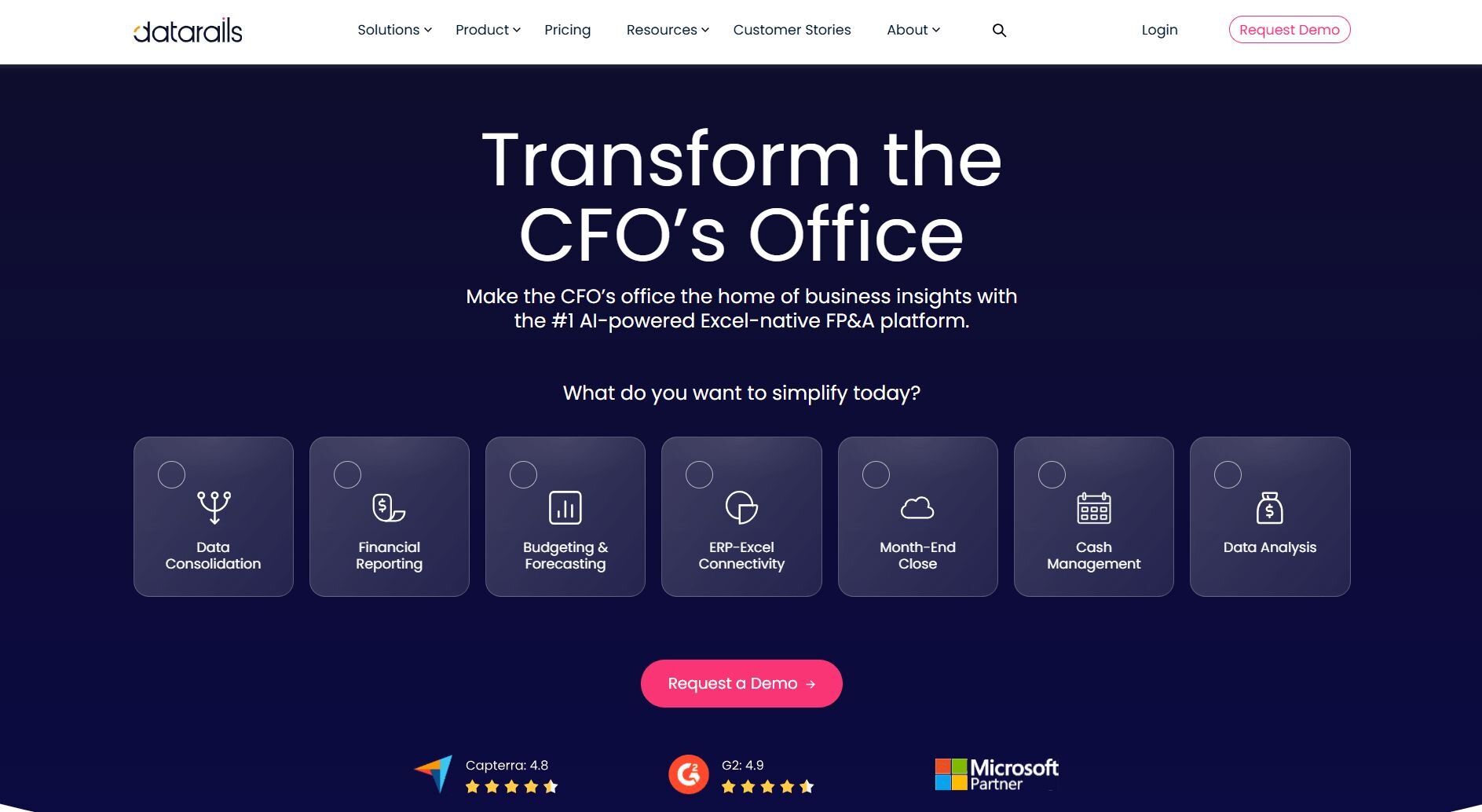
What it does: Datarails is a financial planning and analysis (FP&A) platform that connects to your existing Excel files. It consolidates financial data across spreadsheets automatically, so you can build reports, run variance analysis, and model scenarios.
Who it's for: Finance and FP&A teams that want to automate consolidation, budgeting, and reporting without moving away from Excel entirely.
I built a sample FP&A workflow in Datarails to test how it consolidates budget data across multiple Excel files by department and month. Figures rolled up into a single view without broken links or manual copy-pasting, and the budget vs. actuals comparison by cost center was easy to configure. The initial data mapping took longer than expected when source spreadsheets used inconsistent column naming. Dedicated data mapping tools can take on that matching work before the numbers reach your finance stack.
Key features
Excel integration: Connect existing Excel files and consolidate data across multiple spreadsheets without rebuilding your models in a new system.
Budget vs. actuals analysis: Compare planned figures against real results across departments or cost centers within the platform.
Scenario modeling: Build and compare multiple financial scenarios side by side to support planning and forecasting discussions.
Pros
Works directly with existing Excel files, so finance teams don't need to change how they store data
Consolidates figures from multiple spreadsheets, which can reduce manual copy-paste work
Version control lets teams roll back to earlier file versions if a figure needs to be checked or corrected
Cons
Initial data mapping can take time if source spreadsheets aren't consistently structured
Some configurations during setup may require support from the Datarails team
What users say
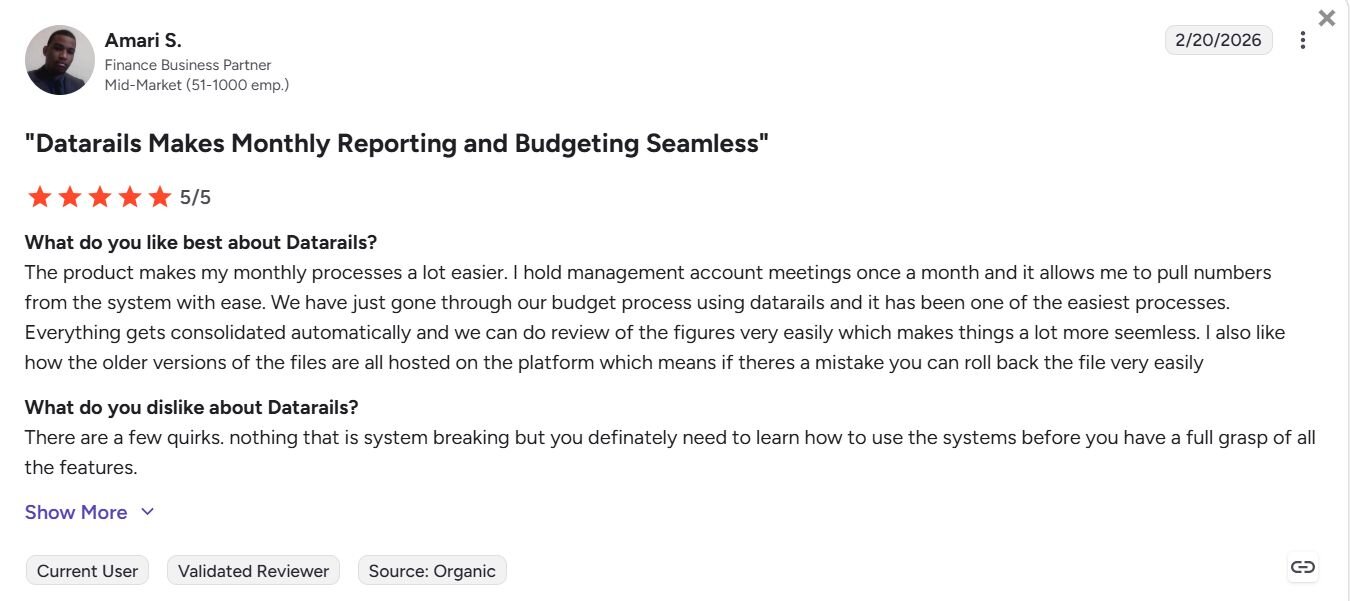
Pro: "The product makes my monthly processes a lot easier. I hold management account meetings once a month, and it allows me to pull numbers from the system with ease. We have just gone through our budget process using Datarails and it has been one of the easiest processes. Everything gets consolidated automatically…which makes things a lot more seamless." - Amari S., G2
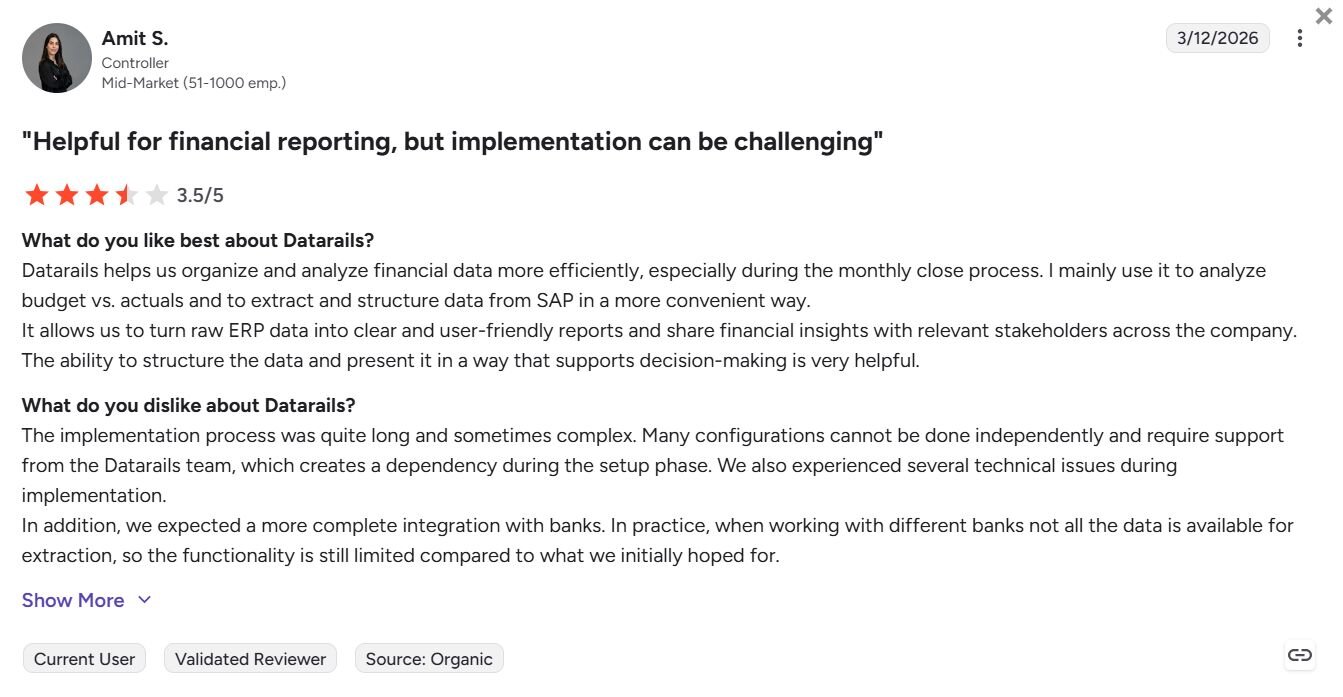
Con: "The implementation process was quite long and sometimes complex. Many configurations cannot be done independently and require support from the Datarails team, which creates a dependency during the setup phase." - Amit S., G2
Pricing
Datarails offers custom pricing.
Bottom line
Datarails keeps your Excel workflows intact while adding a consolidation and reporting layer on top. If you need a platform that moves beyond Excel into broader financial planning and modeling at an enterprise scale, Anaplan might be a better fit.
8. Planful: Best for structured FP&A and financial close workflows

What it does: Planful is a financial planning and close platform that lets you manage budgeting, forecasting, and reporting workflows in a structured environment built specifically for finance teams.
Who it's for: Finance teams that need a dedicated platform for managing budgeting cycles, financial close processes, and reporting across both finance and non-finance users.
I built out a sample budgeting workflow in Planful to test how it handles structured FP&A. The line-item budgeting setup was straightforward, and the interface was clean enough that non-finance users could pick it up without much help. However, mapping accounts into reports uses a Planful-specific coding system, which can take some getting used to.
Key features
Budgeting and forecasting: Build detailed, line-item budgets and forecasts with controls that can support both finance and non-finance users.
Financial close management: Manage the financial close process with structured workflows and task tracking across teams.
Reporting automation: Generate financial reports from a central data source, reducing the need to pull figures manually from multiple files.
Pros
Clean interface that can work for both finance and non-finance users without significant training
Supports detailed line-item budgeting while keeping reporting and close workflows in one place
Reduces manual effort in budgeting and reporting by centralizing data in one platform
Cons
Account coding system can take time to learn, especially when new accounts are added
Security and internal controls may not go deep enough for teams with complex accounting needs
What users say
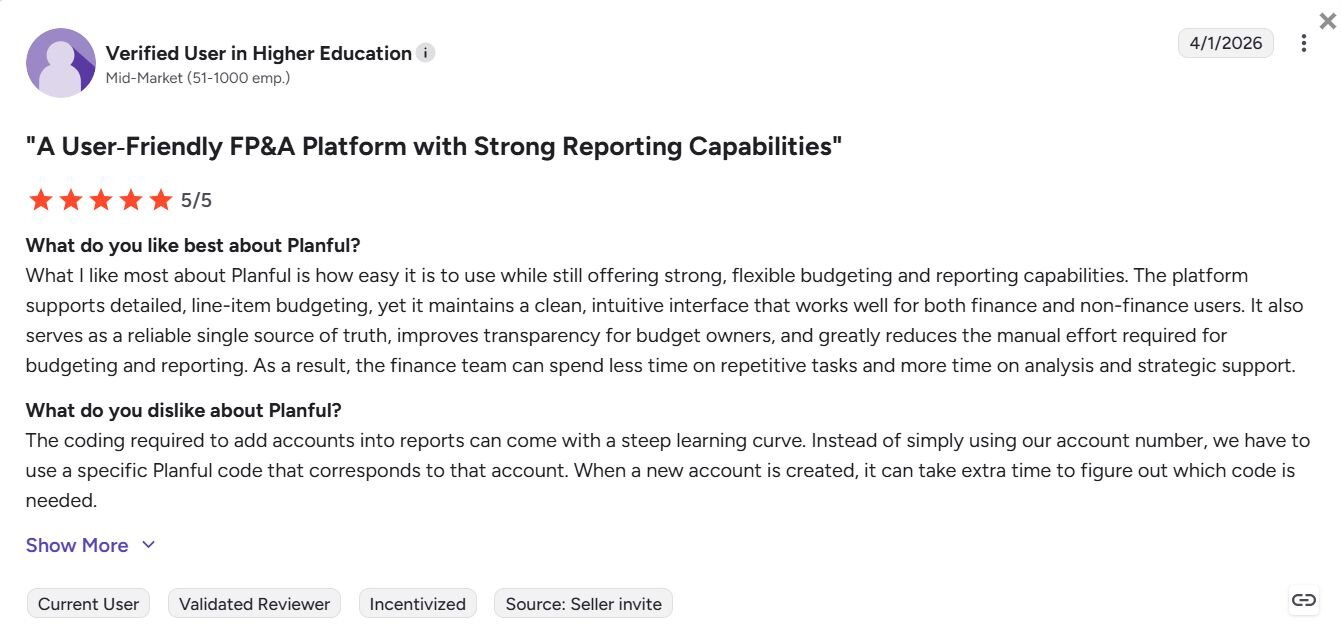
Pro: "What I like most about Planful is how easy it is to use while still offering strong, flexible budgeting and reporting capabilities. The platform supports detailed, line-item budgeting, yet it maintains a clean, intuitive interface that works well for both finance and non-finance users." - Verified User in Higher Education, G2
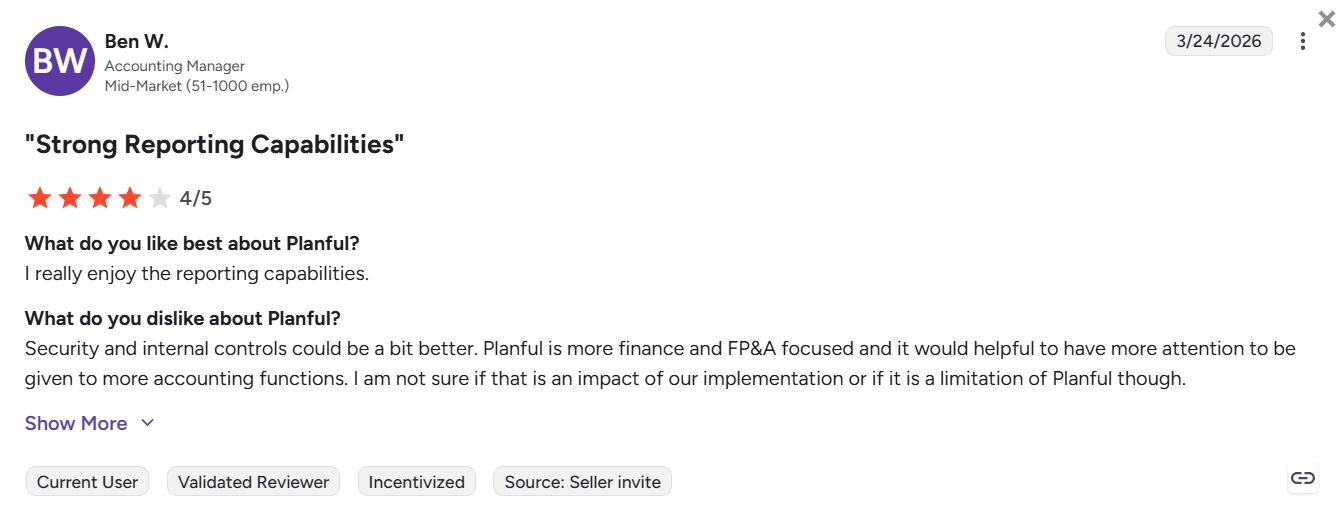
Con: "Security and internal controls could be a bit better. Planful is more finance and FP&A focused and it would [be] helpful to have more attention…given to more accounting functions. I am not sure if that is an impact of our implementation or if it is a limitation of Planful though." - Ben W., G2
Pricing
Planful offers custom pricing.
Bottom line
Planful keeps budgeting, financial close, and reporting in one place without requiring finance teams to stitch together separate tools. If your priority is one-off financial analysis rather than structured planning cycles, Julius might be a better fit.
9. Workiva: Best for financial reporting and compliance documentation
What it does: Workiva is a cloud-based reporting platform that lets you connect data from workbooks directly into financial documents, manage compliance workflows, and track changes across teams in a single environment.
Who it's for: Finance and accounting teams that manage regulatory filings, financial statements, and compliance documentation across multiple contributors.
I set up a sample reporting workflow in Workiva to test its connected document features. Figures linked from workbooks are updated across connected reports automatically, making it easier to keep documents consistent. However, rolling documents forward manually at the start of each reporting period added more steps than I'd anticipated.
Key features
Connected workbooks and documents: Link figures from workbooks directly into financial statements and reports, so updates carry through automatically.
Track changes and blacklining: Review document changes between milestones and create blacklines to compare versions in a structured way.
Audit trails and version control: Track every change made to a document, with a clear record of who made updates and when.
Pros
Linked workbooks mean figure updates carry through to connected documents automatically, reducing manual corrections
Track changes and blacklining make it easier to review document versions across reporting milestones
Multi-user collaboration and workflow controls help teams coordinate across reporting cycles
Cons
Documents like financial statements may need to be rolled forward manually at the start of each reporting period
Permissions management can become harder to track as more team members are added
What users say
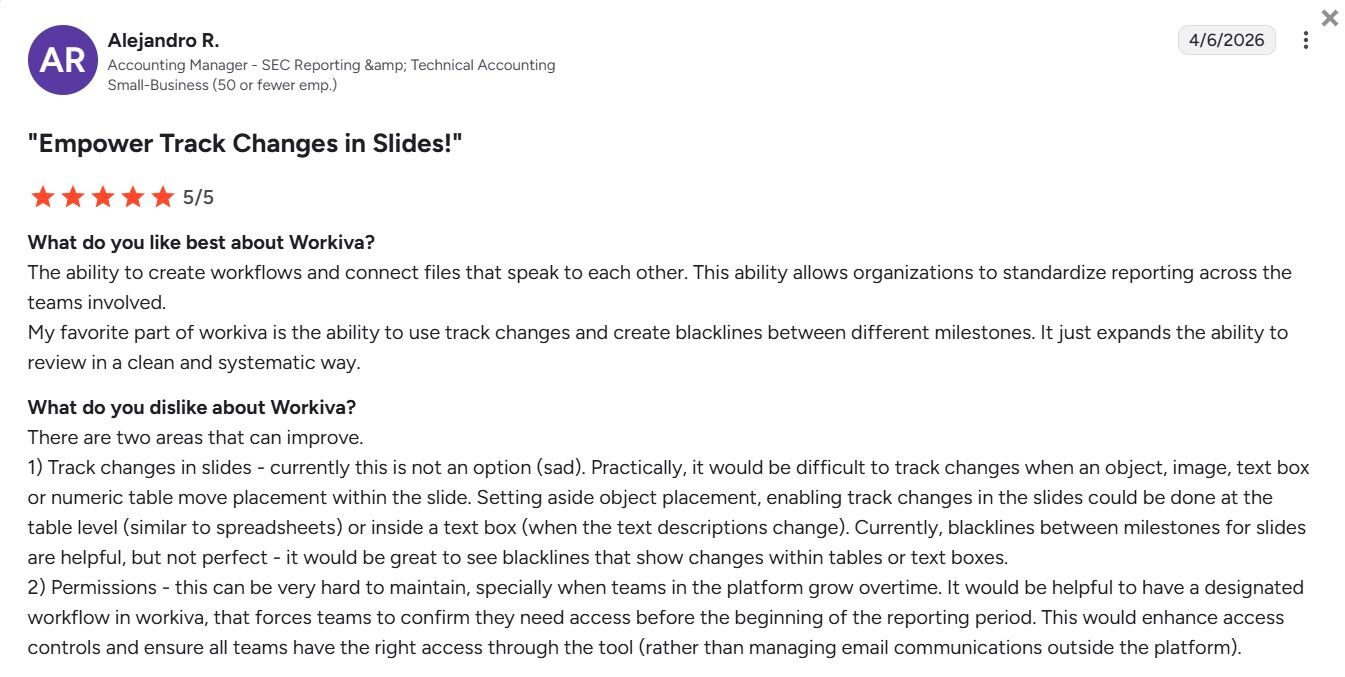
Pro: "The ability to create workflows and connect files that speak to each other. This ability allows organizations to standardize reporting across the teams involved. My favorite part of Workiva is the ability to use track changes and create blacklines between different milestones. It just expands the ability to review in a clean and systematic way." - Alejandro R., G2
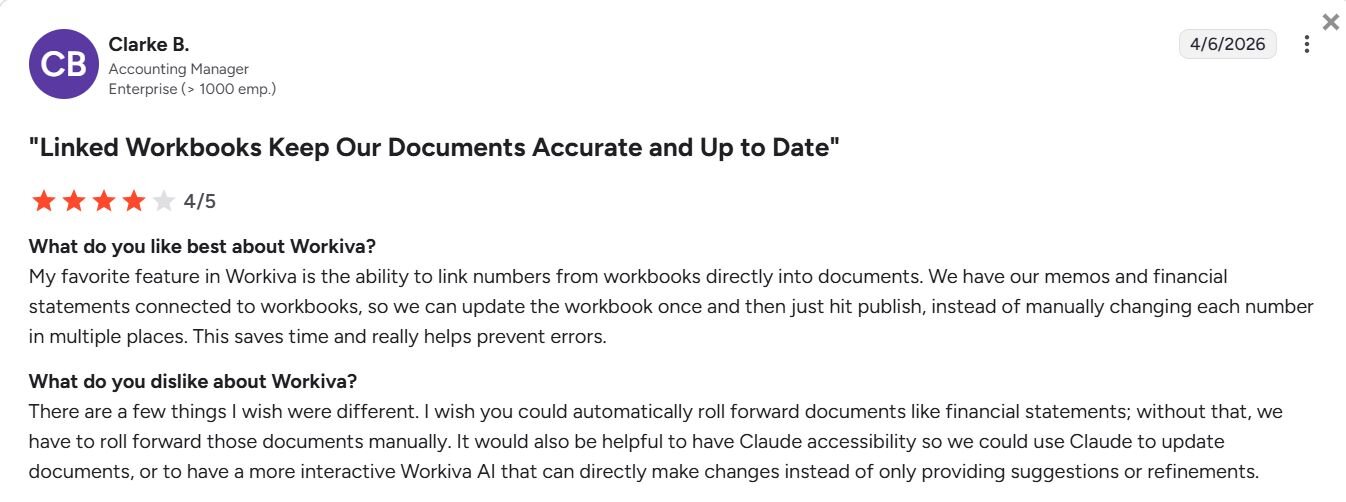
Con: "There are a few things I wish were different. I wish you could automatically roll forward documents like financial statements; without that, we have to roll forward those documents manually. It would also be helpful to have Claude accessibility so we could use Claude to update documents, or to have a more interactive Workiva AI that can directly make changes instead of only providing suggestions or refinements." - Clarke B., G2
Pricing
Workiva offers custom pricing.
Bottom line
Workiva is a practical option for teams that need a clear audit trail and version control across complex financial reporting workflows. If your focus is on FP&A and consolidating data across Excel files instead of compliance reporting, Datarails might be a better fit.
Special mentions
The tools above cover most financial analysis workflows, but other platforms also handle specific tasks well. These tools didn't make the main list due to narrower use cases or higher complexity, but they deliver strong results in their specific areas.
Here are 5 more tools for financial analysis:
Vena: An Excel-based FP&A platform with built-in workflow automation and audit trails. I tested it on budget consolidation and found the Excel interface made adoption easier for teams already comfortable with spreadsheets, though performance slowed with larger data sets.
Alteryx: A data preparation platform with no-code workflows for blending data from multiple sources. Testing showed it handled complex data transformations well, though it's built more for data teams than general business users.
Bloomberg Terminal: A widely used platform for real-time market data, news, and analytics. I used it to pull historical pricing data and market indicators, which offered specialized market coverage beyond what general AI chat tools focus on.
Hebbia: An AI research platform designed for investment analysis and document review. During testing, it handled multi-document analysis across earnings calls and filings, with strong citation tracking for audit trails.
Fintool: A specialized tool for analyzing SEC filings and public company data. I tested it on 10-K extractions and found it pulled financial statement data and organized it for comparison across companies.
How I tested these AI tools for financial analysis
I ran each platform through common financial tasks to see how they handled typical workflows, not marketing demos. That meant uploading sample budget files, connecting supported tools to test databases, querying mock financial data, and building reports that resembled what finance teams produce daily.
Here's what I evaluated:
Speed to useful results: How long it took to get a chart, summary, or answer that moved the work forward
Accuracy verification: Whether I could trace numbers back to the source data and confirm calculations
Data handling: How well the tool processed spreadsheets, PDFs, and database connections
Follow-up capability: Whether deeper questions produced better answers or hit limitations
Workflow fit: How much the tool interrupted existing processes versus working within them
Learning curve: Time needed to get productive results without extensive training
Which AI tool for financial analysis should you choose?
Your choice depends on whether you need quick data queries, structured planning workflows, document analysis, or spreadsheet-based forecasting. If you also want to weigh platforms without an AI focus, see our list of financial analysis software.
Choose:
Julius if you want to query financial databases conversationally and get charts that refresh based on your connected data without writing SQL.
ChatGPT if you need help explaining financial concepts, summarizing reports, or getting quick assistance with spreadsheet formulas.
Claude if your work involves reviewing long contracts, merger documents, or comparing terms across multiple financial filings.
Gemini if your team works primarily in Google Workspace and you want AI help without leaving Sheets or Docs.
Cube if you need structured FP&A planning that works inside Excel but pulls from centralized data sources.
Anaplan if you manage complex enterprise planning that connects budgets, headcount, and forecasts across departments.
Vena if your team prefers Excel-based budgeting with backend automation and audit trails.
Datarails if you need to consolidate financial data from multiple systems into a single Excel workbook.
Planful if your focus is on automating the financial close process and account reconciliations.
Alteryx if you work with complex data transformations that require blending sources before analysis, like merging sales data from multiple regional databases.
Bloomberg Terminal if you need live market data, pricing feeds, and financial news in one platform.
Hebbia if you analyze investment documents and need to review multiple files with strong citation tracking.
Fintool if you regularly extract and compare data from SEC filings and public company reports.
My final verdict
My testing showed me that ChatGPT and Claude handle document summaries and spreadsheet explanations well. Cube and Anaplan support structured planning cycles across departments. Gemini fits teams that work primarily in Google Workspace, and Bloomberg Terminal remains widely used for market data feeds.
Julius gives you conversational access to your financial databases without SQL, automated reporting on a schedule, and a system that stores your table structure to maintain consistent results across queries. I think that combination helps finance teams get faster answers from their own data without waiting for analyst support or building complex dashboards.
Want to analyze financial data without SQL? Try Julius
The best AI tools for financial analysis help you move from raw numbers to clear insights faster, but many focus on documents, planning workflows, or standalone environments. With Julius, you can query your financial databases directly and get charts, summaries, and scheduled reports by asking questions conversationally.
Here’s how Julius helps:
Direct connections: Link databases like Postgres, Snowflake, and BigQuery, or integrate with Google Ads and other business tools. You can also upload CSV or Excel files. Your analysis can reflect live data, so you’re less likely to rely on outdated spreadsheets.
Smarter over time with the Learning Sub Agent: Julius learns your database structure, table relationships, and column meanings as you use it. With each query on connected data, it gets better at finding the right information and delivering more accurate answers without manual configuration.
Quick single-metric checks: Ask for an average, spread, or distribution, and Julius shows you the numbers with an easy-to-read chart.
Built-in visualization: Get histograms, box plots, and bar charts on the spot instead of jumping into another tool to build them.
Recurring summaries: Schedule analyses like weekly revenue or delivery time at the 95th percentile and receive them automatically by email or Slack.
One-click sharing: Turn a thread of analysis into a PDF report you can pass along without extra formatting.
Ready to see how Julius can help your team make better decisions? Try Julius for free today.
Frequently asked questions
Can AI tools for financial analysis replace Excel?
No, AI tools can't fully replace Excel. Many finance teams still use Excel for detailed financial modeling and custom formulas, while AI tools speed up analysis and help you generate insights. Tools like Julius and Cube work directly inside Excel or Google Sheets, adding AI capabilities without replacing your existing workflows. Our guide to Excel AI tools covers the add-ins that work inside spreadsheets.
Do AI tools for financial analysis work with real-time data?
Yes, some AI tools for financial analysis can work with real-time data when they connect directly to databases or live data feeds. Tools connected to warehouses or APIs can reflect updated figures based on their data refresh settings, while file-based tools only analyze the data you upload and do not refresh automatically.
What’s the difference between AI tools for financial analysis and traditional BI tools?
AI tools for financial analysis let you ask questions in natural language and generate charts or summaries on demand, while traditional BI tools require you to build dashboards and define metrics in advance. BI focuses on structured reporting and recurring dashboards, whereas AI tools prioritize flexible, on-demand analysis through conversation. For that side of the comparison, see our roundup of the best BI tools.