Analyze Excel & Google Sheets 10x Faster with AI
Create charts, generate formulas, and more with natural language.
Loved by 2,000,000+ users and trusted by individuals at
















Featured in


Simple questions, expert data insights.
Save hours of analyses with AI-powered business insights.
RECOMMENDED
Pro
For advanced analysis and more ambitious creative work
$45
USD
/ month
$37USD/ month
Subscribe
Everything in Plus, and:
5,000 credits monthly
60,000 credits per year
100 daily refresh credits
Access to frontier AI models like GPT-6.1 Sol and Claude Opus 5.5
Analyze spreadsheets, documents, and data files
Create charts and presentations
32 GB of RAM
Publish websites on your custom Julius domain
Use browser agents for research and web tasks
Unlimited parallel agents
Priority email support
Save time. Make Julius do your data work.
Turn hours of Excel into minutes on Julius.
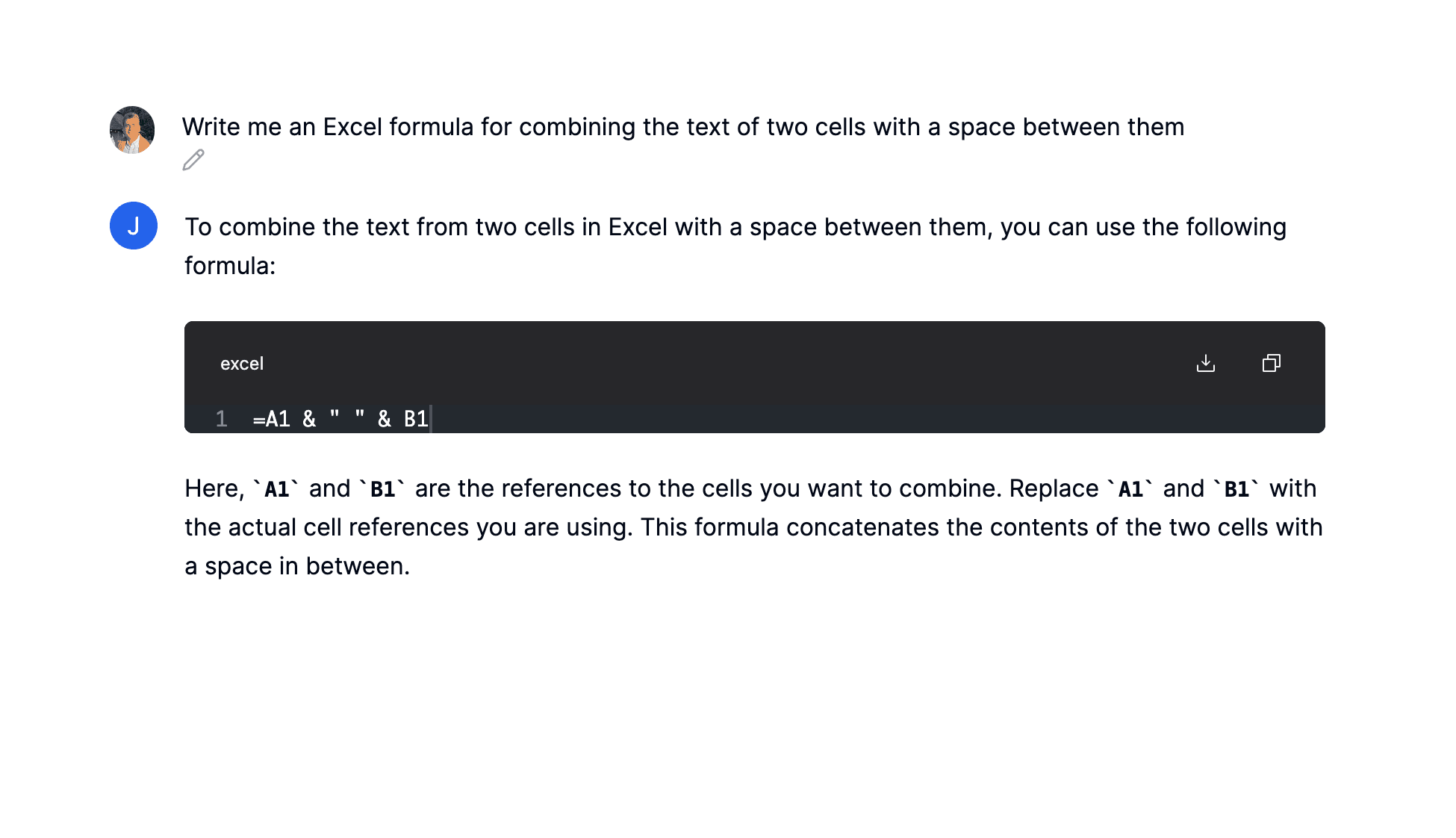
Generate complex formulas
Convert your text into spreadsheet formulas.
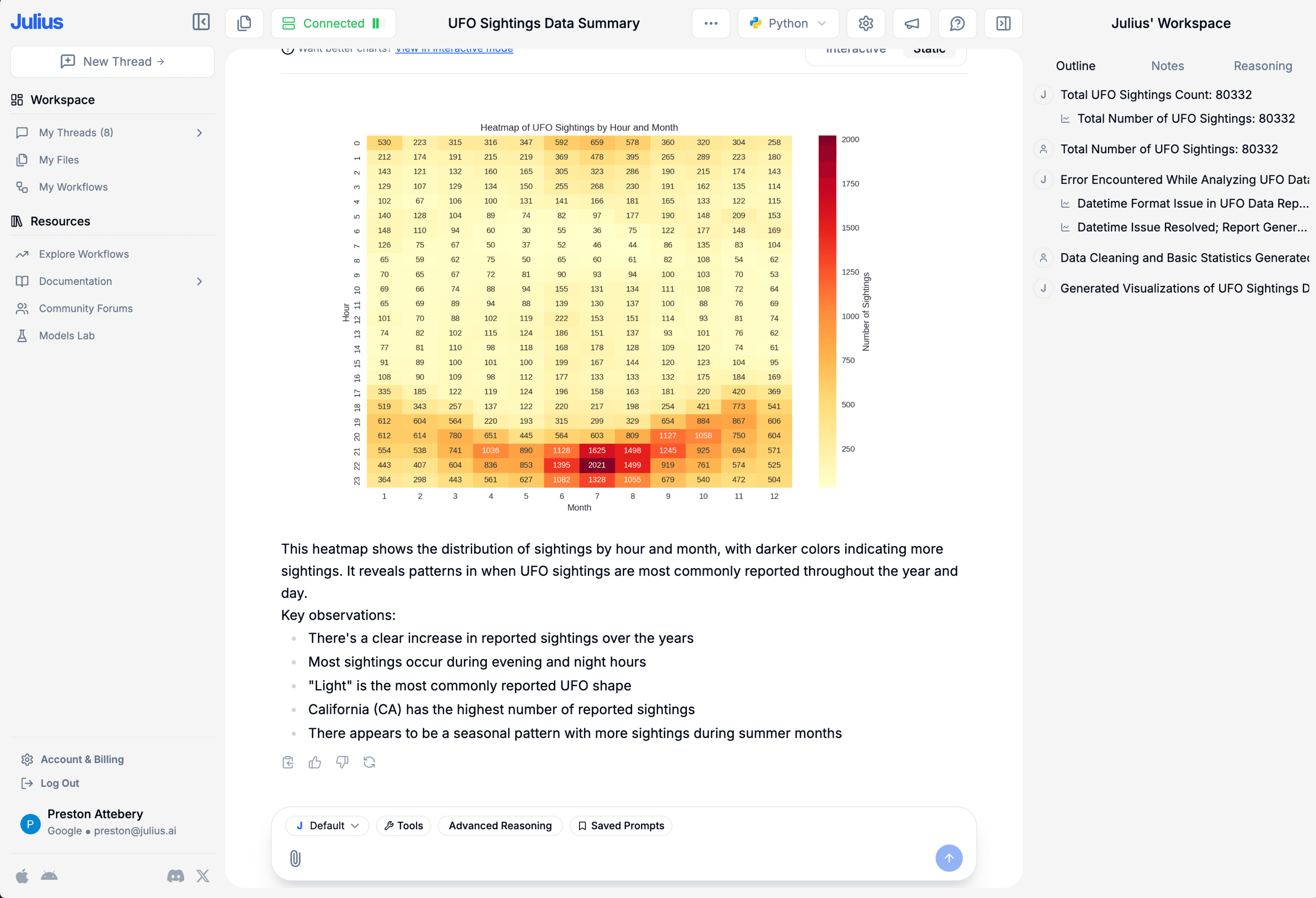
Create sleek visualizations
Communicate findings with confidence.
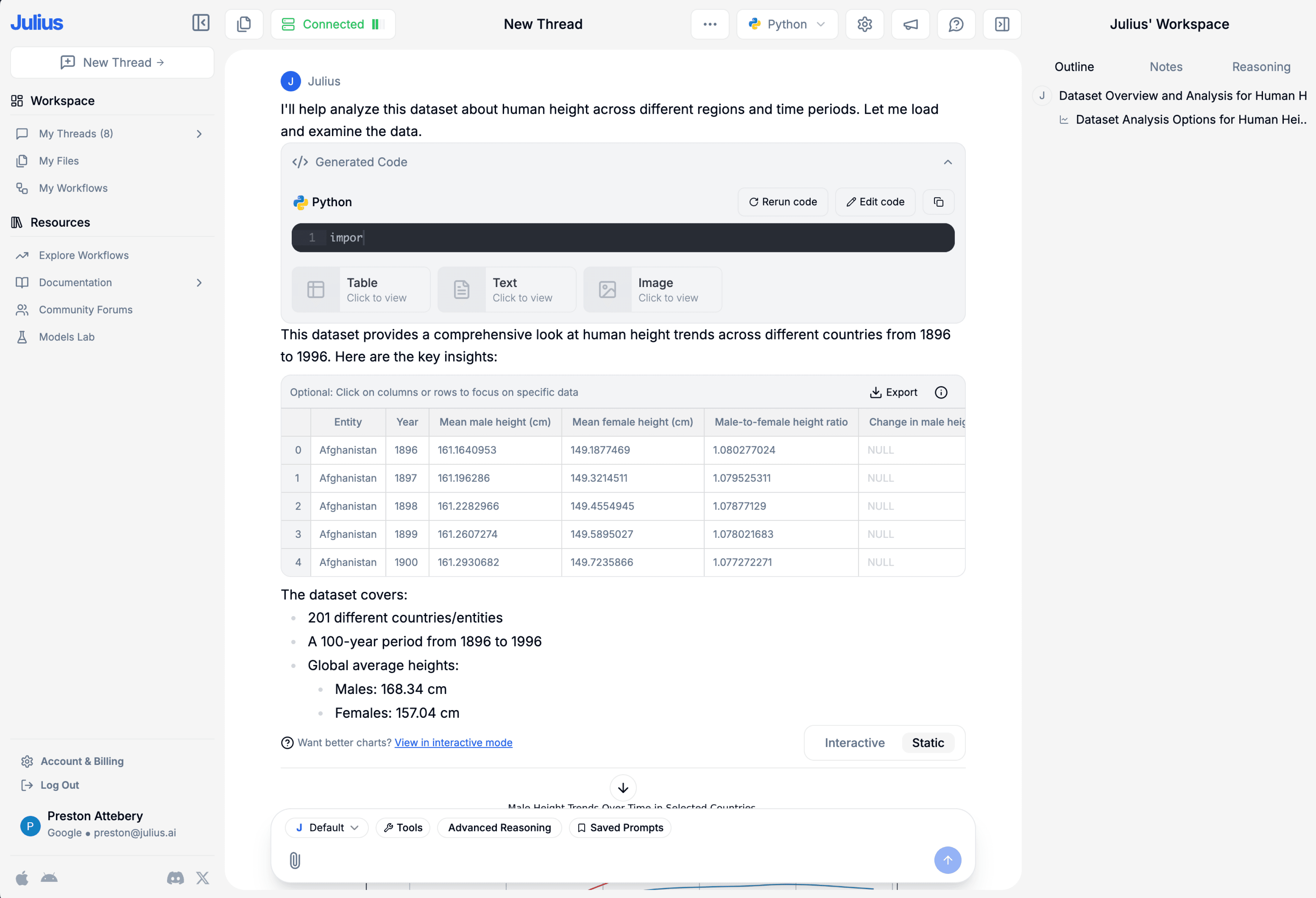
Ask data questions
Get answers to your queries in seconds.
Cleaning made effortless
Automate data prep and focus on what matters.
Export instantly
Quickly download data into CSV or Excel for easy sharing.
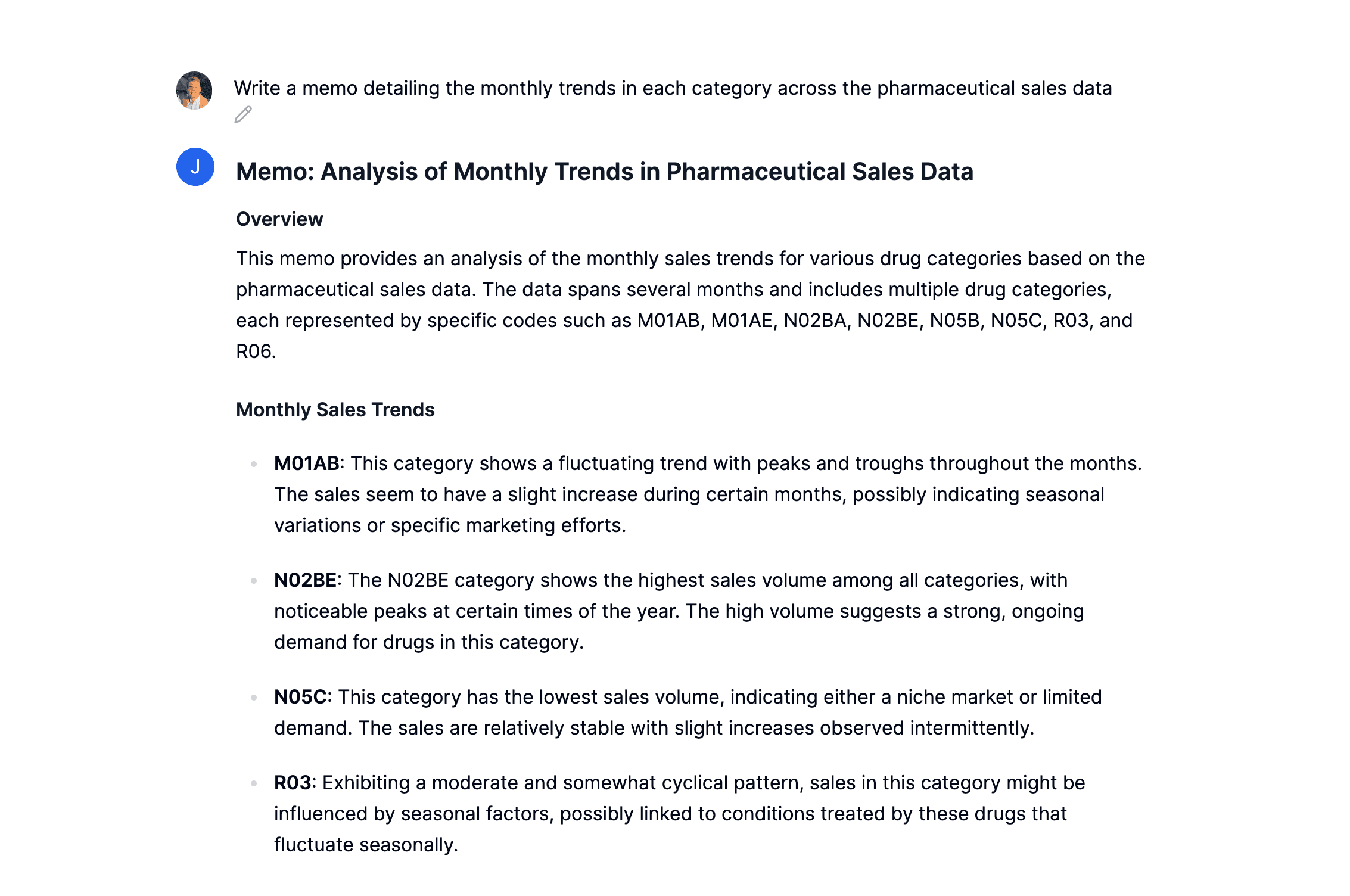
Unlock statistical modeling
Get expert-level insights without the complexity.
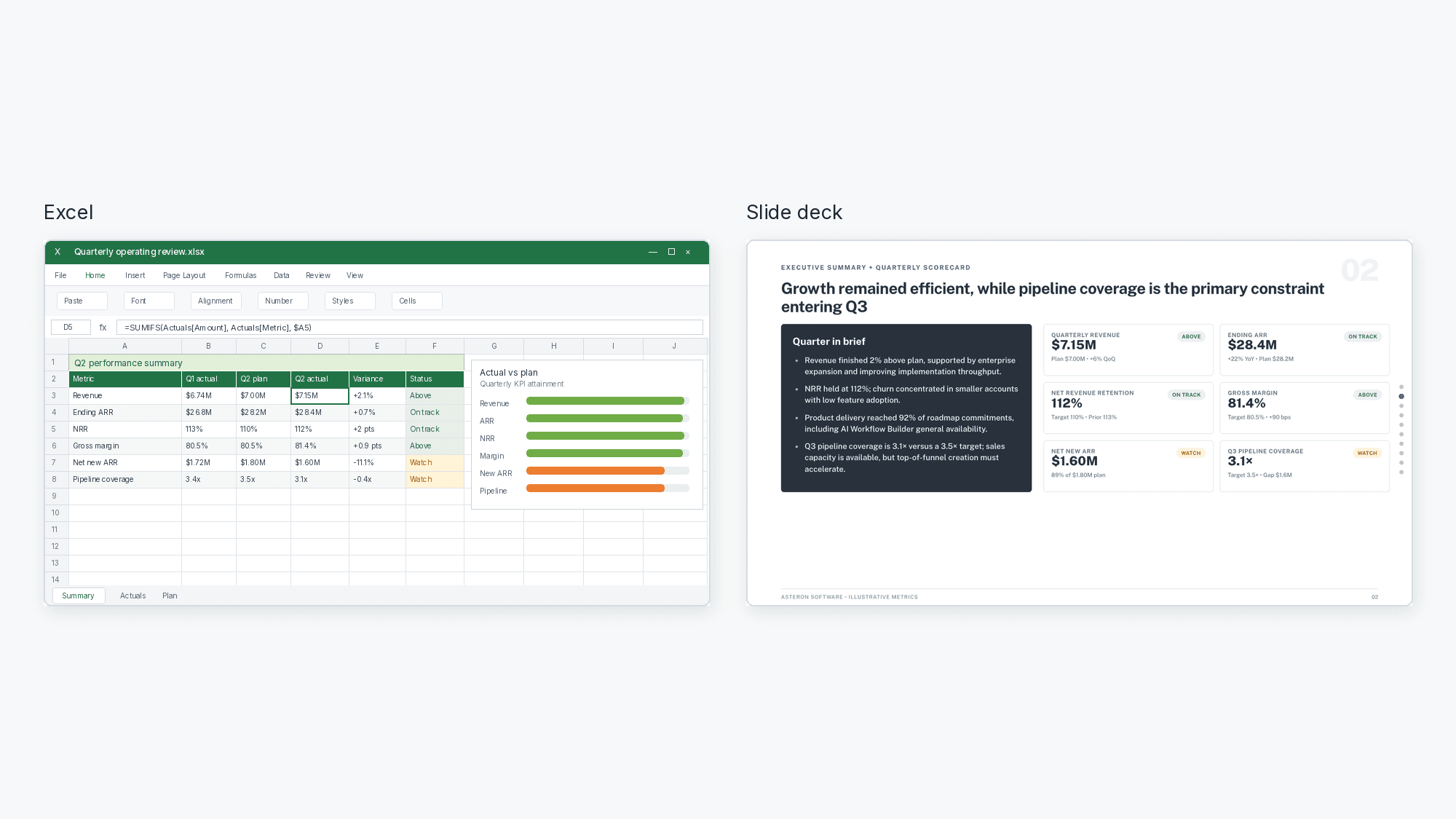
Excel to PowerPoint example
Present the story behind your spreadsheet
Once your analysis is ready, turn your Excel data into a PowerPoint with charts, key takeaways, and an editable slide deck.
Example prompt
“Turn this quarterly operating review into a 5-slide executive summary. Lead with results against plan, flag the metrics to watch, and close with Q3 priorities.”
- Pull the numbers that matter from your workbook
- Turn tables into charts and a clear slide narrative
- Export an editable PowerPoint or Google Slides deck
Frequently asked questions
How do I link a data source?
You can link a data source on the Files page or directly in our Chat interface. For more detailed instructions on linking a data source, check out our Julius Start Guide.
What do I do after linking a data source?
What data sources are supported?
We currently support any data file format, including but not limited to spreadsheets (.xls, .xlsx, .csv), Google Sheets, images (.jpeg, .png), PDFs, and text-based files (.docx, .txt). If you have a different file format, odds are we support it — go ahead and try to upload it within our Chat.
Can I analyze spreadsheets with multiple tabs?
Yes! Upload your multi-tab spreadsheet as you would any other file. Once uploaded, you can refer to the individual names of the tabs in your prompts, and Julius will perform analysis on those tabs accordingly.
Can I generate data visualizations?
Yes, it's very easy to generate clean-looking data visualizations using Julius. Once you have uploaded your data, simply prompt the AI to create a chart or graph.
What is Julius' data privacy policy?
We utilize strict access-control, as each user only has access to their own data in the secure file storage — even our python code execution environments are sandboxed by user. In addition, your data is completely erased from the servers whenever you delete it within the app. You can read further into our data policies here.
Is this free?
Yes! By default all users can send up to 5 messages a month with our most advanced AI model. Once you hit the monthly limit, you can upgrade your plan in your Account page.