

Every AI presentation maker looks like magic for about 20 seconds. You type "Q3 sales review," hit generate, and a dozen tidy slides appear. Then you read them, and half the bullets say nothing, the template looks like everyone else's, and the chart on slide 7 doesn't match your real numbers.
I ran a few dozen of these tools through mock briefs (a sales update, an investor snapshot, and a team all-hands) to see which ones saved time. Gamma, Beautiful.ai, and SlidesAI came out on top for most people, but the right pick still depends on the job.
Here are the 15 worth trying in 2026, sorted by who each one is for, plus an honest look at where each one still falls short.
15 best AI presentation makers: TL;DR
- Gamma: Best for building a clean deck fast from a single prompt.
- Beautiful.ai: Best for teams that want strong design defaults without a designer on hand.
- SlidesAI: Best for turning text into slides right inside Google Slides.
- Julius: Best for editable presentations from prompts, documents, and data, with built-in research and analysis.
- Visme: Best for visual content with built-in visualization tools.
- Pitch: Best for teams that build and review decks together.
- Plus AI: Best for teams that want AI slide generation built into Google Slides.
- Prezi: Best for non-linear, zoomable presentations that break from the standard slide format.
- Tome App AI: Best for narrative-driven decks with a clean, minimalist look.
- Canva Presentations: Best for teams that want a huge template library and full brand kit control.
- Presentations.ai: Best for fast, prompt-based deck generation.
- Slidebean: Best for startups building investor-ready pitch decks.
- Prezent: Best for enterprise teams that need brand compliance across every deck.
- STORYD: Best for data-driven business storytelling.
- Decktopus: Best for quick generation with built-in design rules.
How I researched and tested these AI presentation makers
I tested each tool by building presentations across common business scenarios, including client pitches, internal reports, and project summaries.
Here's what I considered:
- Presentation quality: Whether the output looks polished enough to use without significant manual cleanup or redesign.
- Ease of use: How quickly you can go from a prompt or outline to a finished deck without a steep learning curve.
- Customization: How much control you have over design, branding, and layout once the AI generates the initial slides.
- Collaboration features: Whether the tool supports team workflows, shared workspaces, or real-time editing.
- Value for the price: How well each tool justifies its cost relative to what it produces and what it replaces.
From testing, I found that the tools that worked best for business use were the ones that gave you a strong starting point without locking you into a rigid structure you couldn't easily change.
15 Best AI presentation makers: Quick comparison
| 💻 Tool 🎯 Best for 🔥 Starting price (billed annually) ⚡ Strengths | |||
| Gamma | Quick deck building from a prompt | $9/seat/month | AI structure generation, customizable themes, and one-click reformatting |
| Beautiful.ai | Design-focused business presentations | $12/month | Smart slide layouts, brand kit support, and team collaboration |
| SlidesAI | Text-to-slide generation in Google Slides | $10/month | Google Slides integration, multi-language support, and fast outline-to-deck conversion |
| Julius | Editable presentations from prompts, documents, and data | $16/month | Text to PPT generation, hundreds of templates, and consistent branding across slides |
| Visme | Visual content and presentation design | $12.25/person/month | Rich media library, data visualization tools, and multi-format export |
| Pitch | Collaborative deck building for teams | $13/month | Team workspaces, real-time collaboration, and presentation analytics |
| Plus AI | AI slides inside Google Slides | $10/user/month | Native Google Slides integration, AI slide generation, and custom templates |
| Prezi | Non-linear storytelling presentations | $7/month | Zoomable canvas, dynamic visual flow, and presenter view |
| Tome App AI | Narrative-driven AI presentations | $15.90/month | AI storytelling format, fast generation, and clean minimalist design |
| Canva Presentations | Drag-and-drop presentation design | $180/year | Extensive template library, brand kit tools, and multimedia support |
| Presentations.ai | Fast AI deck generation from text | $20/month | Prompt-to-deck generation, themed layouts, and quick export |
| Slidebean | Startup pitch deck creation | $7/month | Pitch-focused templates, auto-design engine, and investor-ready layouts |
| Prezent | Enterprise presentation workflows | $399/user/year | Brand compliance tools, slide library, and team sharing |
| STORYD | Data-driven business storytelling | $18/month | Business narrative frameworks, data presentation structure, and fast deck creation |
| Decktopus | Quick AI presentation generation | $9.99/month | Prompt-based generation, built-in design rules, and content suggestions |
1. Gamma: Best for quick deck building from a prompt
What it does: Gamma is an AI presentation tool that generates structured decks from a text prompt, handling layout, formatting, and design automatically.
- Best for: Business users who need to go from a rough idea to a structured, shareable deck without starting from a blank slide.
I tested Gamma by entering a brief outline for a client-facing business report to see how much of the structure and design work it could handle on its own.
The prompt-to-deck workflow moved quickly, and within a couple minutes, I had a deck that looked genuinely ready to send. Customizing fonts and colors beyond the built-in themes took more manual effort than that first step let on.
Key features
- Prompt-to-deck generation: Type a topic or paste an outline, select a slide count and theme, and Gamma generates a fully structured presentation with layouts applied automatically.
- One-click reformatting: Switch between visual themes across the entire deck without rebuilding individual slides.
- Web publishing and sharing: Share decks as a live web link rather than a downloaded file, with the option to embed media and interactive elements directly in slides.
Pros and cons
| ✅ Pros ❌ Cons | |
| Fast deck generation from a short prompt or outline | Customizing fonts and colors beyond built-in themes requires manual effort |
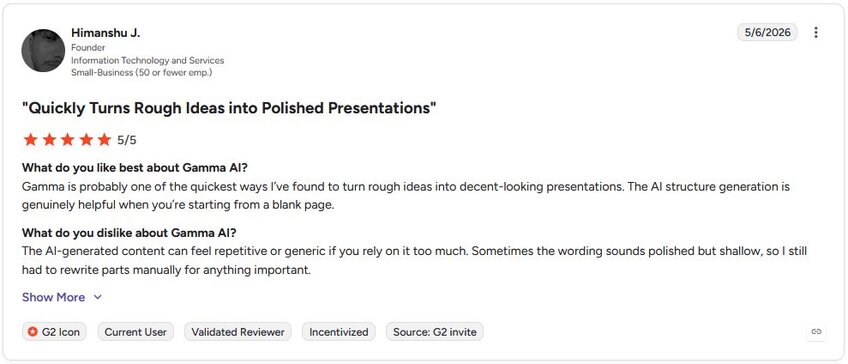
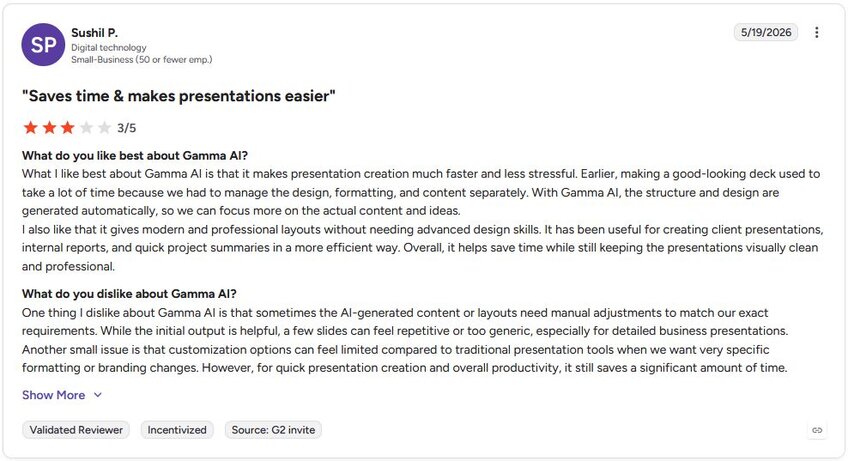
| One-click theme switching applies across the full deck | AI-generated content can run generic and may need rewriting before sharing |
| Web-based sharing removes the need for file downloads |
What users say
Pricing
Gamma starts at $9 per seat per month.
Bottom line
Gamma's web-based sharing format lets you send a live link instead of a file, which removes a step from the typical deck-sharing workflow. If you need deeper brand control and consistent design across a team, Beautiful.ai might be a better fit.
2. Beautiful.ai: Best for design-focused business presentations
What it does: Beautiful.ai is an AI presentation tool that applies smart slide layouts and brand settings automatically as you build and edit your deck.
- Best for: Teams that need visually consistent, professionally designed presentations without relying on a dedicated designer.
I built a sample business deck in Beautiful.ai to see how its smart layout system handled changes across multiple slides. Every time I added text or swapped an image, the slides restructured themselves and stayed balanced, no manual resizing required. It's a small thing, but it saves a headache after other tools that make you fix every slide by hand.
The templates look polished out of the box, but once I wanted something outside the built-in library, the layout options felt restrictive.
Key features
- Smart slide layouts: Slides restructure automatically as you add or remove content, keeping layouts balanced without manual adjustment.
- Brand kit support: Upload your brand fonts, colors, and logo once, and Beautiful.ai applies them consistently across every new deck you create.
- Team collaboration: Share decks with teammates, work from shared template libraries, and manage brand consistency across presentations built by multiple people.
| ✅ Pros ❌ Cons | |
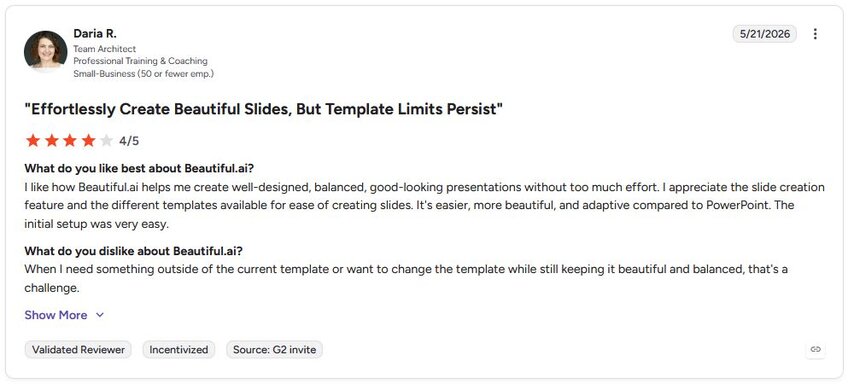
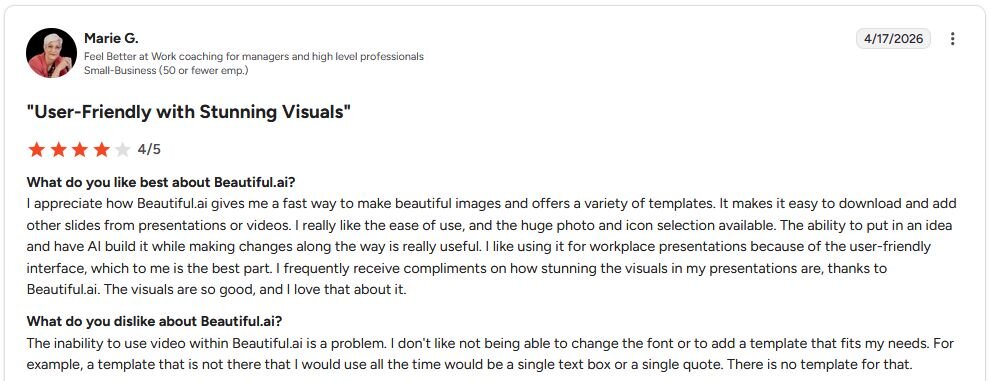
| Smart layouts reduce time spent on manual slide formatting | The Smart Slide system constrains custom layouts, making it difficult to build slides outside the predefined structure |
| Brand kit applies fonts, colors, and logo automatically across decks | AI content generation structures slides and applies layouts, but doesn't generate detailed narrative content |
| Collaborative template libraries help teams stay on-brand |
What users say
Pricing
Beautiful.ai starts at $12 per month.
Bottom line
Beautiful.ai enforces brand consistency automatically across every deck your team builds, which makes it a practical choice for organizations managing multiple presenters. If you need to build and convert presentations directly inside Google Slides, SlidesAI might be a better fit.
3. SlidesAI: Best for text-to-slide generation in Google Slides
What it does: SlidesAI is a Google Slides add-on that converts text, documents, and outlines into formatted presentation slides using AI.
- Best for: Business users who already work in Google Slides and want to turn written content into a structured deck without rebuilding it manually.
To test how well SlidesAI could translate a written outline into slides, I pasted in a report outline and let the add-on take over. The content hierarchy came through clearly, spread across slides with barely any cleanup on my end.
It's a straightforward tool that does exactly what it says on the tin, but the layout options are basic. Any deck that needs heavier visual customization will still mean manual work after generation.
Key features
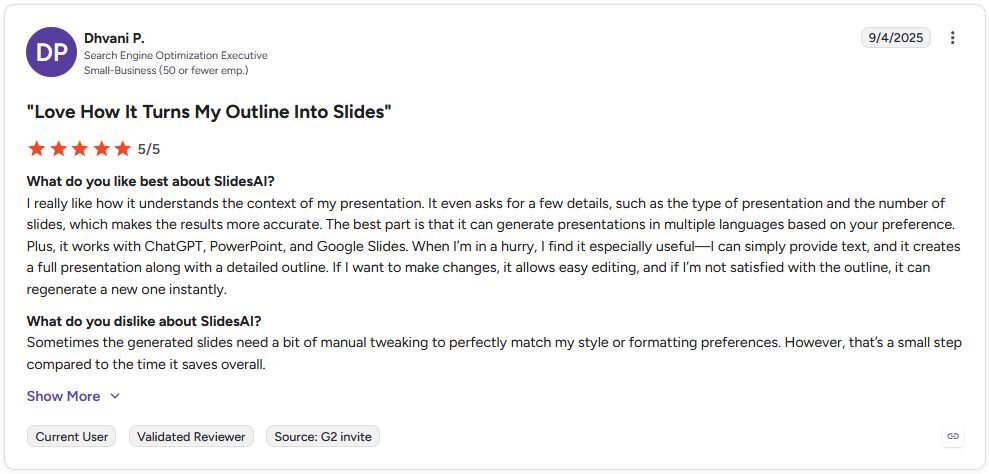
- Text-to-slide conversion: Paste a document, outline, or block of text, and SlidesAI distributes the content across slides with formatting applied inside Google Slides.
- Multi-language support: Generate presentations in multiple languages without needing to reformat or rebuild the slide structure manually.
- ChatGPT, PowerPoint, and Google Slides compatibility: Work across multiple platforms and export or edit output in the tools your team already uses.
Pros and cons
| ✅ Pros ❌ Cons | |
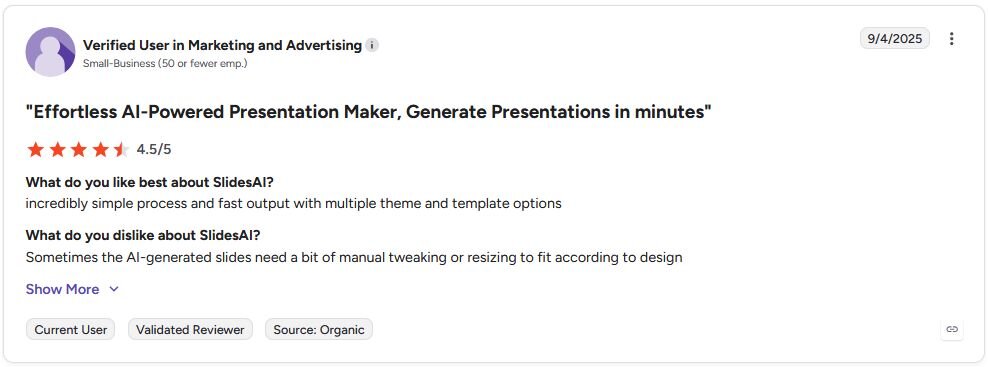
| Builds directly inside Google Slides with no platform switching | Generated layouts are basic and need manual work for visually complex presentations |
| Converts long-form text into a structured deck quickly | Slide content can run generic and may need rewriting before the deck is ready to share |
| Multi-language generation works without reformatting issues |
What users say
Pricing
SlidesAI starts at $10 per month.
Bottom line
SlidesAI fits cleanly into a Google Slides workflow without requiring any platform switching, which lowers the barrier for teams that don't want to learn a new tool. If you need more visual control and a richer design output, Visme might be a better fit.
4. Julius: Best for turning your data analysis into a presentation
What it does: Julius is an AI data analysis platform that also generates editable slide decks from a text prompt, exporting to PPT, PDF, PNG, or Google Slides.
- Best for: Business users who need their data analyzed and turned into a presentation without switching between separate tools.
We built Julius for business users who want a presentation backed by their own data analysis rather than generic AI-generated visuals. You can search for public data, connect a data source, or upload your own files, then turn that analysis into slides with branding applied.
Template variety is narrower than dedicated design tools, so heavy visual customization may need manual work afterward.
Key features
- Text to PPT: Type a prompt describing your topic, audience, and main points, and Julius generates a formatted slide deck with text and visuals placed directly on each slide.
- Template library: Choose from templates built for pitch decks, business reviews, and proposals, and Julius fills the selected template with your content.
- Data search and analysis: Search for public data, connect data sources, or upload files to generate the charts and analysis that go directly into your presentation slides.
| ✅ Pros ❌ Cons | |
| Charts and analysis come from your own data rather than placeholder visuals | Template selection is narrower than dedicated design-first presentation tools |
| Branding carries through consistently once colors and fonts are uploaded | Exports cleanly to PowerPoint, PDF, PNG, or Google Slides for further editing |
| Exports cleanly to PowerPoint, PDF, PNG, or Google Slides for further editing |
What users say


Pricing
Julius starts at $16 per month.
Bottom line
Julius ties the data behind your slides directly into the deck-building process instead of treating them as two separate steps.
5. Visme: Best for visual content and presentation design
What it does: Visme is a visual content platform that lets you build presentations, infographics, reports, and data visualizations from a shared asset library and template system.
- Best for: Marketing and business teams that need polished, visual output across multiple content formats beyond standard slide decks.
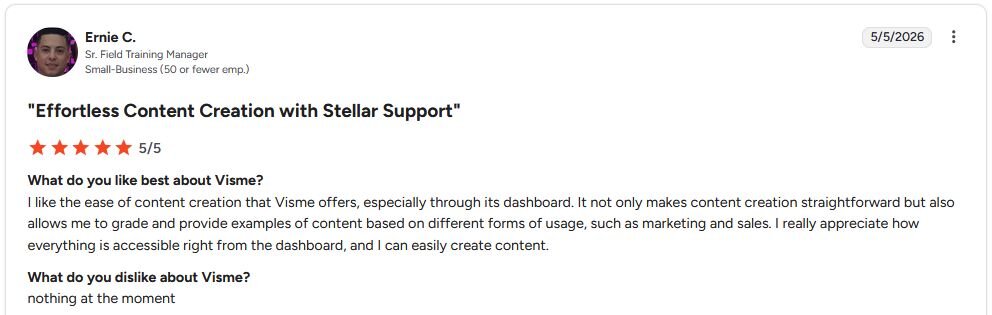
I tested Visme by building a marketing presentation with data charts and branded visuals to see how far the built-in asset library could carry me on its own. Almost everything I needed was already there, which kept the whole workflow in one place.
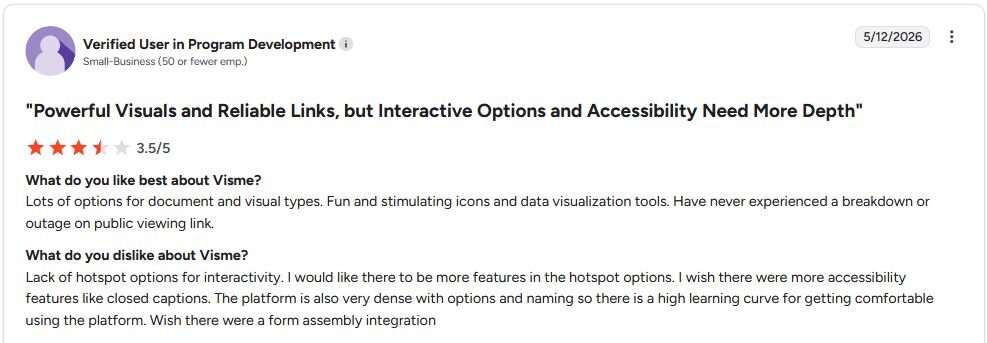
The catch is that all that range comes with a learning curve. New users may spend a bit of time finding their footing before the tool starts saving them time.
Key features
- Rich media library: Access a large collection of icons, images, and design assets directly inside the platform without sourcing visuals from separate tools.
- Data visualization tools: Build charts, graphs, and data-driven visuals inside your presentation without exporting from a separate analytics or design tool.
- Multi-format export: Export finished work as a presentation, PDF, HTML5, or video file, depending on how and where you need to share it.
| ✅ Pros ❌ Cons | |
| Covers presentations, infographics, and reports in one platform | The volume of options creates a steeper learning curve for new users |
| Built-in data visualization tools reduce the need for separate charting software | Customization options can feel limited for highly specific formatting or branding needs |
| Multi-format export supports a range of sharing and distribution needs |
What users say
Pricing
Visme starts at $12.25 per person per month.
Bottom line
Visme's multi-format export gives you more distribution options than most dedicated presentation tools, making it useful for teams that share content across different channels. If your priority is real-time collaboration and shared team workspaces, Pitch might be a better fit.
6. Pitch: Best for collaborative deck building for teams
What it does: Pitch is a presentation tool built around team collaboration, offering shared workspaces, real-time editing, and presentation analytics in one platform.
- Best for: Teams that build, review, and share decks together and need visibility into how presentations perform after they go out.
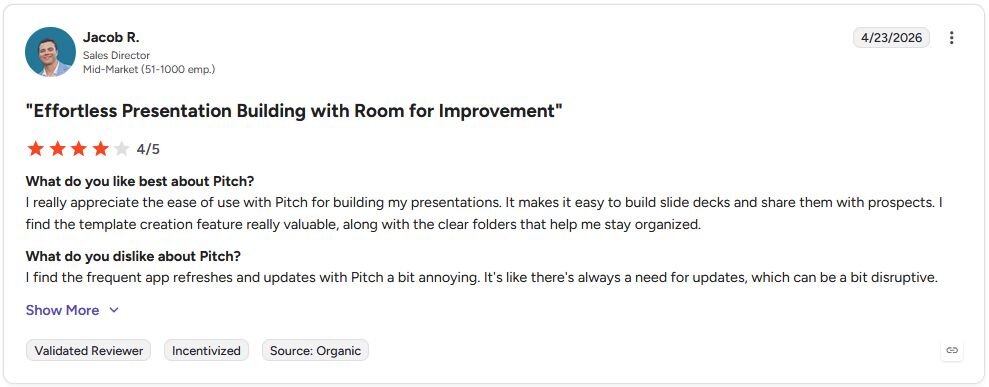
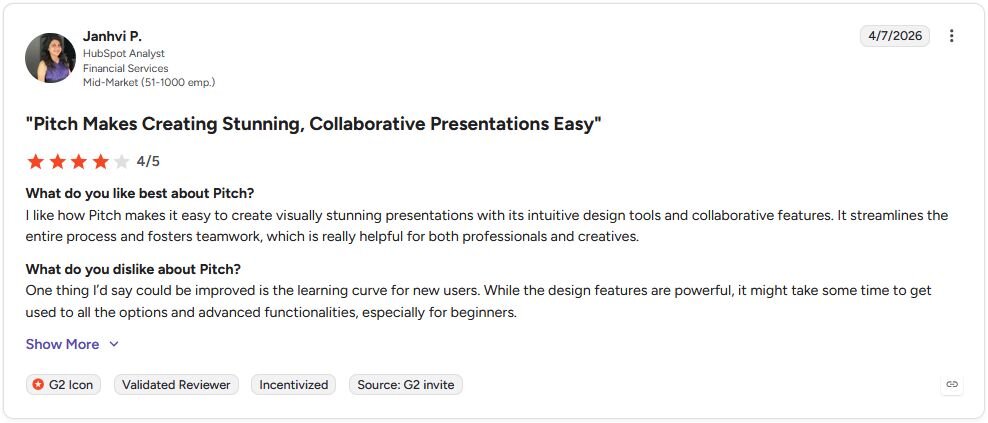
I set up a shared workspace in Pitch to test how the real-time editing and template system held up across a team workflow. Assigning sections to collaborators was easy enough that nobody needed a walkthrough, and the post-share analytics gave slide-by-slide engagement data instead of a vague open rate.
If your team doesn't need that visibility, the AI generation features alone won't give you much of an edge on their own. For decks aimed at investors, we tested a separate set of AI pitch deck generators.
Key features
- Team workspaces: Organize decks by project or client in shared workspaces where teammates can access, edit, and comment on presentations.
- Real-time collaboration: Multiple users can edit the same deck simultaneously, with changes visible across the team without version conflicts.
- Presentation analytics: Track how viewers engage with a shared deck, including slide-by-slide view data and time spent per slide.
| ✅ Pros ❌ Cons | |
| Real-time collaboration keeps team edits visible without version conflicts | AI generation features are limited compared to dedicated AI presentation tools |
| Presentation analytics show engagement data after a deck is shared | Learning curve for new users unfamiliar with the range of design and collaboration options |
| Template library provides strong starting points for client-facing decks |
What users say
Pricing
Pitch starts at $13 per month.
Bottom line
Pitch gives you slide-by-slide engagement data after sharing, which most presentation tools in this list don't offer. If you need fast AI-generated decks from a prompt with minimal setup, Gamma might be a better fit.
Special mentions
These tools each bring something useful to presentation workflows, and depending on how you work, one of them may be what you need. Plus AI leads that group, and we compared the closest Plus AI alternatives in a separate roundup.
Here are 9 more AI presentation makers worth a look:
- Plus AI: Plus AI is a presentation add-on for Google Slides and PowerPoint that generates and edits slides using AI without leaving either app. I tested it inside Google Slides, and the output held up well for standard business decks. Heavy customization still means manual work once you move past the standard layouts.
- Prezi: Prezi is a presentation tool built around a zoomable canvas, letting you move between ideas without a fixed slide order. It worked best for storytelling-heavy presentations, less so for standard business reporting. The format takes some getting used to.
- Tome App AI: Tome App AI generates PowerPoint slides from text prompts, PDFs, Word documents, and web pages. I used it to convert an existing report into a deck, and the structure came together fast, though the copy needed a real editing pass before it was ready to share.
- Canva Presentations: Canva is a drag-and-drop design tool with a large template library and AI features for generating and editing slide content. The template library gave me more creative control than any other tool on this list. The AI features feel more like an add-on than the core workflow, so plan on extra manual input.
- Presentations.ai: Presentations.ai generates full decks from a text prompt, applying themed layouts and formatting automatically. I had a first draft ready in minutes, though the slide content ran generic and needed a real editing pass before it was ready to share.
- Slidebean: Slidebean is a presentation tool with an auto-design engine that formats content automatically as you add it, built with startup pitch decks in mind. The investor-ready templates gave me a strong starting point for that use case. Design flexibility is limited, since the whole tool is built around one specific format.
- Prezent: Prezent is an enterprise presentation platform focused on brand compliance and slide management across large teams. I found it geared toward standardizing decks across departments and keeping messaging consistent, which fits larger orgs well. For smaller teams, it can feel like more infrastructure than they need.
- STORYD: STORYD is an AI presentation tool built around business storytelling frameworks for structuring data-driven narratives. It kept me from just dumping charts onto slides when the story mattered as much as the numbers. That framework-first approach can slow you down if you just need a quick deck.
- Decktopus: Decktopus generates slides from a prompt and applies built-in design rules to keep them clean and consistent. I had a structured first draft ready with almost no setup, which made it easy to get moving. Content suggestions can run surface-level, so plan on a fair amount of editing on the copy.
Which AI presentation maker should you choose?
The right AI presentation maker depends on how you build decks today and where you lose the most time in that process.
Choose Gamma if you:
- Want to go from a rough idea to a structured deck without starting from a blank slide
- Need a tool that handles layout and formatting decisions so you can focus on the content
- Build presentations frequently and want a fast, repeatable starting point each time
Choose Beautiful.ai if you:
- Want slides that look professionally designed without hiring a designer
- Need brand consistency across decks and want a tool that enforces it automatically
- Work in a team and need shared templates and collaborative editing in one place
Choose SlidesAI if you:
- Already work in Google Slides and want AI built directly into that workflow
- Need to turn long documents or text into a structured presentation quickly
- Build presentations in multiple languages and need a tool that can support that
Choose Julius if you:
- Want your presentation built from real data analysis instead of generic AI-generated visuals
- Need to search for public data or connect a data source without uploading a file first
- Build presentations that depend on charts, metrics, or financial data more than custom design
Choose Visme if you:
- Need more than slides, including infographics, reports, and data visualizations in one tool
- Want a rich media and asset library without sourcing visuals from separate platforms
- Build presentations for marketing or client-facing work and need polished visual output
Choose Pitch if you:
- Work in a team and need real-time collaboration built into the presentation workflow
- Want to track how audiences engage with your decks after you share them
- Build investor or client pitches regularly, and need a tool designed for that use case
Skip this category entirely if you:
- Need a tool that integrates directly with your data sources to generate charts and analysis
- Are looking for a full business intelligence or reporting solution rather than a deck builder
- Want to analyze, query, or visualize your own datasets rather than build presentation slides
Final verdict
The best AI presentation makers handle design and structure well, but the right pick depends on what kind of presentations you build and where you lose the most time. Gamma and SlidesAI are strong picks for speed, while Beautiful.ai and Visme suit teams that need consistent branding and richer visual output. Pitch works well for collaborative workflows where people are building and reviewing decks together.
What these tools don't solve is the data behind your slides, and for business presentations, the numbers and analysis you put in matter just as much as how the deck looks. Julius is an AI data analysis platform that turns your raw data into analysis, charts, and a finished presentation in one place.
Here’s how Julius helps:
- Data search: Type your question, and Julius can search for relevant public data or pull live financial market data for over 17,000 companies through its Financial Datasets integration, so you can start your analysis before you have a dataset ready.
- Direct connections: Link databases like PostgreSQL, Snowflake, and BigQuery, or integrate with Google Ads and other business tools. You can also upload CSV or Excel files. Your analysis can reflect live data, so you’re less likely to rely on outdated spreadsheets.
- Presentation generation: Turn your analysis into a deck directly inside Julius, with charts and visuals already placed on each slide, then export to PowerPoint, PDF, or Google Slides.
For teams that build data-heavy presentations regularly, Julius can cut down on a lot of back-and-forth by having your analysis ready before you ever open your presentation tool.
Frequently asked questions
What is an AI presentation maker?
An AI presentation maker turns a prompt, topic, or document into ready-to-edit slides automatically. It handles the first-draft structure, layout, and formatting, so you can spend your time refining the content itself.
What is the best AI presentation maker?
Gamma and Beautiful.ai are some of the strongest options for most business users, with Gamma leading on speed and Beautiful.ai on design consistency. If you work primarily in Google Slides, SlidesAI is a better fit since it builds directly into that workflow. The best choice depends on whether you prioritize fast generation, visual polish, or team collaboration. Julius is also worth considering when you want research, data analysis, and editable presentation creation in one tool. It can start with a prompt or document, not only a spreadsheet.
Can AI presentation makers replace a designer?
No, AI presentation makers can't fully replace a designer, but they can handle the foundational work like layout, structure, and basic formatting. Where they fall short is in highly customized, brand-specific work that requires creative judgment and fine-tuned visual decisions. For standard business decks, internal reports, and client pitches, they can get you most of the way there without design support.
What is the difference between an AI presentation maker and a regular presentation tool?
An AI presentation maker can generate slide structure, layout, and content from a prompt or text input, while a regular presentation tool like PowerPoint or Google Slides requires you to build everything manually. The main difference is that many AI tools handle formatting and design decisions automatically, so you spend less time on setup and more time on the content itself.
Can AI presentation makers export to PowerPoint and Google Slides?
Many AI presentation makers export to PowerPoint or PDF, and several to Google Slides. Plus AI goes further by working directly inside PowerPoint and Google Slides, while a few tools list some export formats as still in progress.
Can AI make an accurate, data-driven presentation?
AI can help analyze source data and turn the findings into slides. Tools with built-in analysis, including Julius, can handle both in one workflow. You still need to check the source data, calculations, and claims, and review the finished deck before presenting it.