

A business proposal presentation is the deck you use to pitch a solution, a plan, and a price to someone who can approve it.
I've built and pitched enough of these decks to know that the difference between a yes and a stall usually comes down to a handful of slides doing their jobs well.
Here's how to build a presentation that gets you a yes and leaves the polite stall behind.
What is a business proposal presentation?
A business proposal presentation is a slide deck that pitches your solution, plan, and pricing to whoever can approve it. That could be a prospective client, a partner, or someone deciding internally on the budget.
It's the spoken, visual version of a written proposal, built to be presented live and to leave the room agreeing on a next step.
Whatever you're proposing, a good presentation covers the same core parts:
- The problem: The situation or pain your audience is dealing with.
- The solution: What you're proposing to do about it.
- The benefits: What changes for them, in their terms.
- The proof: Evidence the plan works, like results, metrics, or references.
- The timeline: What happens, and when.
- The price: What it costs and what they get.
- The ask: The specific decision or next step you want.
Structure the narrative and answer objections early
The best proposal decks follow the same story: here's your problem, here's our solution, here's proof it works, here's the ask. Every slide should serve that story.
Audiences care whether you understand what's broken before they care about your founding year, so open with their situation and earn the right to talk about yourself after.
Naming your objections first turns weak spots into confidence:
- If you're the expensive option: Put the value case next to the price.
- If switching feels risky: Show the onboarding plan.
- If timing is tight: Address it directly, don’t just hope that no one asks.
In my experience, a vague ask like "let us know your thoughts" invites the silence you don't want. Close on one clear decision, such as "Do we have approval to start the pilot on the 15th?"
Tailor the deck to match who's in the room
A client, an investor, and an internal committee all want different things, so building for the wrong one can sink a strong idea before it gets heard. Even one pitch rarely goes to a single person, since these purchases are usually cross-functional, and your deck has to answer the finance lead, the skeptic, and the day-to-day user.
Here's how the deck should change depending on who's across the table:
| 🎯 Audience 👉 Lead with ➕ Add ✂️ Cut | |||
| Client services proposal | Teams with one strong anchor | One clear thread the audience can follow | Leans hard on the host |
| Internal project proposal | Balanced teams sharing airtime | Feels natural, and nobody overshadows | Abrupt handoffs without practice |
| Vendor or procurement proposal | A strong opener plus expert middle | Memorable bookends and credibility | Middle transitions still need rehearsal |
| Partnership proposal | Tight-knit teams, informal rooms | Conversational energy | Can slide into chaos and blow your timing |
The 10 slides your business proposal presentation needs
Most winning proposal decks turn that same story into slides in a set order. I've watched decks lose momentum the moment pricing shows up before the problem feels real, so this sequence keeps the room following along:
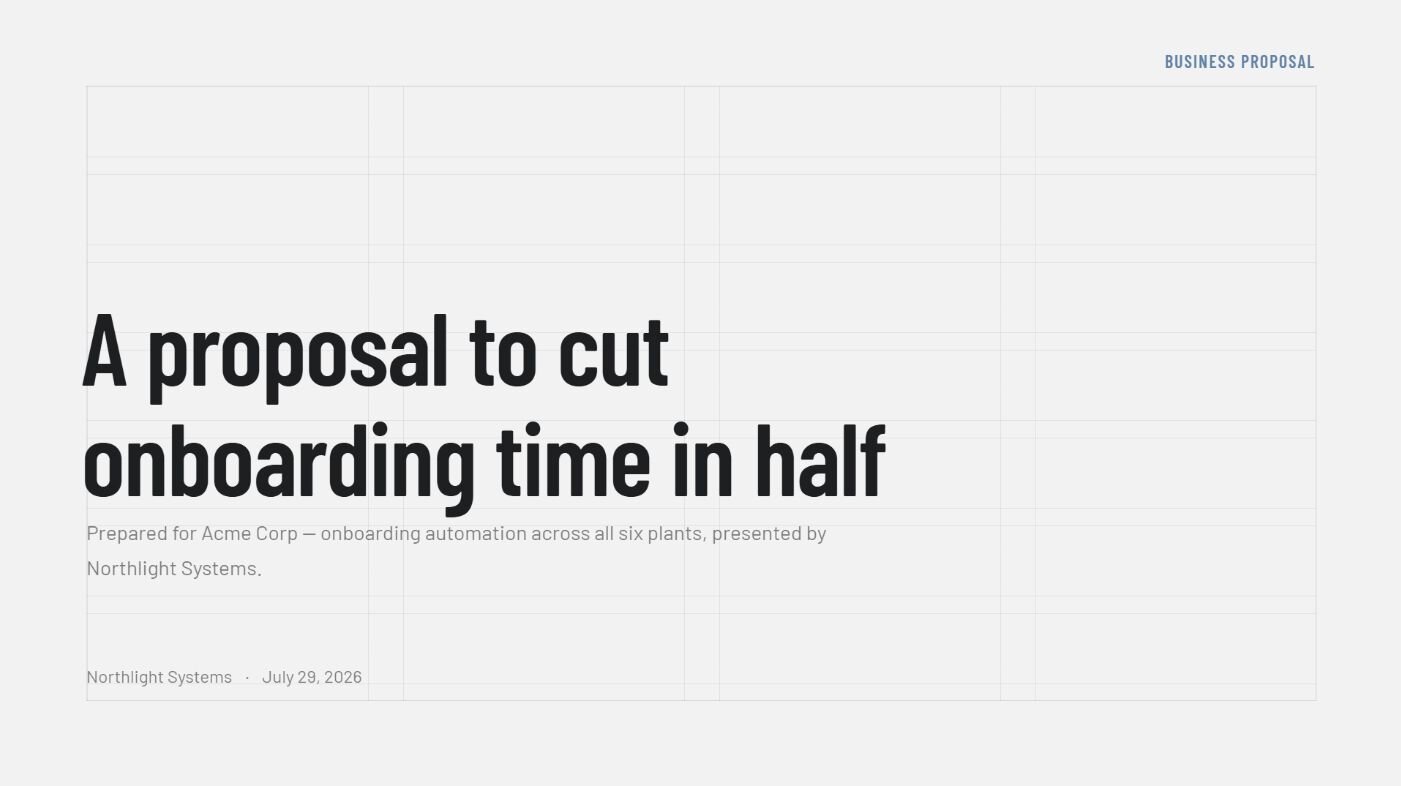
- Title slide: Your company, the prospect's name, and the date. Set the frame in one line, like "A proposal to cut your onboarding time in half," so the reader knows the stakes before you get to slide two.
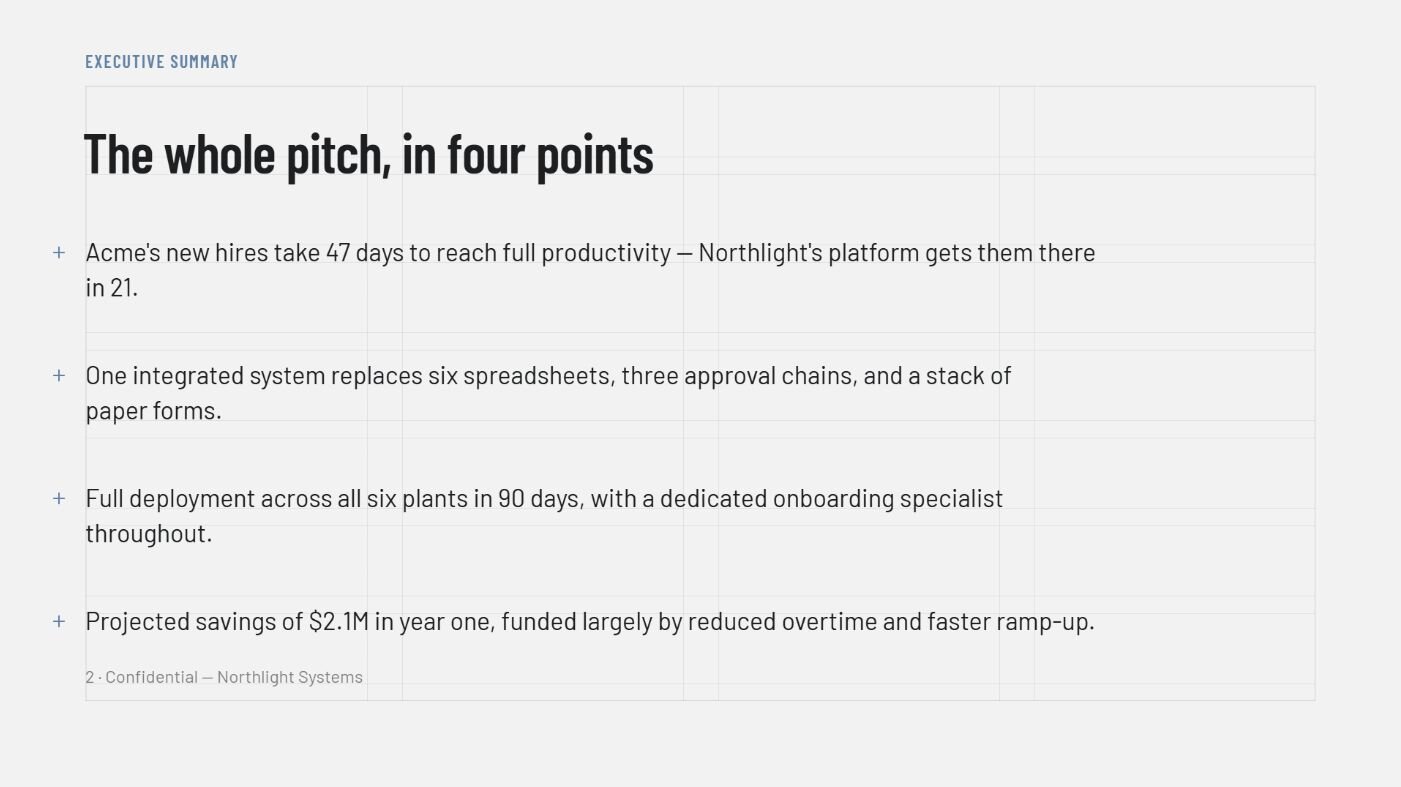
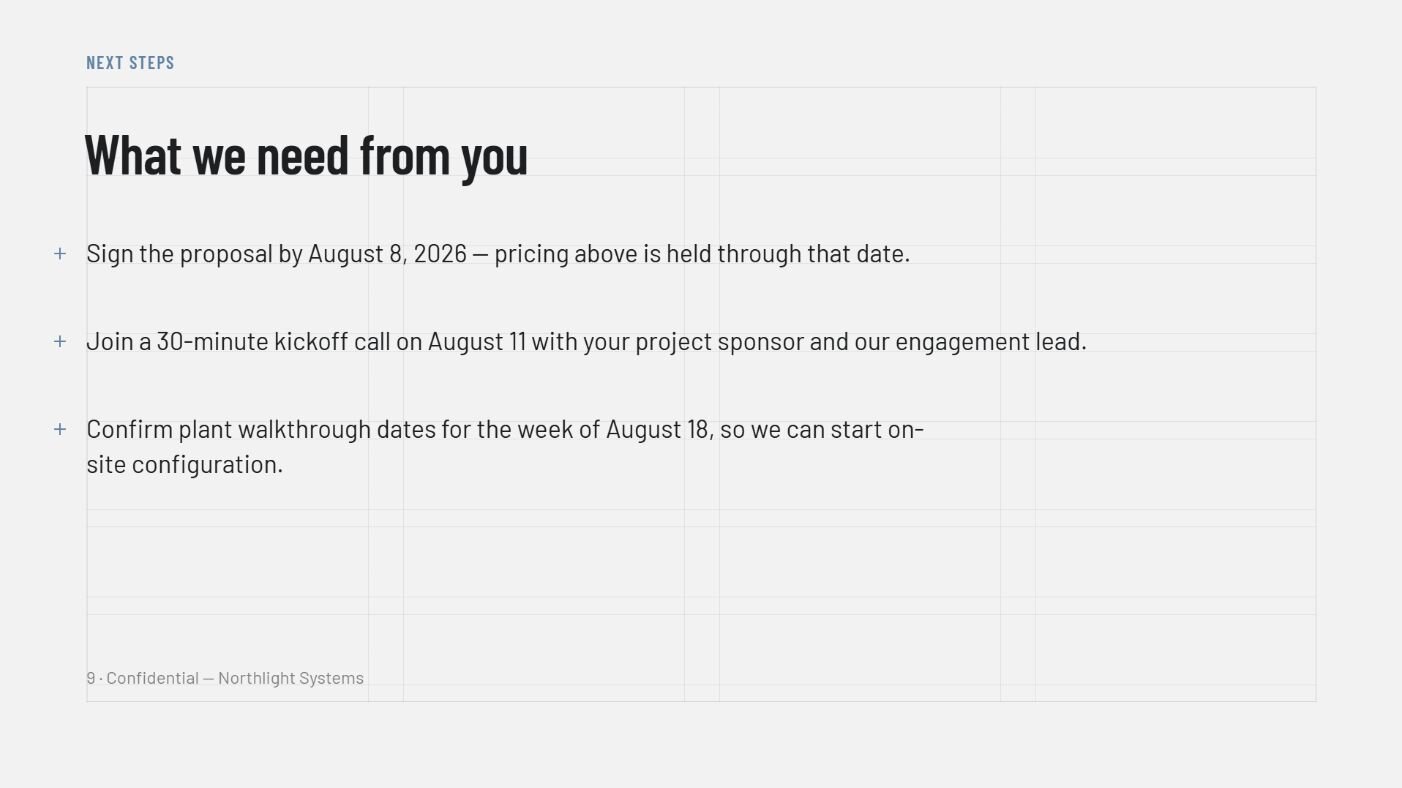
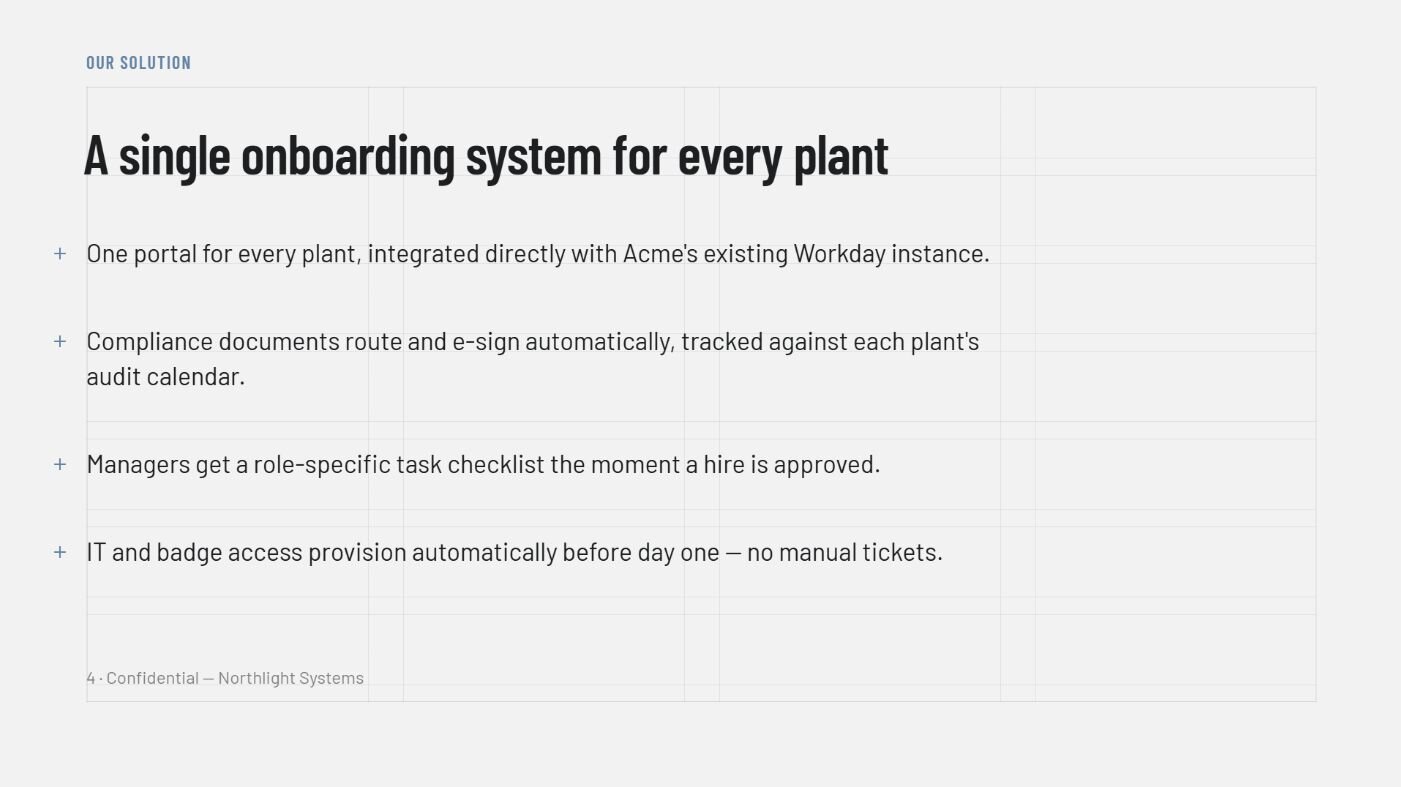
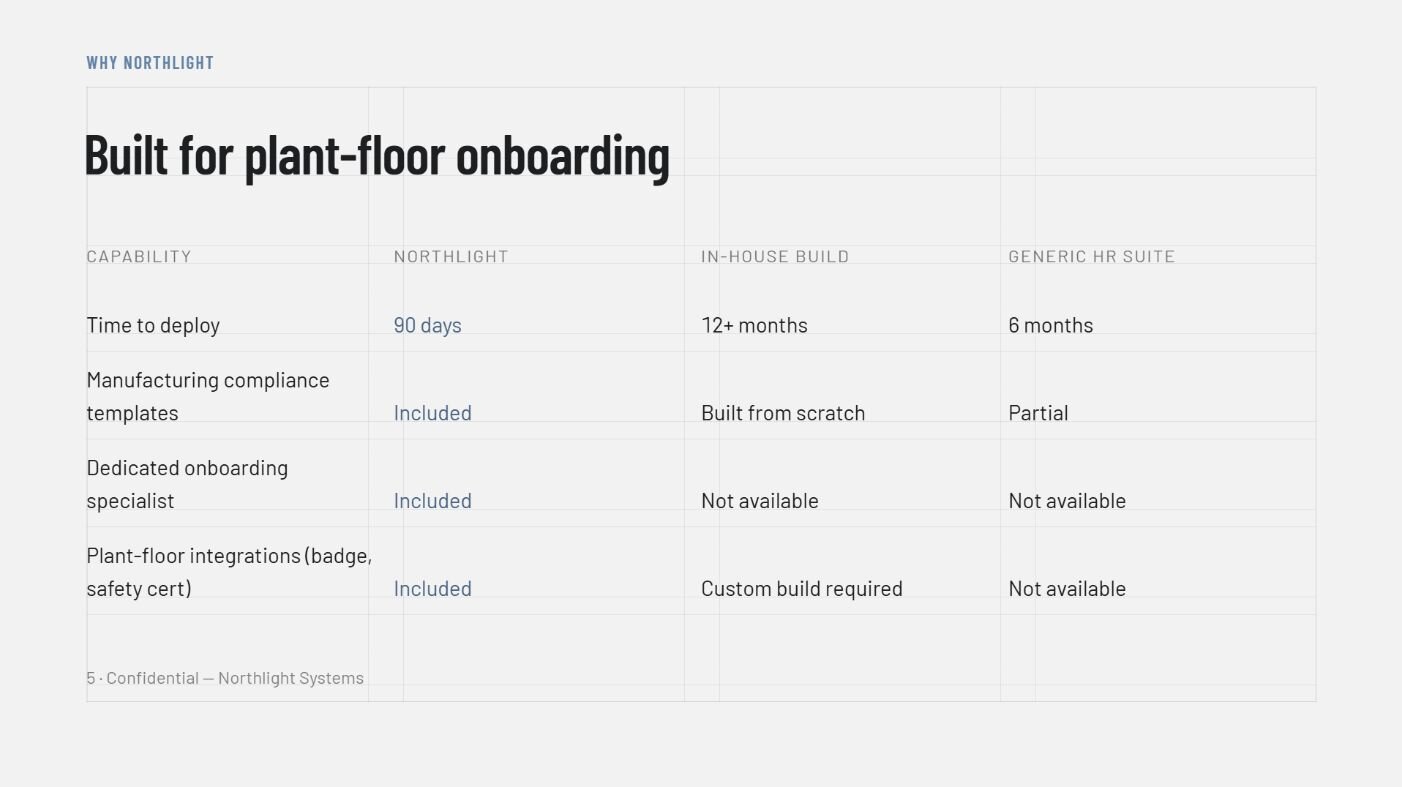
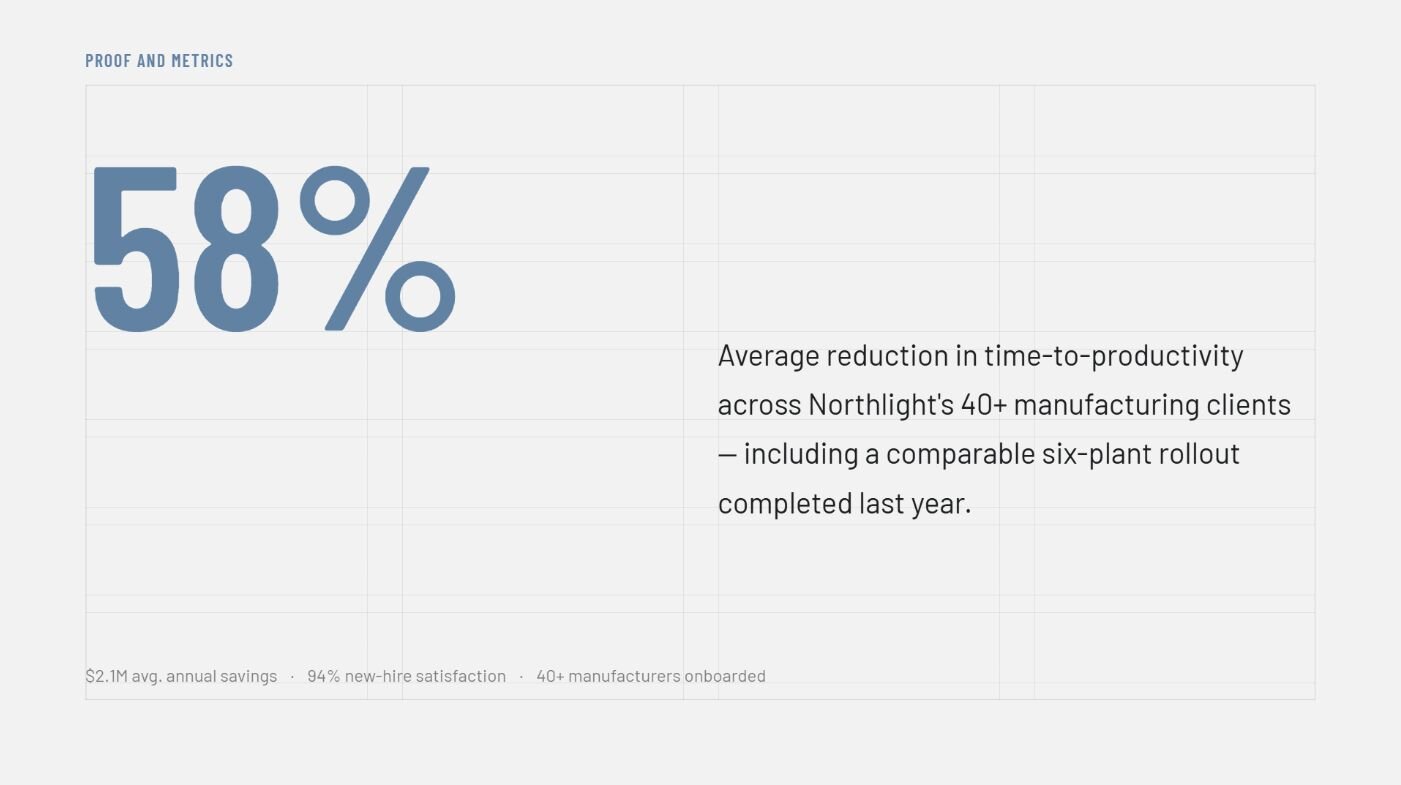
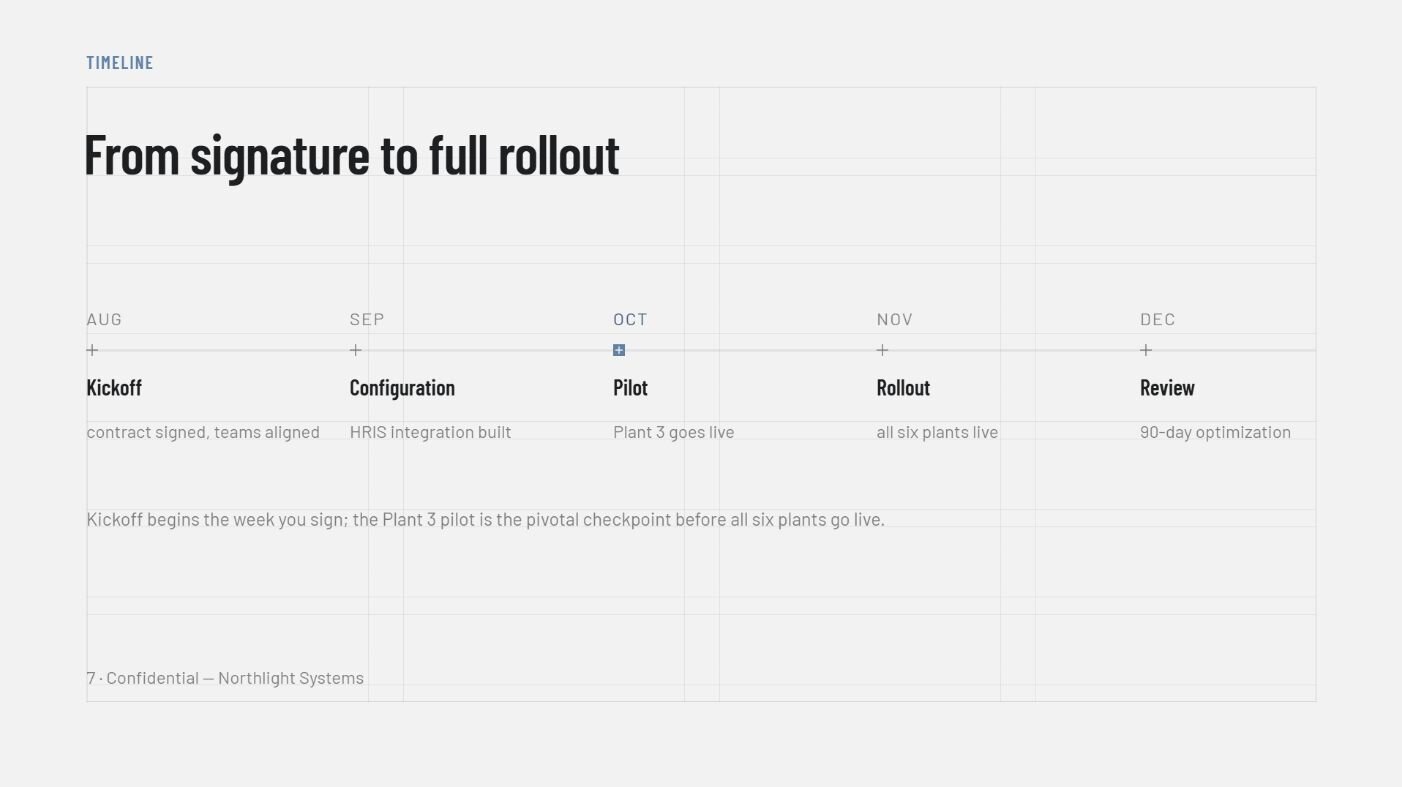
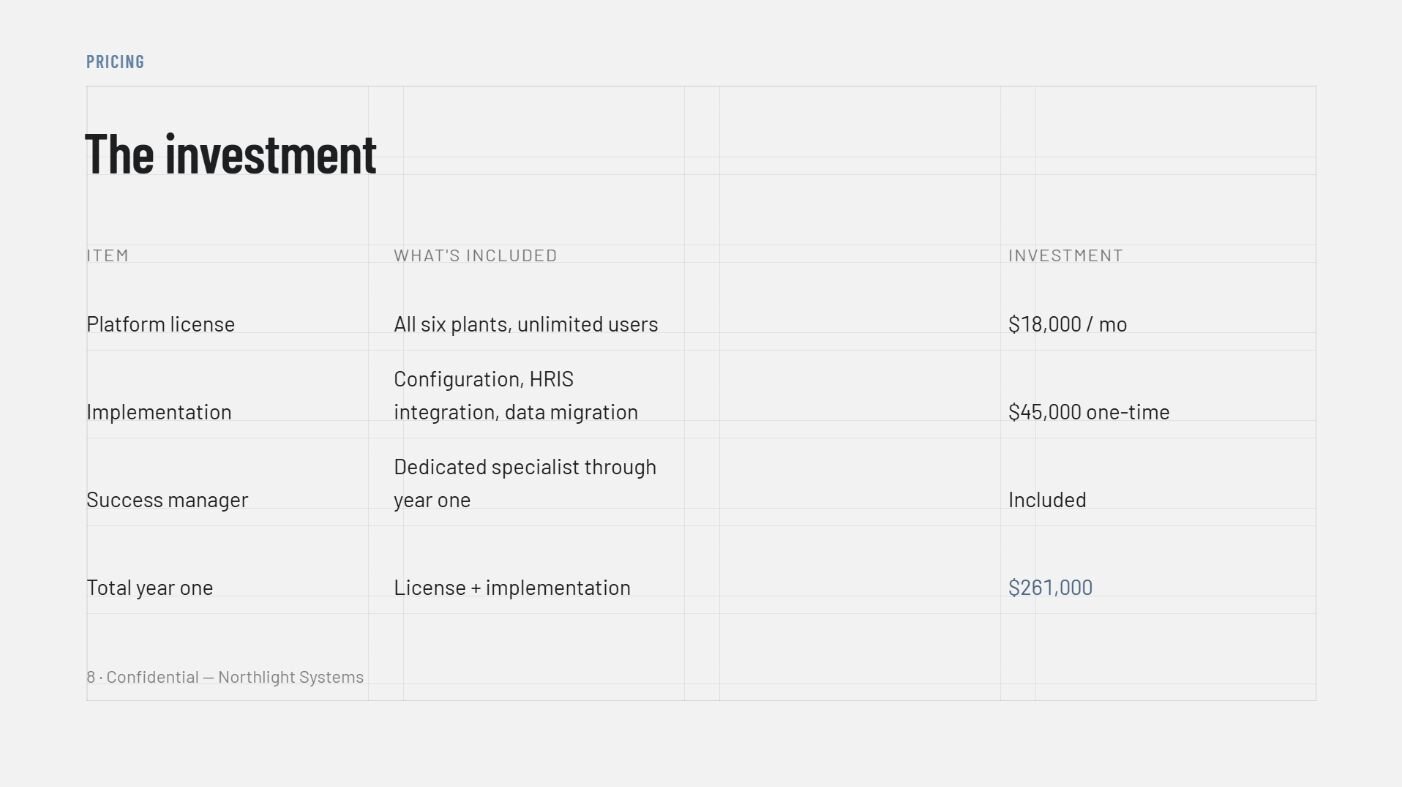
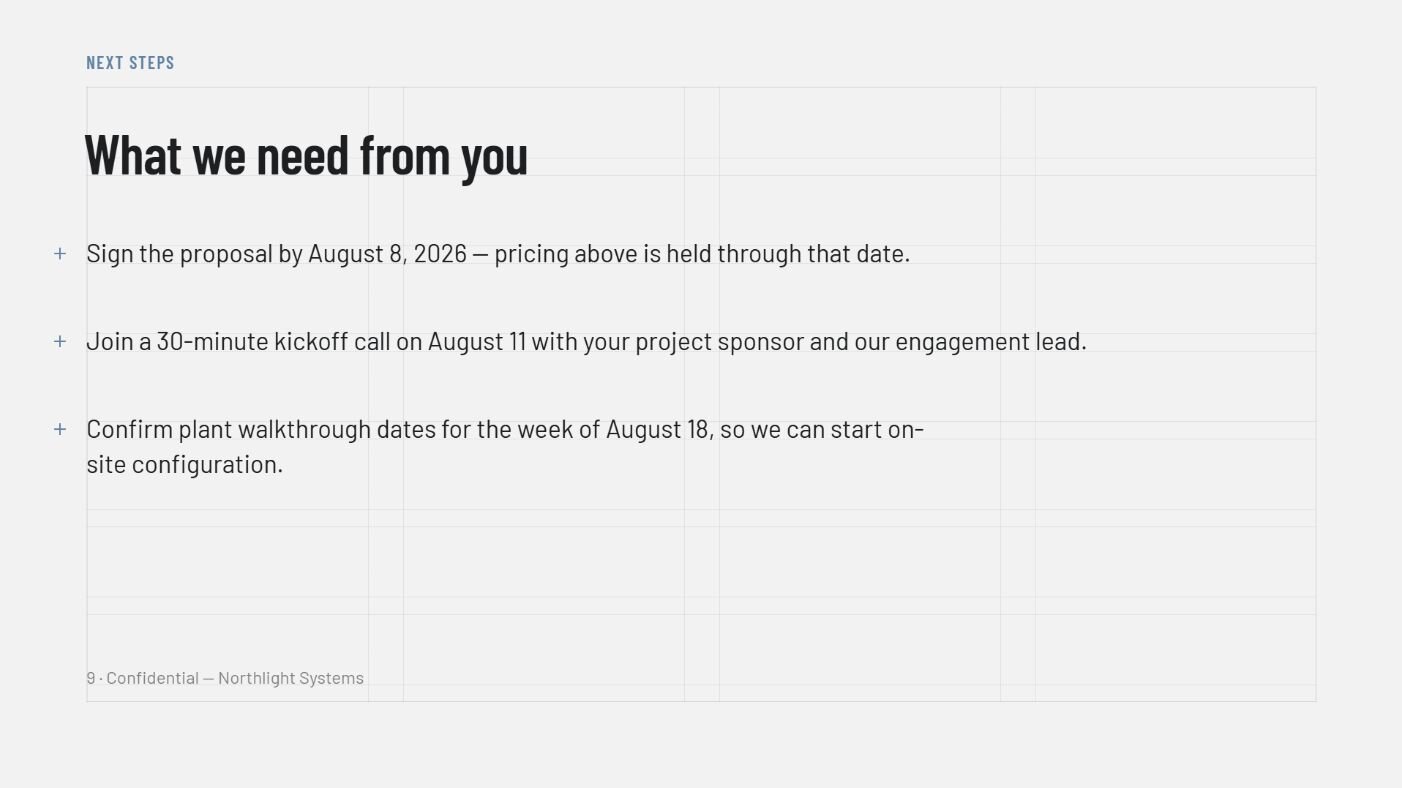
- A short case study slide: Earns its spot when you have a strong result. Pick one from a client in a situation close to the prospect's if you can, since proof from a peer often lands harder than a general claim.
- An appendix: Worth building whenever you expect detailed questions on the numbers, since it keeps the main deck lean while the underlying math stays ready for whoever asks.
💡 Tip: Aim for 8 to 12 slides. Fewer can make you look underprepared, and more can start to read like a document projected onto a screen.
How to build an effective metrics slide
If I had to point to the one slide that decides most proposals, I’d say it's the metrics slide, and it's also the one I see people phone in hardest.
The usual version stacks a few round, confident figures with nothing behind them, like "save 40%" or "cut reporting time in half." A sharp buyer hears that and thinks, 40% of what, measured how? Once they distrust one number, they might start doubting the rest.
A convincing metrics slide shows three things:
- Their current cost, quantified: What the problem costs them today, in dollars, hours, or lost deals.
- Your projected outcome: Where your solution gets them.
- The gap, with its source: The difference between the two numbers is your ROI, and every figure needs a basis, whether that's their own data, a public benchmark, or your past results.
Once those three numbers are solid, one clear before-and-after chart carries them further than a table of raw figures. If you're building the visual from your own data, here's how to create charts that read cleanly in a deck.
Design best practices for clean business proposal presentations
A proposal deck gets read in a conference room, on a laptop screen, and sometimes projected badly on a wall that washes out half your colors. Design for those conditions, since how it looks on your monitor is the least reliable preview you have.
Keep these principles in mind as you build:
- One idea per slide: If a slide has two points, it's two slides.
- Headline the takeaway: "Our rollout takes 3 weeks" beats "Timeline."
- Keep it consistent: One font, one color system, everything aligned. A presentation maker can enforce this for you if manually checking every slide isn't practical.
- Make it legible from the back of the room: Big text, high contrast, and few words per slide.
- Use visuals with a job: A chart that proves a point earns its place. I've cut plenty of stock handshake photos from decks I've built, since they take up space without backing up a single claim.
- Don't lean on color alone: Some of your audience won't see red-versus-green the way you do, so label things too.
💡 Tip: Write the headline of every slide first, then read just the headlines top to bottom. If that sequence tells the whole story on its own, your structure is sound.
Common mistakes that sink a business proposal presentation
Small, avoidable mistakes can sink a proposal deck just as fast as a weak idea, but they're easy to fix once you know what to look for.
Here are the most common ones to avoid:
| ❌ Mistake ✅ Fix | |
| Round, sourceless numbers | Quantified, sourced ROI the buyer can check |
| Opening with your company bio | Opening with their problem |
| A 30-slide document on a projector | 8 to 12 focused slides, detail in the appendix |
| Ending with "let us know" | Ending with one specific ask |
| Reading the slides aloud | Presenting the story, slides as support |
| One deck for every audience | A version tailored to who's in the room |
Build a strong business proposal presentation with Julius
A business proposal presentation depends on the numbers inside it, and gathering those numbers usually takes longer than building the deck itself.
Julius is an AI-powered data analysis platform with a built-in AI presentation maker that lets you turn the research behind your proposal into deck-ready slides without a separate design step.
Here's how Julius can support your next business proposal deck:
- Defensible metrics slides: Turn your cost, ROI, or savings data into a chart with a prompt, so your numbers slide shows a clear gap instead of a wall of figures.
- AI presentation maker: Move your analysis straight into slide form, and the chart becomes part of the deck without a separate export step.
- Public and financial data search: Search the web for industry benchmarks, or pull structured financials for 17,000+ public companies through the Financial Datasets integration.
- Connected data sources: Link tools like Postgres, Snowflake, BigQuery, or Google Ads. Any internal figures in your deck, like current costs or past project results, stay current with your own systems.
- More precise with every connection: Julius includes a Learning Sub Agent that picks up on your database structure as you work. Answers get faster and more precise the more you use it.
Ready to build your next business proposal presentation on numbers you can defend? Try Julius for free today.
Frequently asked questions
How many slides should a business proposal presentation have?
A business proposal presentation should have 8 to 12 slides. That's enough to walk through the problem, solution, proof, price, and ask without turning your pitch into a document. If you need more detail, move it to an appendix or the written proposal.
What software is best for a business proposal presentation?
PowerPoint and Google Slides give you the most control, while tools like Gamma and Beautiful.ai get you a polished deck faster. If you're stuck between two, this Gamma vs Beautiful.ai breakdown covers the tradeoffs.
Should I include pricing in a business proposal presentation?
Yes, most business proposal presentations should include pricing. A proposal that hides the price can make buyers nervous and stall the decision, so put pricing after you've built the value and frame it as an investment against the return you've shown.
How do I turn a written proposal into a presentation?
Turn a written proposal into a presentation by keeping the argument and cutting the prose. Pull out the core points, put one idea per slide, and move supporting detail into an appendix or leave the full document as a handout.
How long should a business proposal presentation be?
A business proposal presentation should run 10 to 20 minutes, with room left for questions. Time it in rehearsal, since decks tend to run longer out loud than they do in your head.