

Knowing how to create a sales presentation comes down to one thing: showing a prospect why your product solves their problem and why now's the time to act.
I've built and reviewed dozens of these decks as a marketer, and the ones that land all follow the same pattern: prospect first, proof second, clear next step last.
This guide walks through that structure step by step, with tips for what to cut, what to test, and real examples along the way.
Know your audience before you build a slide
Every deck I've seen fall flat had one thing in common: the person building it led with the product before ever thinking about the prospect. The mismatch tends to show up fast, and the prospect checks out before the pitch gets anywhere near the solution.
Here's what to nail down about your prospect before you open a template:
- Research the prospect's business, industry, and current tools: Pull up the company's website, LinkedIn, and any recent news before you write a single slide, then check what they're already using to solve the problem you're pitching.
- Define what a win looks like for them: A closed deal helps you hit your quota. That doesn't automatically help them, so figure out what their manager is going to ask them next quarter and build your pitch around getting them a good answer.
- Identify who's in the room: Finance leads want cost and payback period figures. Product leads want to know how it fits their existing stack. I've watched decks bomb because they only spoke to one persona when three were sitting at the table.
- Consider how the deck will be delivered: Live pitches need fewer words per slide since the talking does the heavy lifting. Leave-behinds need more detail since there's no one in the room to fill gaps. Match the format to how the deck will be viewed.
How to create a sales presentation: step by step
I've rebuilt more decks than I can count, and the ones that hold attention follow the same order every time. Skip a step and the pitch feels thin, no matter how good the product is.
Here's the structure I use, walked through with an example:
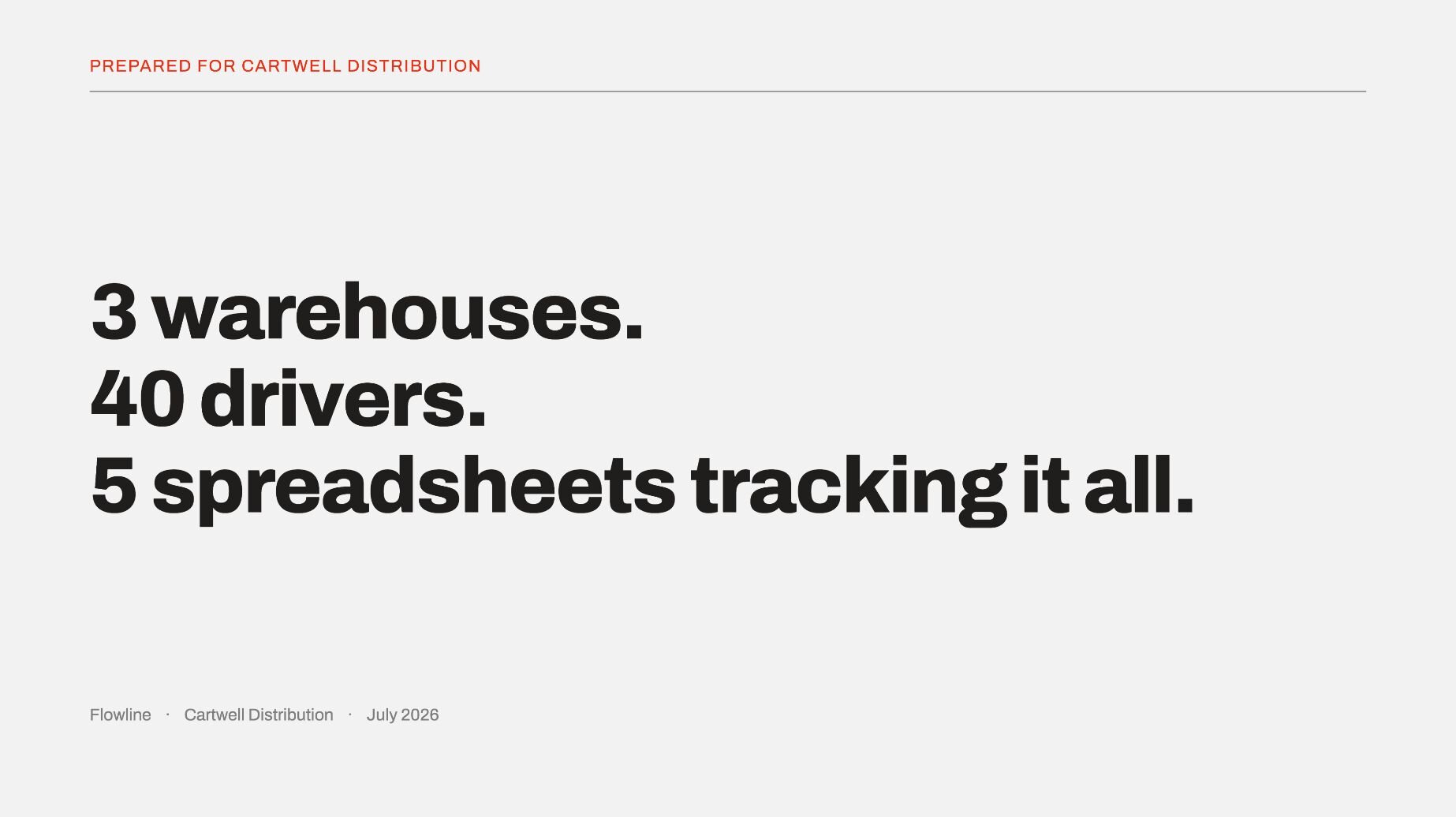
1. Open with the prospect
I’d skip the founding story and forget about the logo wall. Instead, slide one should name the prospect directly and state something specific about their situation.
2. Name the problem clearly
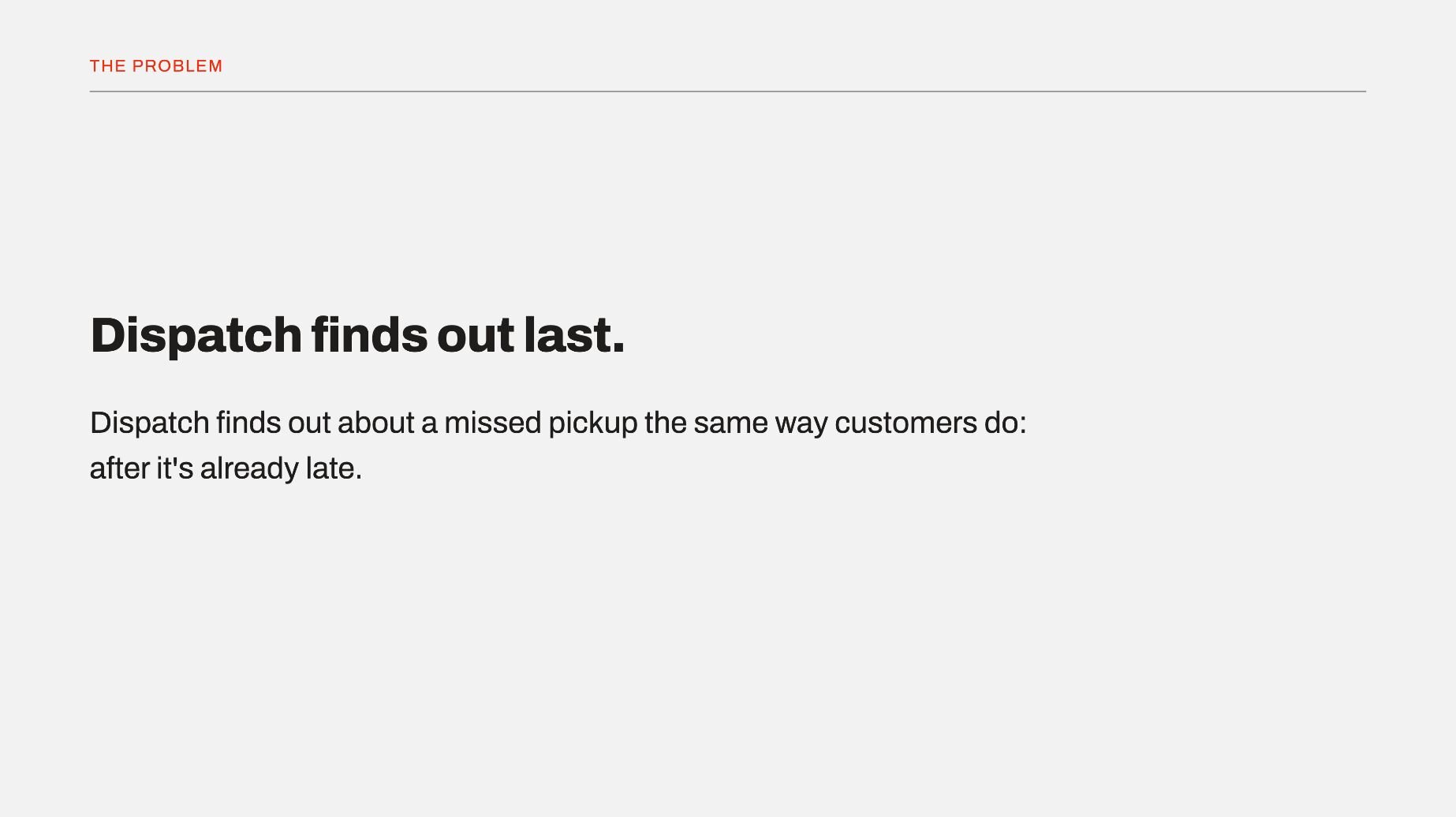
Use the prospect's own words to describe the issue. In my experience, getting this right early builds trust fast and keeps the room engaged for everything that follows.
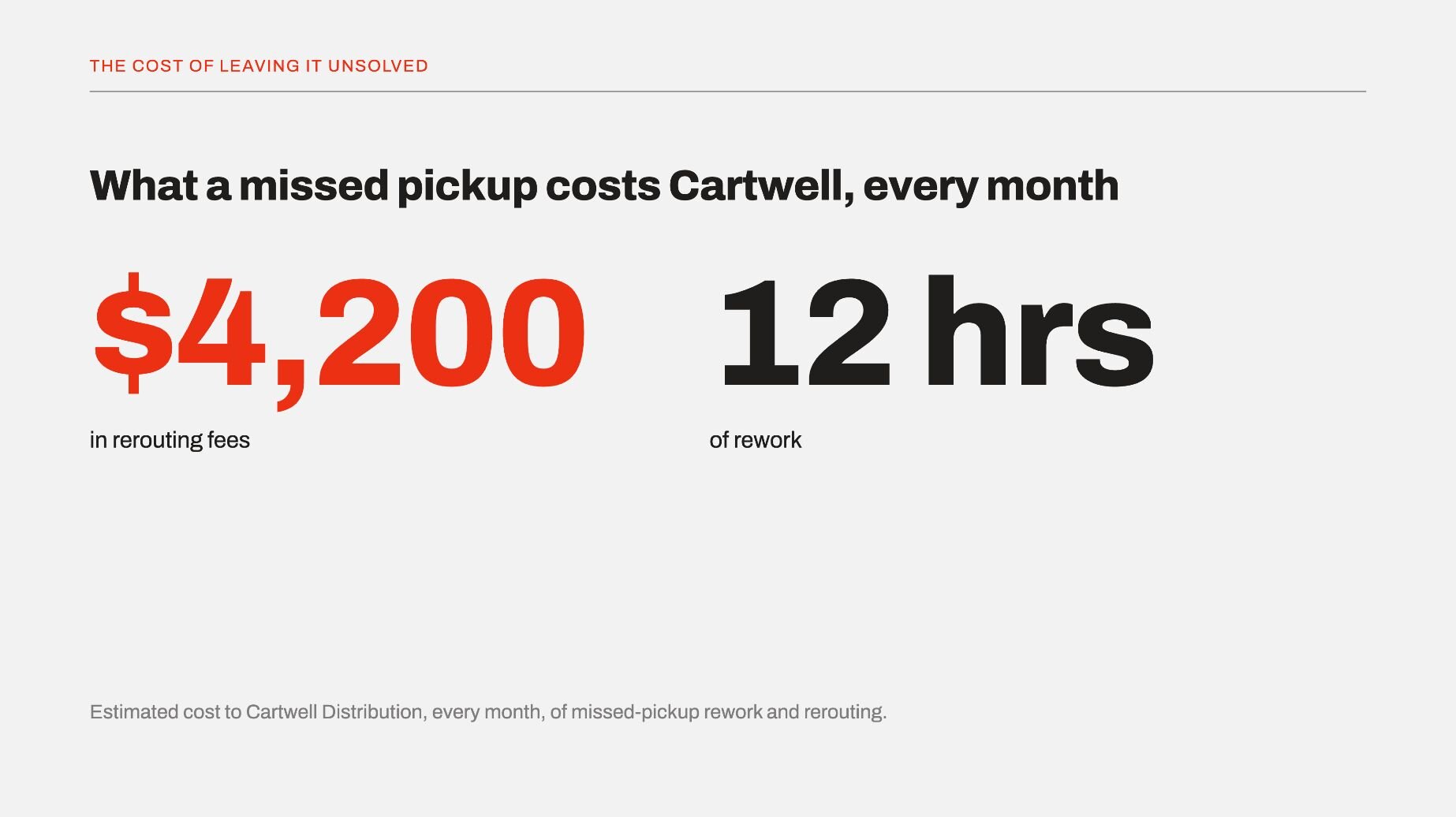
3. Show the stakes of leaving it unsolved
Attach a number to the problem whenever you can. Vague stakes don't land, and specific ones do.
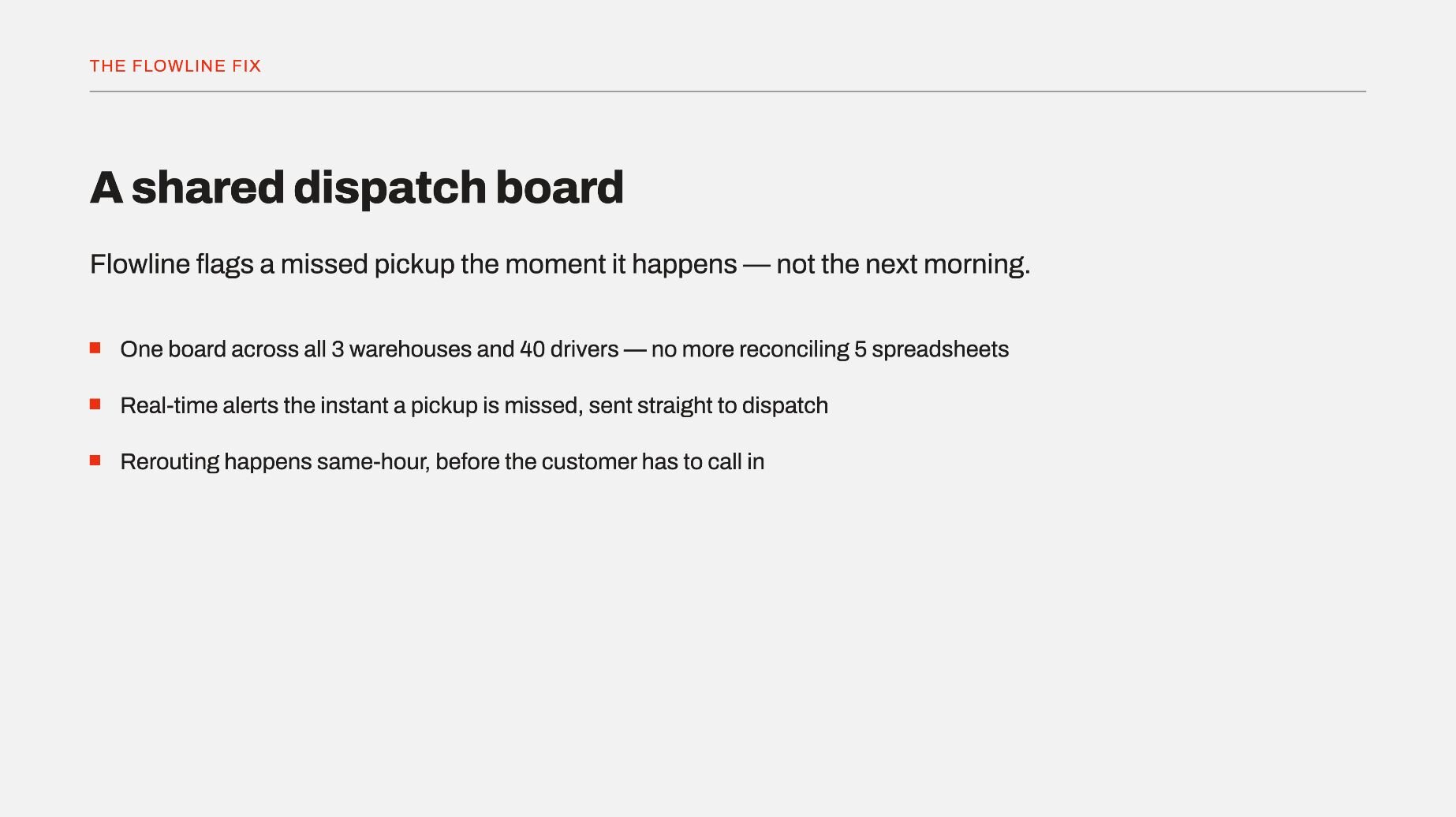
4. Present your solution tied directly to that problem
Bring up only the features that map back to what you just named. Anything else adds noise the prospect has to sort through on their own.
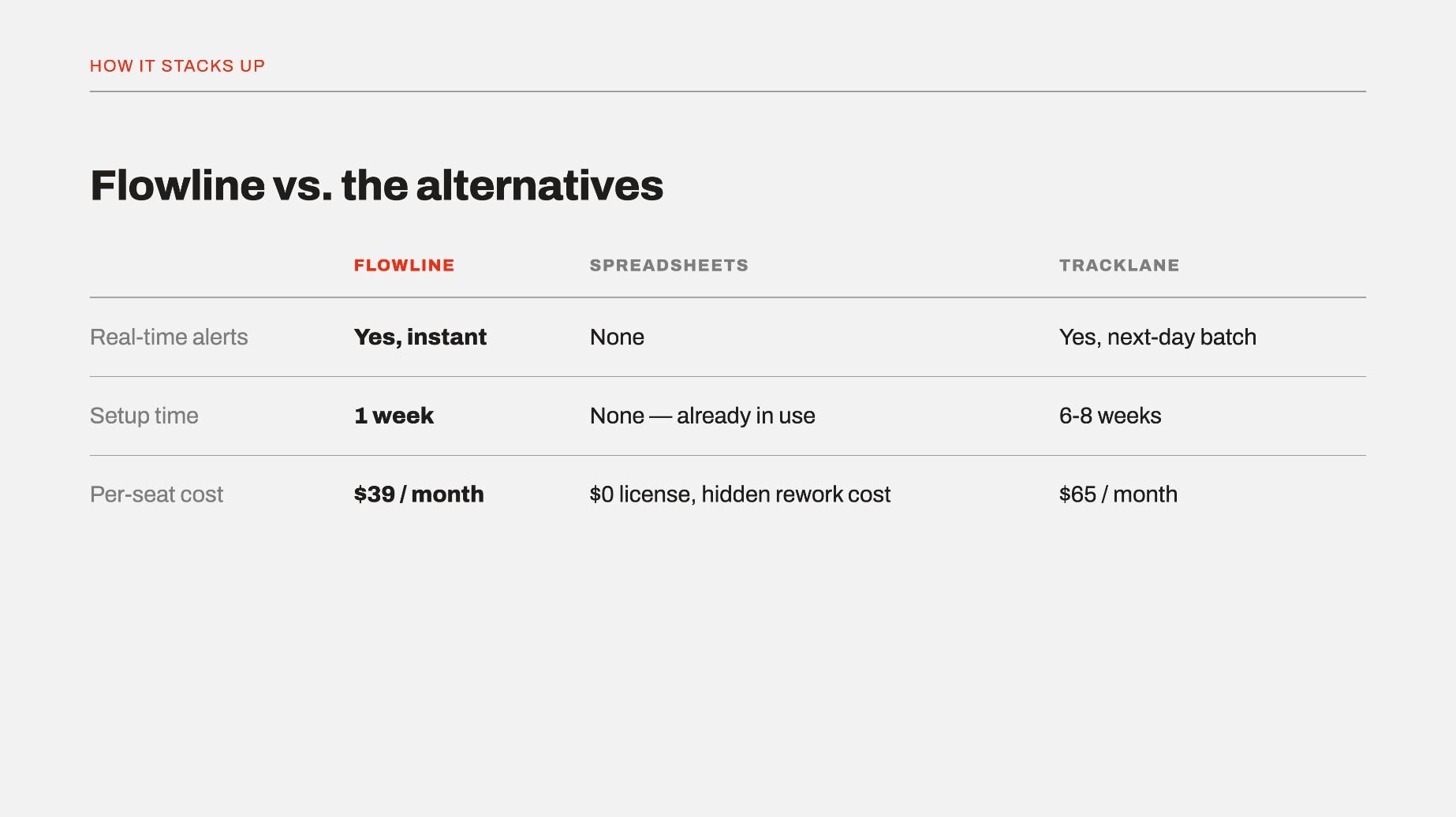
5. Show how you stack up against the alternatives they're already weighing
Prospects often have a couple of other options in mind before you get in the room. I've found that naming that directly works better than pretending competitors don't exist.
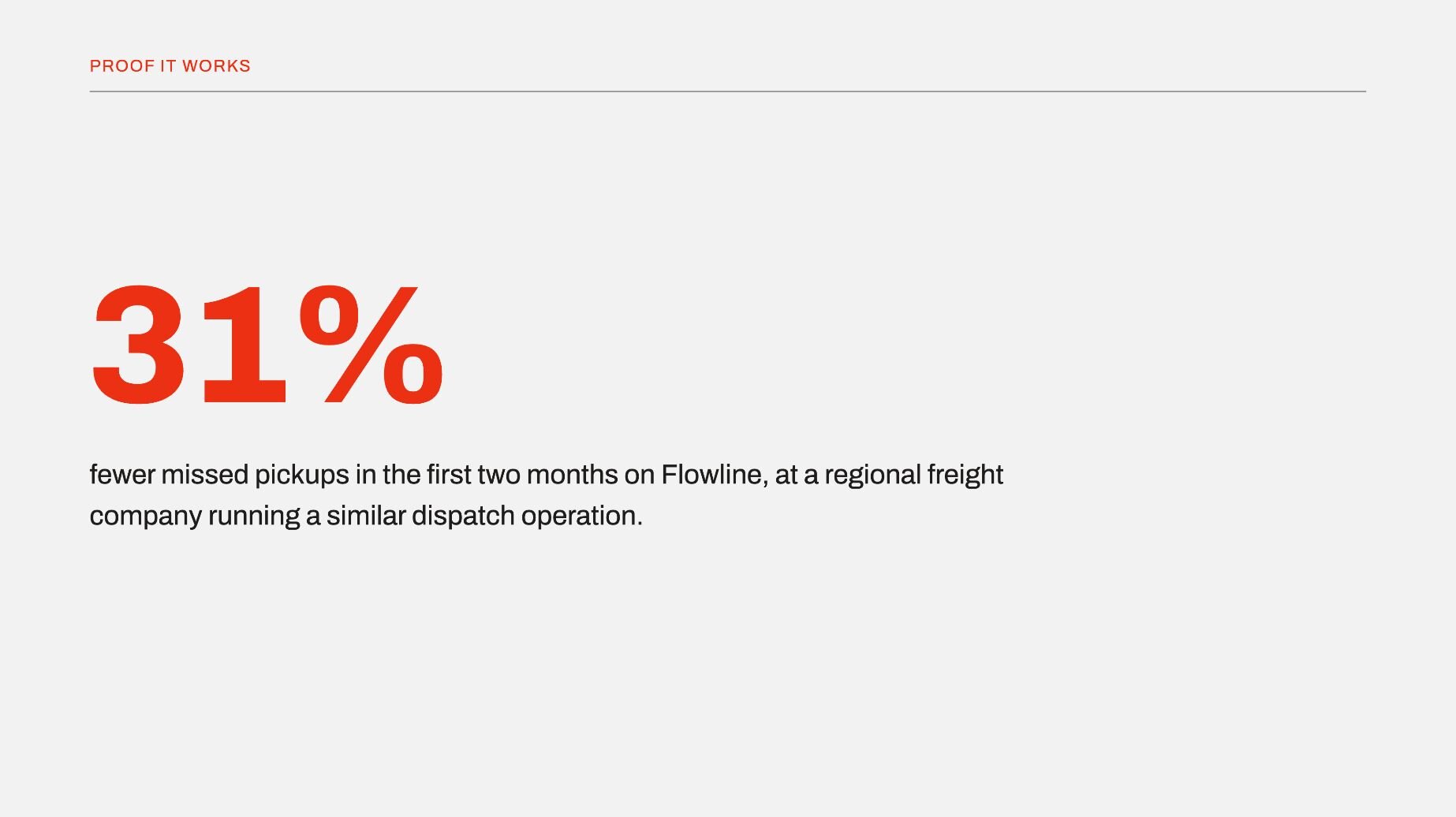
6. Back it up with data, case studies, or third-party proof
Pick one case study close to the prospect's industry or size. A stranger's results carry more weight than your own claims about the product.
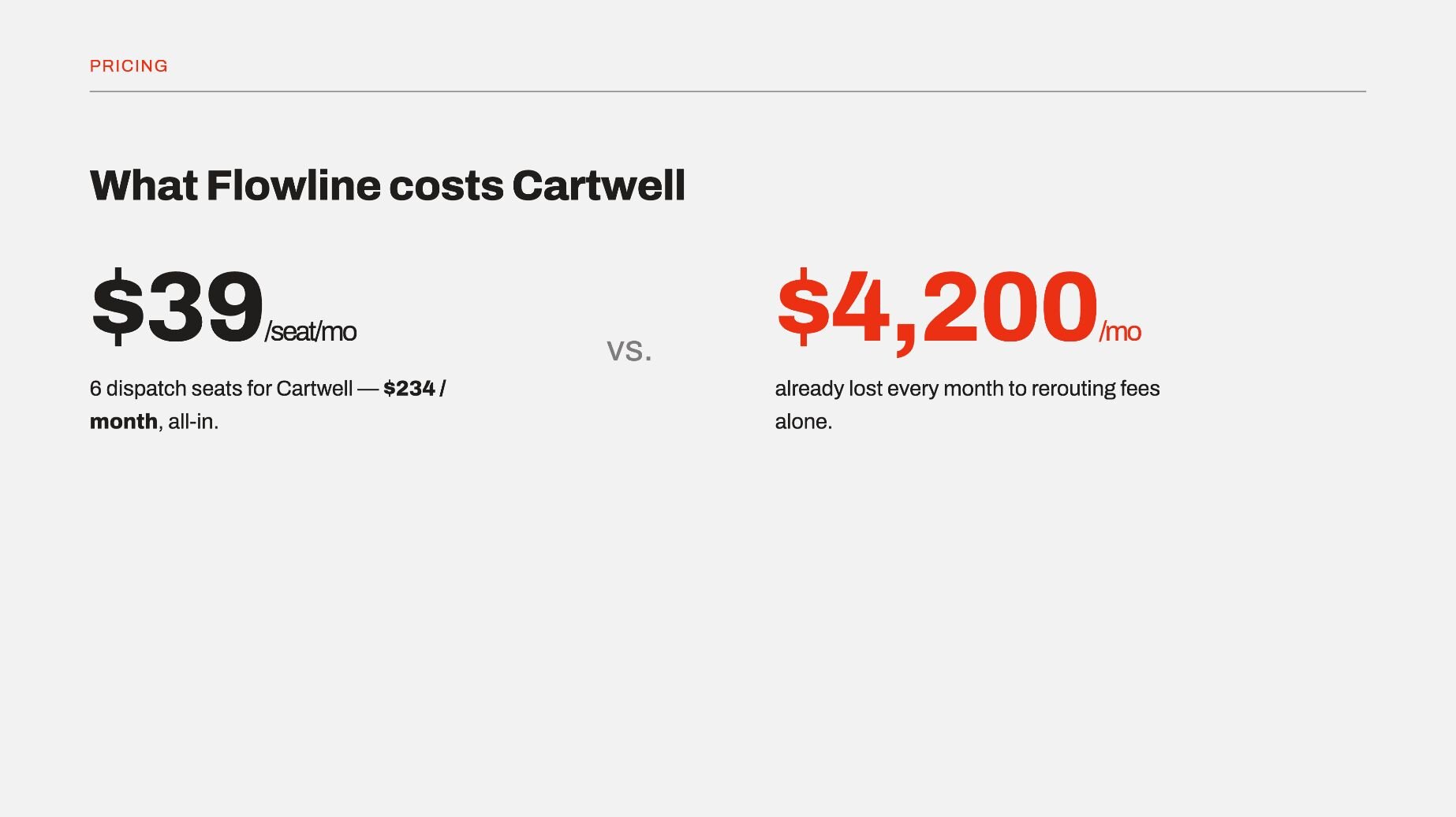
7. Include pricing without dodging it
Put pricing on a slide and walk through it live. That's honestly where you get to answer the cost objection in the room so you don’t lose the deal to silence over email.
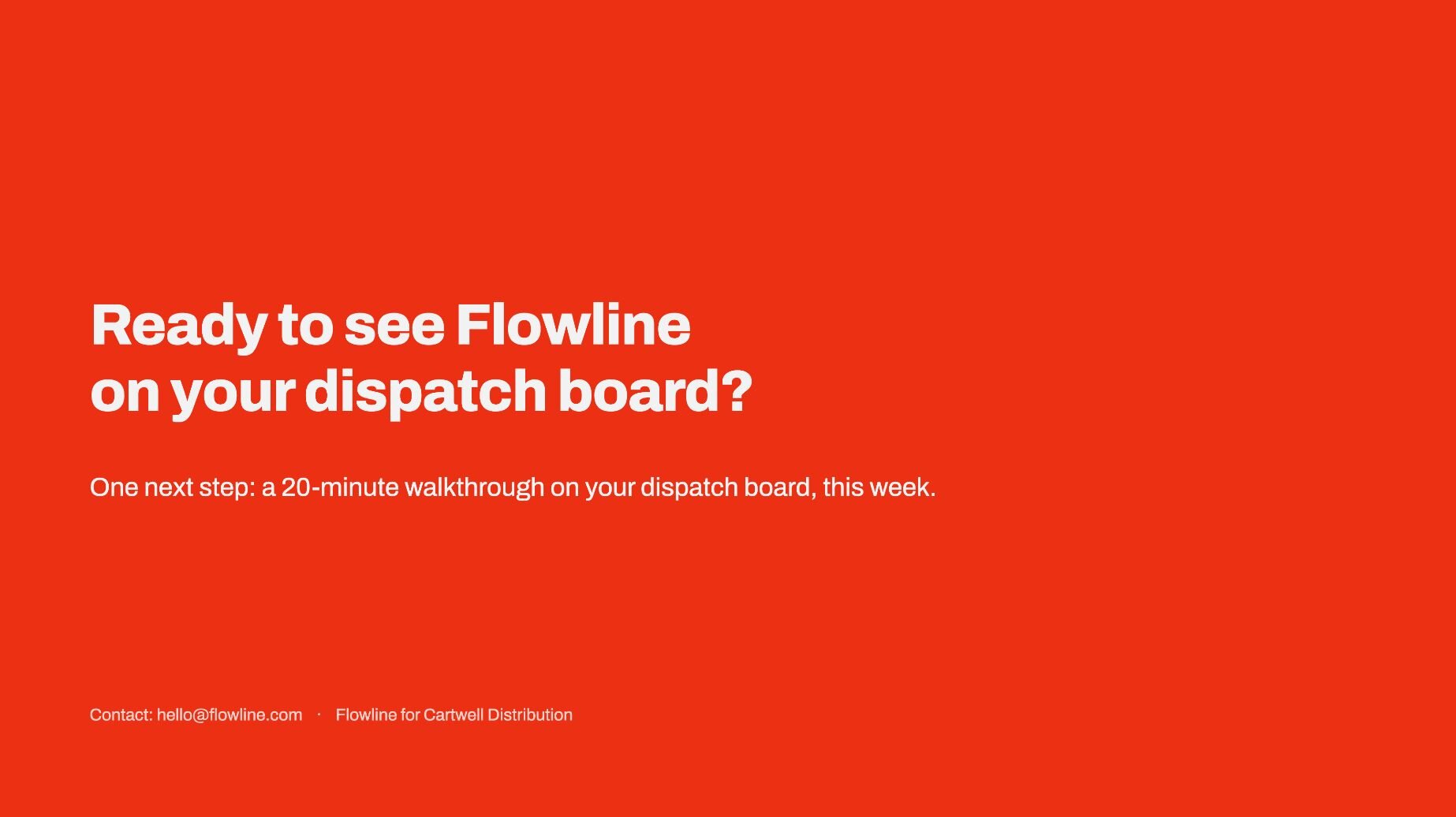
8. End with one clear next step
Stick to one CTA, one date, and one contact, since a deck that ends with three possible next steps usually ends with a prospect who picks none of them. Vague endings like "let's stay in touch" put the follow-up burden back on the prospect, and busy buyers rarely pick it back up on their own.
Tips for making an effective sales presentation
The structure gets you in the door. These are the habits that keep the room with you once you're there:
- Lead with benefits over features: I've cut entire slides of feature lists because they made prospects tune out fast. Every feature I keep gets tied to a specific outcome the prospect cares about, or it doesn't make the cut.
- Keep it to a tight runtime: I aim for 20 minutes of content, tops, leaving room for questions and a follow-up conversation. Longer pitches lose steam well before the close.
- Skip the corporate history slide: I used to open with a company timeline and watched eyes glaze over every single time. Prospects care about solving their problem, so I spend that slide real estate on them instead.
- Use a template: Even when I'm building research presentations, where the audience already expects a straightforward layout, I still start from a template. If it saves time there, it matters even more in a sales deck, where every minute I claw back is a minute I can spend on the message and the data behind it instead of the layout.
- Treat objections as a conversation: When a prospect pushes back, I ask a follow-up question before defending anything. That usually tells me what they're really worried about, which is often different from what they said out loud.
- Rehearse it out loud: Reading a deck silently and presenting it live are two different skills. I run through my pitch at least twice before any meeting that matters, timer running.
- Leave room for questions: I like to build a pause into the pitch itself. Prospects who get to ask something mid-presentation stay more engaged through the rest of it.
💡 Tip: Looking for a starting point? Check out our guide on the best AI presentation makers.
Common sales presentation mistakes to avoid
Whether you’re making a product presentation or a sales pitch, there are a handful of missteps that can show up in your process again and again. I've made every one of these at some point, so I'll flag them here to save you the trouble:
- Rushing through slides: Flying through a deck to stay under time backfires when a prospect asks you to go back three slides later. I've learned to slow down on the stakes and proof sections so the information has room to land.
- Building one-size-fits-all decks: Reusing the same deck for every prospect is easy to spot from the buyer's side, since nothing in it speaks to their specific situation. Swap in industry-specific numbers and examples, and your response rates should follow suit.
- Talking to the slides instead of the room: Reading text straight off a slide while a prospect checks their phone is a fast way to lose the room. Let the slide back up what you're saying, and keep your eyes on the people you're pitching.
- Ending without a clear next step: A vague "let's regroup soon" tends to put a deal on pause for weeks. I strongly recommend that you state one CTA out loud before the meeting ends, so the momentum stays on your side instead of theirs.
Build your proof faster with Julius
Most guidance on how to create a sales presentation focuses on structure and delivery. The numbers that back up your stakes, proof, and solution slides matter just as much, and digging through spreadsheets or old reports for those numbers eats the time you meant to spend building the pitch itself.
Julius is an AI-powered data analysis platform that can search for public data or connect directly to your existing sources, then return charts, insights, and reports from a single prompt. It also includes an AI presentation maker, so the same platform that pulls your proof points can help turn them into the slides your prospect sees.
Here's how Julius can help build a stronger deck:
- Built-in data visualization: Get charts built straight from your prompt, so the numbers on your stakes and proof slides show up as something a prospect can read at a glance.
- AI presentation maker: Turn your analysis into slides in the same workflow, so the chart you just built can move into a deck without a separate export-and-rebuild step.
- Data search: Julius can search the web for public benchmarks or pull structured financial data for 17,000+ companies through its Financial Datasets integration, so you can start a stakes slide from a question instead of a spreadsheet.
- Direct connections: Link databases like PostgreSQL, Snowflake, and BigQuery, or connect tools like Google Ads, so the case study or ROI numbers behind your pitch reflect current performance.
- Smarter over time: Julius includes a Learning Sub Agent that adapts to your database structure as you work with your data. It learns table relationships and column meanings over time, which can improve result accuracy on subsequent uses.
Ready to build your next pitch on numbers you can trust? Try Julius for free today.
Frequently asked questions
What is a sales presentation?
A sales presentation is a structured pitch that walks a prospect through their problem, your solution, and proof that it works. It usually includes slides covering the prospect's pain points, your product's fit, supporting data, pricing, and a clear next step. Sales teams use it during the middle or later stages of a deal, once a lead has already been qualified.
How long should a sales presentation be?
A sales presentation should run about 20 minutes, leaving time for questions and a follow-up conversation. Shorter pitches keep a prospect's attention through the parts that matter most, like the problem and the proof. Going much longer risks losing the room before you reach your call to action.
What's the difference between a sales presentation and a sales pitch?
A sales presentation is longer and more structured than a sales pitch, covering the full problem, solution, and proof in one sitting. A sales pitch is shorter and usually focuses on one specific angle or benefit. Presentations tend to happen later in the sales cycle, while pitches can happen at almost any stage.
What should you include in a sales presentation for a late-stage buyer?
A sales presentation for a late-stage buyer should include ROI figures, implementation timelines, and answers to objections raised earlier in the deal. Late-stage buyers have usually already compared vendors, so competitive positioning and pricing clarity matter more here. Case studies and social proof also help close remaining doubts before a decision.
How do you handle objections during a sales presentation?
You handle objections during a sales presentation by treating them as a conversation instead of an interruption. Ask a follow-up question before responding, since that often reveals what the prospect is really concerned about. Pausing briefly before you answer also gives your response more weight and keeps the exchange from feeling rushed.