Get Instant Insights with the Best Marketing Analytics Tool
Transform Data into Actionable Marketing Decisions with AI
Loved by 2,000,000+ users and trusted by individuals at


Why Choose Julius as Your Marketing Analytics Tool?
Featured in


Simple questions, expert data insights.
Save hours of analyses with AI-powered business insights.
RECOMMENDED
Pro
For companies that need to collaborate across departments and automate manual workflows.
$45
USD/month
$45
$37
USD/month, billed annually
Get started for free
Everything in Plus, and:
5,000 credits monthly
Access to Julius Teams
Live collaboration
32 GB of RAM
10-day file storage
User roles & permissions
Julius is your marketing copilot.
Many use cases, one brilliant AI tool.
Ask data questions
Get answers to your queries in seconds.
Write compelling copy
Create content that converts.
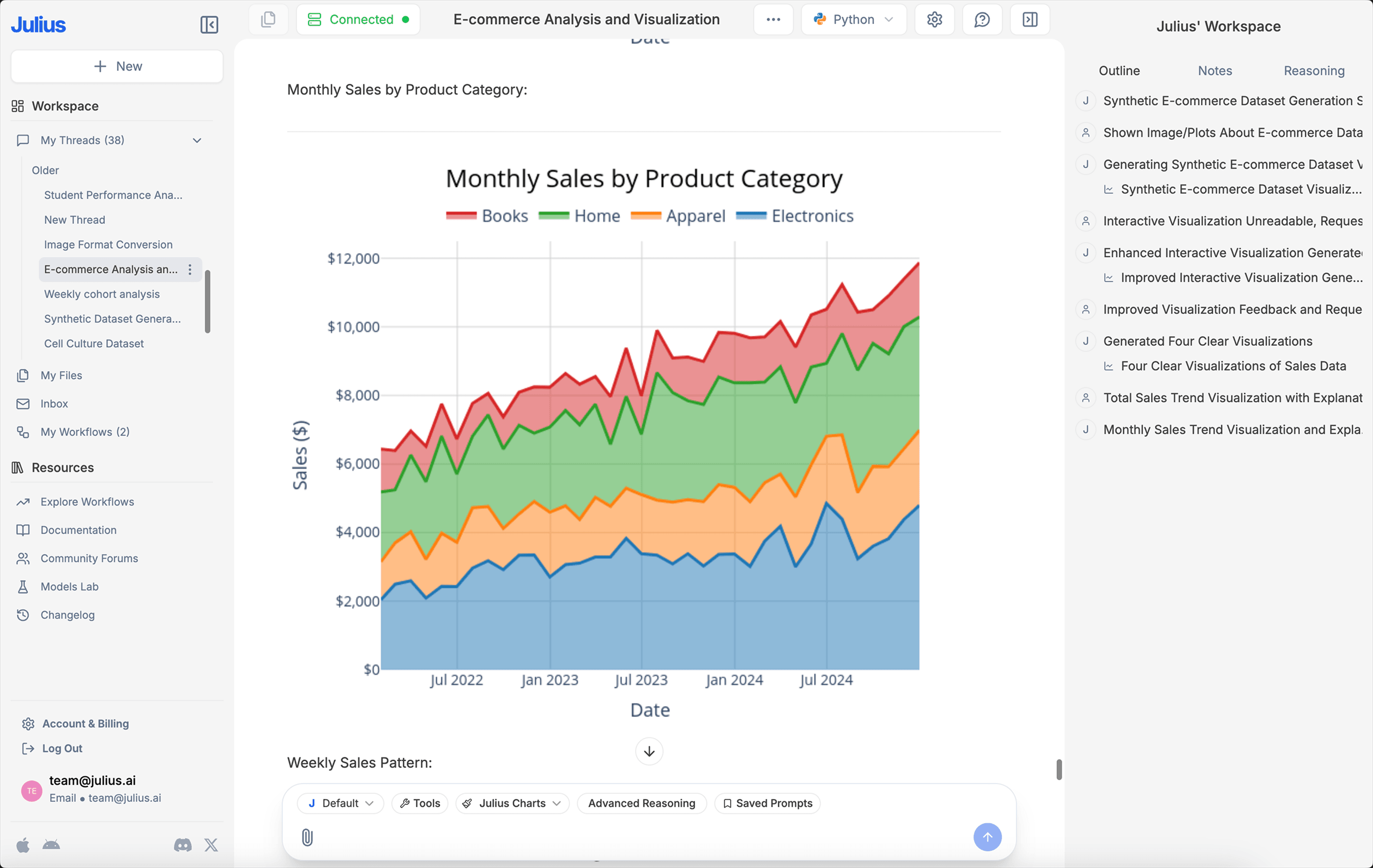
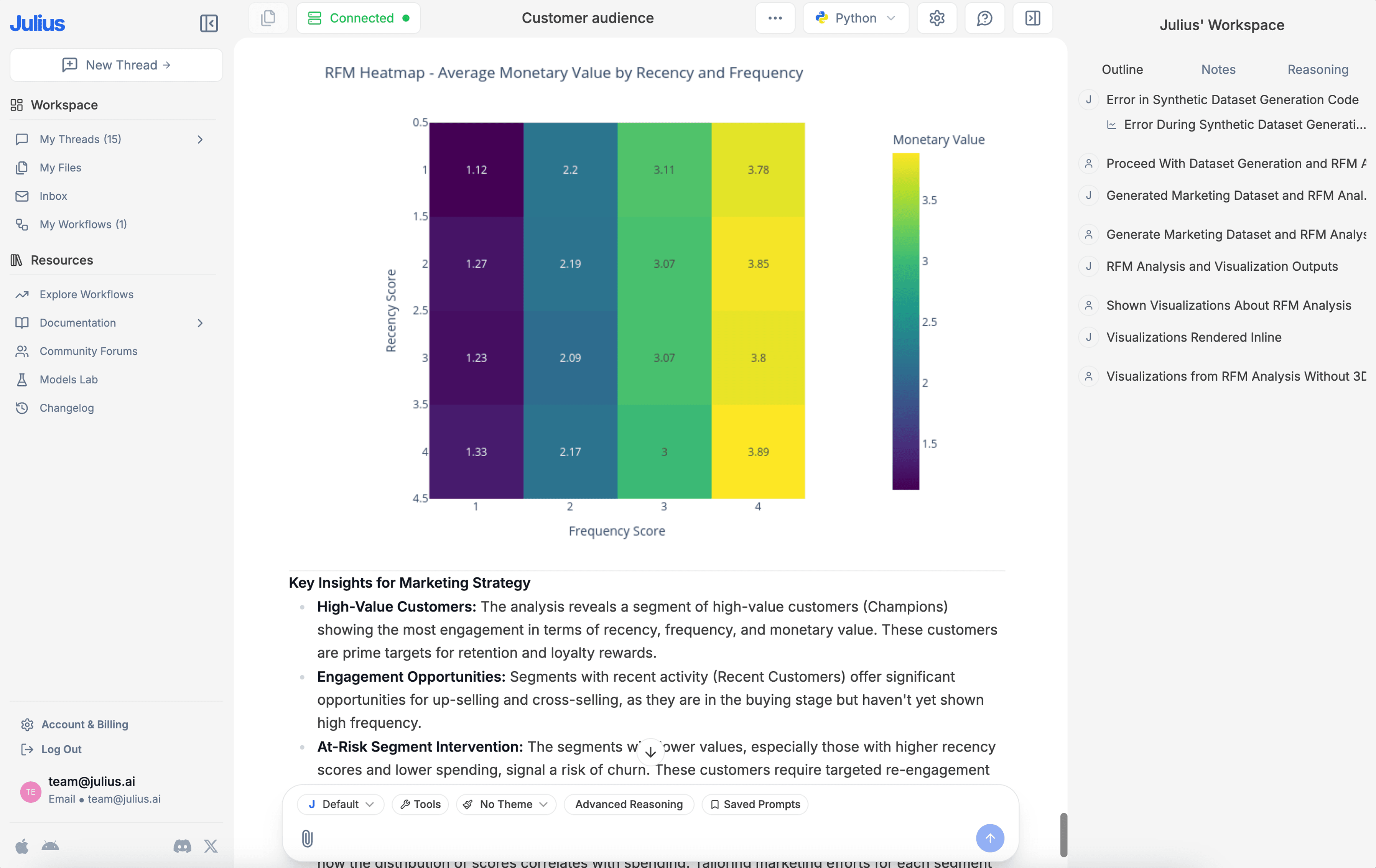
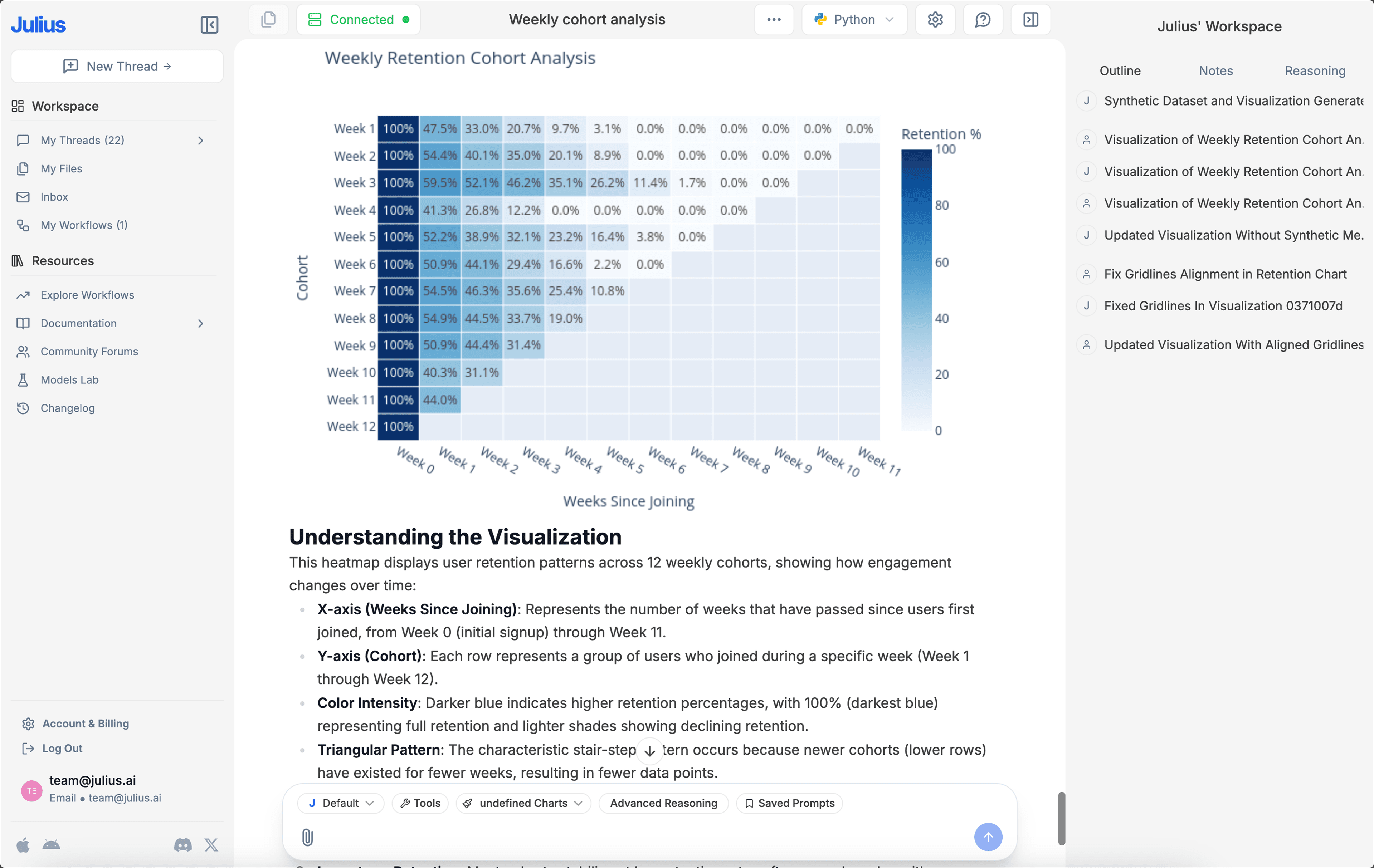
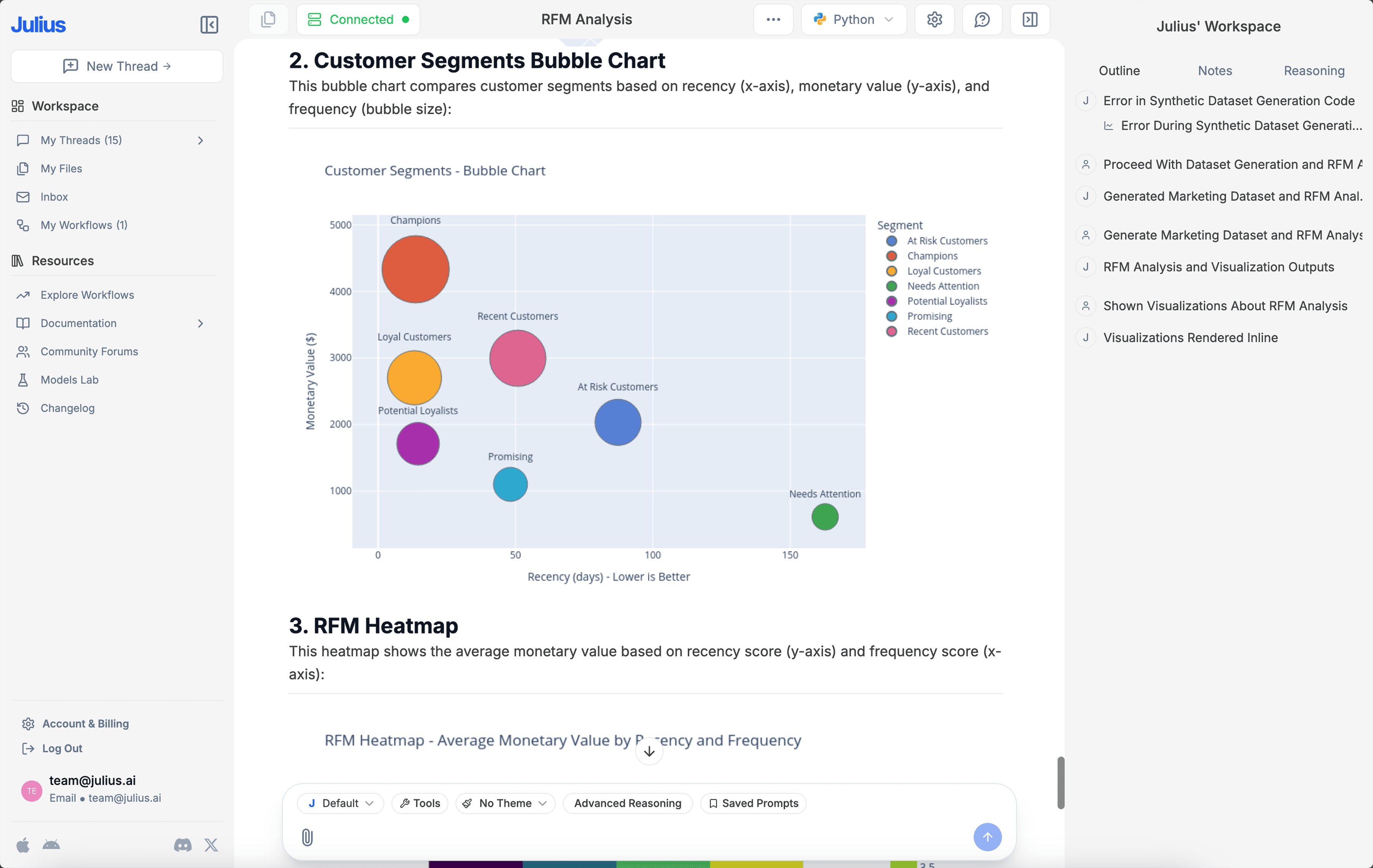
Generate sleek visualizations
Communicate findings with confidence.
Unlock sales forecasting
Generate accurate forecasts with a natural language prompt.
Draft polished reports
Automate memo writing and focus on what matters.
Export instantly
Quickly download transformed data into an Excel for easy sharing.

Frequently asked questions
How do I link a data source?
You can link a data source on the Files page or directly in our Chat interface. For more detailed instructions on linking a data source, check out our Julius Start Guide.
What do I do after linking a data source?
What data sources are supported?
We currently support any data file format, including but not limited to spreadsheets (.xls, .xlsx, .csv), Google Sheets, images (.jpeg, .png), PDFs, and text-based files (.docx, .txt). If you have a different file format, odds are we support it — go ahead and try to upload it within our Chat.
Can I analyze spreadsheets with multiple tabs?
Yes! Upload your multi-tab spreadsheet as you would any other file. Once uploaded, you can refer to the individual names of the tabs in your prompts, and Julius will perform analysis on those tabs accordingly.
Can I generate data visualizations?
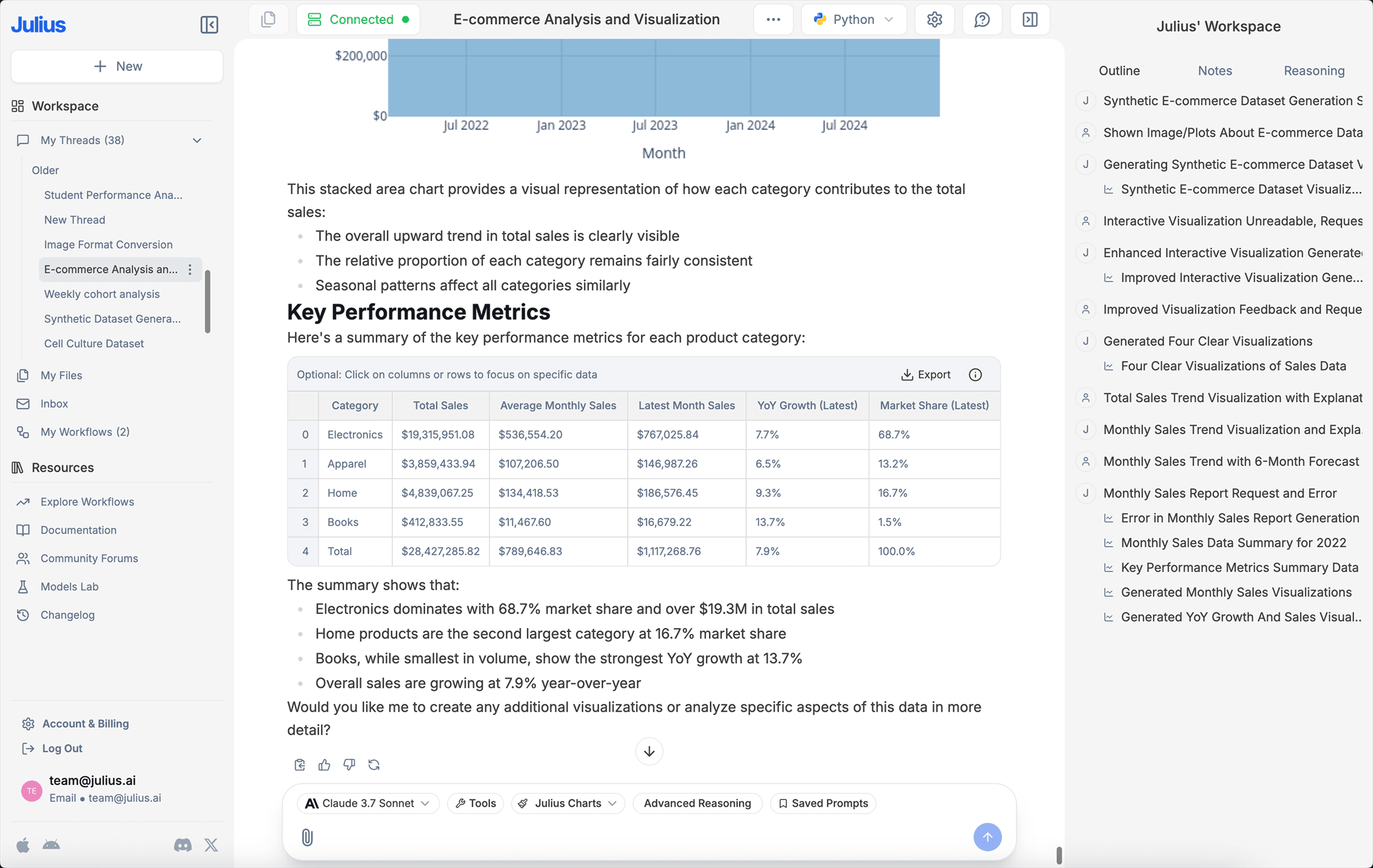
Yes, it's very easy to generate clean-looking data visualizations using Julius. Once you have uploaded your data, simply prompt the AI to create a chart or graph.
What is Julius' data privacy policy?
We utilize strict access-control, as each user only has access to their own data in the secure file storage — even our python code execution environments are sandboxed by user. In addition, your data is completely erased from the servers whenever you delete it within the app. You can read further into our data policies here.
Is this free?
Yes! By default all users can send up to 5 messages a month with our most advanced AI model. Once you hit the monthly limit, you can upgrade your plan in your Account page.