

I opened Plus AI expecting a fast slide generator and spent the week rebuilding a sales deck and a quarterly report with it for this Plus AI review.
Here's my take. Plus AI works well as an add-on for turning drafts into slides fast inside PowerPoint and Google Slides. It's also lighter on design polish and support than the marketing suggests.
Plus AI: at a glance
| 💻 What it is | AI add-on for Google Slides and PowerPoint (prompt, upload, or reformat slides) |
| 🎯 Best for | People who make frequent first-draft decks inside Slides or PowerPoint |
| 🔥 Starting price (billed annually) | $10 per seat per month |
| ⚡ Strengths | Works inside your existing tools, fast document-to-deck, native editable output |
| ⚠️ Watch-outs | Output needs a design pass, and support and billing complaints show up often in reviews |
*Pricing correct as of August 2026. Verify with vendor.
💡 My one-line verdict: Plus AI works as a first-draft engine for anyone who works inside Slides or PowerPoint. It’s not a finished designer tool, so treat it as more of a starting point.
What is Plus AI?
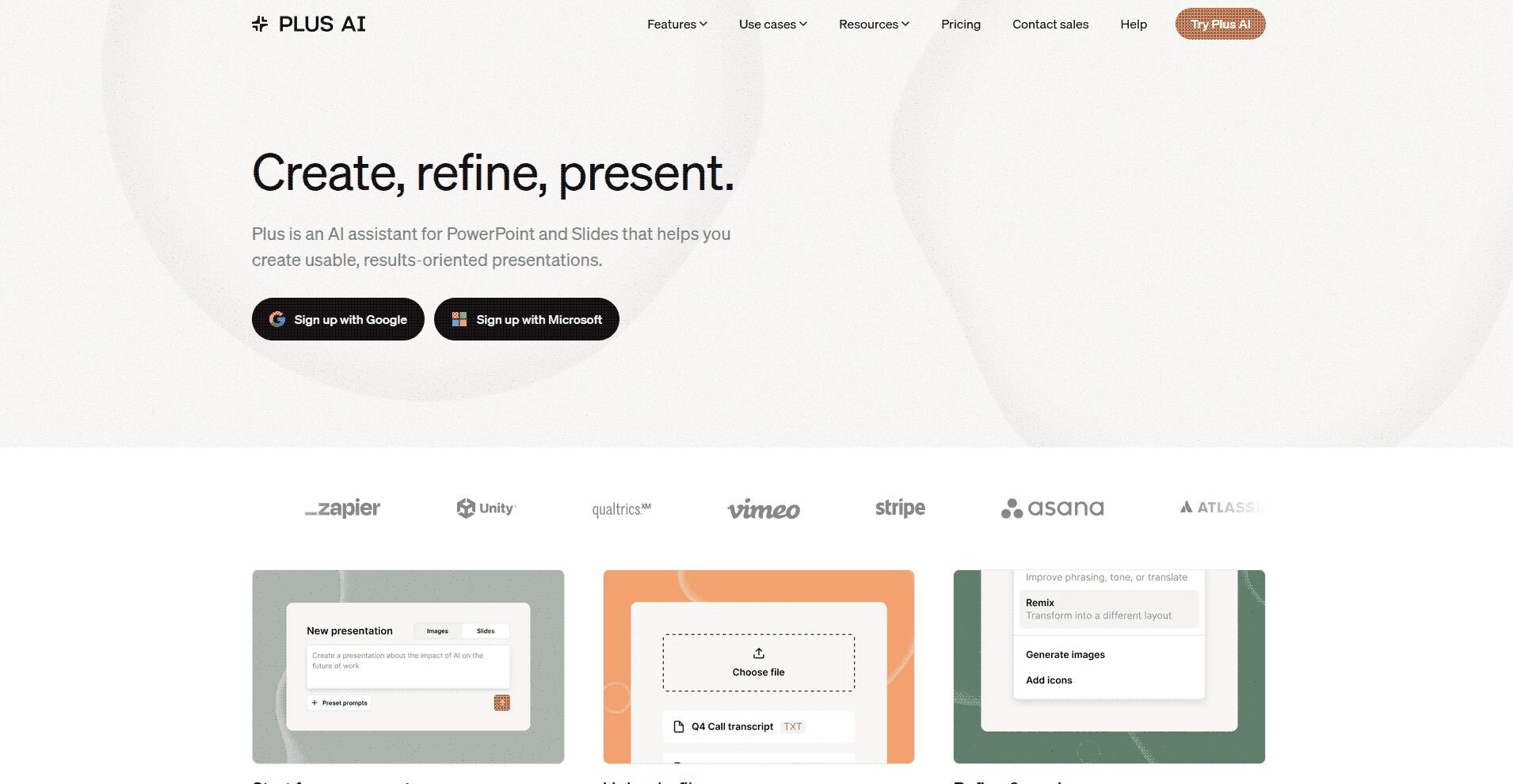
You can start a presentation three ways: describe it in a prompt, upload a source file (PDF, Word, PowerPoint, or plain text), or point it at existing slides and ask it to rewrite or reformat them. It generates editable images, icons, charts, and tables, and it builds native PPTX files through its own rendering engine so the output stays compatible with your templates.
The company positions it for professional slide makers, and it carries SOC 2 Type II compliance for teams that care about security review.
💡 Tip: Not sold on Plus AI? Check out our guide on the top 10 Plus AI alternatives.
I tested Plus AI: here’s how it works
The first thing I noticed was that Plus AI isn’t like the usual AI presentation makers. You install the add-on for Google Slides or PowerPoint, and an AI panel shows up inside the editor. From there, the workflow is prompt in, outline out, and slides after that.
When I fed it a five-page product-update document, it drafted an outline first, then turned each section into a slide with a title and short bullets. The structure was sensible, and the text was clean. The design was plain, the kind of layout you'd expect from a competent first draft.
The feature I reached for most was Remix. You can take a wall of text on a slide and ask Plus AI to reformat it into a specific layout, like a three-column comparison, without rewriting it yourself. Rewrite handles the smaller jobs: shorten this, expand that, change the tone.
💡 Tip: The output tracks your prompt closely, so vague instructions give you vague slides. Spend an extra sentence describing the audience and the takeaway, and the first draft comes back noticeably better.
Key features that matter
Plus AI includes several features beyond the basic slide generator. Here are the pieces worth knowing about:
- Insert: Add a single slide in a chosen format, which gives you more control than generating a whole deck in one pass.
- Rewrite and remix: Improve phrasing or transform a block of text into a different layout in one click.
- Custom instructions and presets: Save context about your company and reusable prompts so you're not re-explaining yourself every time.
- Media generation: Create images, icons, charts, and tables that stay editable in the deck.
- Document-to-deck: Turn a PDF, Word doc, or text file into slides. This is the strongest time-saver in the tool.
- Developer options: A Plus AI API, plus Zapier and MCP support, for teams that want to generate decks programmatically.
If I had to name the two features that carry the product, they're document-to-deck and remix. The rest are useful, but those two are the reason to install it.
Plus AI review: pros and cons
Plus AI doesn’t have many reviews on platforms like G2 or Capterra. It’s challenging to see a full picture from real user reviews, but it appears that the majority of the complaints on Plus AI relate to billing or a lack of customer support.
That said, Plus AI sits at 4.5/5 stars (~900 reviews) on the Google Workspace Marketplace, skewing more positively overall.
After building a handful of decks myself and reading through what user feedback I could find, here's where Plus AI lands:
✅ Pros
- Works inside Google Slides and PowerPoint, so there's no new app to learn and no export step.
- Fast, sensible first drafts from a prompt or a document.
- Document-to-deck genuinely saves time on reports and updates.
- Output is native and editable.
- One subscription covers both Slides and PowerPoint.
❌ Cons
- Slides usually need a design pass before they're client-ready.
- Layouts can feel generic if you don't push the prompt.
- Lower tiers cap credits, and complex tasks burn through them faster than you'd expect.
- Some users on Trustpilot report slow or unresponsive customer support.
💡 Tip: Check out our presentation software comparison to learn more about other tools.
My personal take on Plus AI
I already used PowerPoint and Google Slides every week, so Plus AI's add-on model made sense.
Overall, I think the document-to-deck feature carries the product. I dropped a project brief in and got back a slide structure that matched my headings and kept my key numbers in the right place. Turning a Word doc into a deck this way saved more time than any other feature I tested, and it worked across both a sales deck and a quarterly report.
Once I moved past the first draft, the design work landed back on me. Plus AI builds fast, but the layouts stay close to whatever template you picked at the start. Charts and images came in editable, which helped, but nothing about the output looked finished without a manual pass on fonts, spacing, and slide order.
Here's my verdict: Plus AI earns its spot for people who build decks inside PowerPoint or Google Slides often and want a faster first draft. If you need a client-ready deck straight out of the tool, budget time for a design pass afterward.
Is Plus AI right for you?
After building a sales deck and a quarterly report with Plus AI, I found it fits how some teams already work and misses badly for others.
Choose Plus AI if you:
- Already build decks in Google Slides or PowerPoint: Plus AI runs inside both apps, so you keep your existing files and habits instead of learning a new platform.
- Turn documents into slides on a regular basis: Document-to-deck was the fastest feature I tested, and it held up across a project brief, a report, and a plain text file.
- Want a first draft and don’t expect a finished deck: The tool builds structure fast, then leaves layout, spacing, and polish for you to finish by hand.
- Need one tool that covers both Slides and PowerPoint: You get the same feature set in whichever app your team already uses, so you're not running two separate tools for two platforms.
Skip it if you:
- Need a finished, on-brand deck with zero cleanup: Plus AI keeps whatever template you started with, so fonts, spacing, and slide order still need a manual pass before a deck goes out the door.
- Build data-heavy or consulting-grade exhibits: Waterfall charts, Excel-linked models, and similar analysis work fall outside what Plus AI is built to handle.
- Are wary of trial and refund terms: Confirm cancellation and billing details directly with Plus AI before starting a trial, since account setups and reported experiences vary.
- Are stuck earlier than the slides: A slide tool can't fix messy data or an unclear structure sitting underneath the deck you're trying to build.
The best Plus AI alternative for data-driven decks: Julius
This Plus AI review keeps circling back to one gap. Plus AI builds slides from whatever text or outline you feed it, but it can't tell you what your numbers actually show. If a deck starts with a spreadsheet or a question nobody's answered yet, Plus AI has a template ready and nothing to put in it. Someone still has to work through the data first.
Julius puts the analysis and the deck in the same workspace. We built it so you can dig into your numbers and turn the results into slides without opening a separate design tool.
Here's what Julius covers that Plus AI doesn't:
- Start from a question: You can type what you want to know directly into Julius. It pulls from your own connected data, searches the public web for relevant datasets, or draws on structured financials for 17,000+ companies through our Financial Datasets partnership, depending on what the question needs.
- Analysis and slides in one workspace: We built our AI presentation maker right alongside the data analysis tools, so you can work through the numbers and build the deck without switching tools.
- Answers get more precise as you connect more data: Once you connect a database, Julius maps out how its tables and columns relate to each other, and that mapping carries into your next question.
- Built on connectors: Postgres, Snowflake, BigQuery, Google Ads, Google Drive, Stripe, and Intercom all connect directly, alongside file upload for anything that isn't already in one of those systems.
Handle the analysis and the deck in the same place. Try Julius for free today.
Frequently asked questions
Is Plus AI worth it?
Yes, if you make frequent first-draft decks inside Google Slides or PowerPoint and want to save time on structure and formatting. It's less worth it if you need finished, zero-cleanup design or heavy data exhibits, where you'll spend the saved time fixing slides instead.
Is Plus AI free?
No, but it offers a 7-day free trial with 1,000 AI credits. A credit card is required to start. After that, paid plans start at $10 per user per month billed annually.
Does Plus AI work in PowerPoint and Google Slides?
Yes. Plus AI is a native add-on for both, and a single subscription covers both apps. You install the extension in whichever tool you use, and the AI features appear inside the normal editor.
Does Plus AI design slides automatically?
Partly. It generates structured, editable slides with titles, bullets, images, and charts, but you'll usually do a design and brand pass afterward. Heavy visual polish is not its strength, so treat the output as a strong first draft.
What's the best Plus AI alternative?
Some of the best Plus AI alternatives include Gamma, Beautiful.ai, Canva, and Julius. Gamma works well if you want a web-native deck instead of a PowerPoint file. Beautiful.ai handles formatting automatically as you build. Canva suits you if branded design matters more than speed, and Julius fits if your deck starts with data that needs analysis first.